Category pages sit at the heart of most eCommerce sites. They organize your catalog and connect users to relevant product listings while shaping how search engines understand your site’s structure.
In this guide, we break down 13 key strategies to make your category pages more search-friendly and user-focused. We’ll show you how to begin with foundational SEO, then move into advanced technical tweaks and user experience enhancements.
What Are Category Pages in eCommerce?
Category pages organize your products into clear, clickable groups such as collections, use cases, or product types. They help shoppers browse more efficiently and give structure to your catalog, making large inventories easier to explore. Since they typically sit between the homepage and product pages, they play a crucial role in both site navigation and search engine visibility.
Why Should You Optimize Category Pages for SEO?
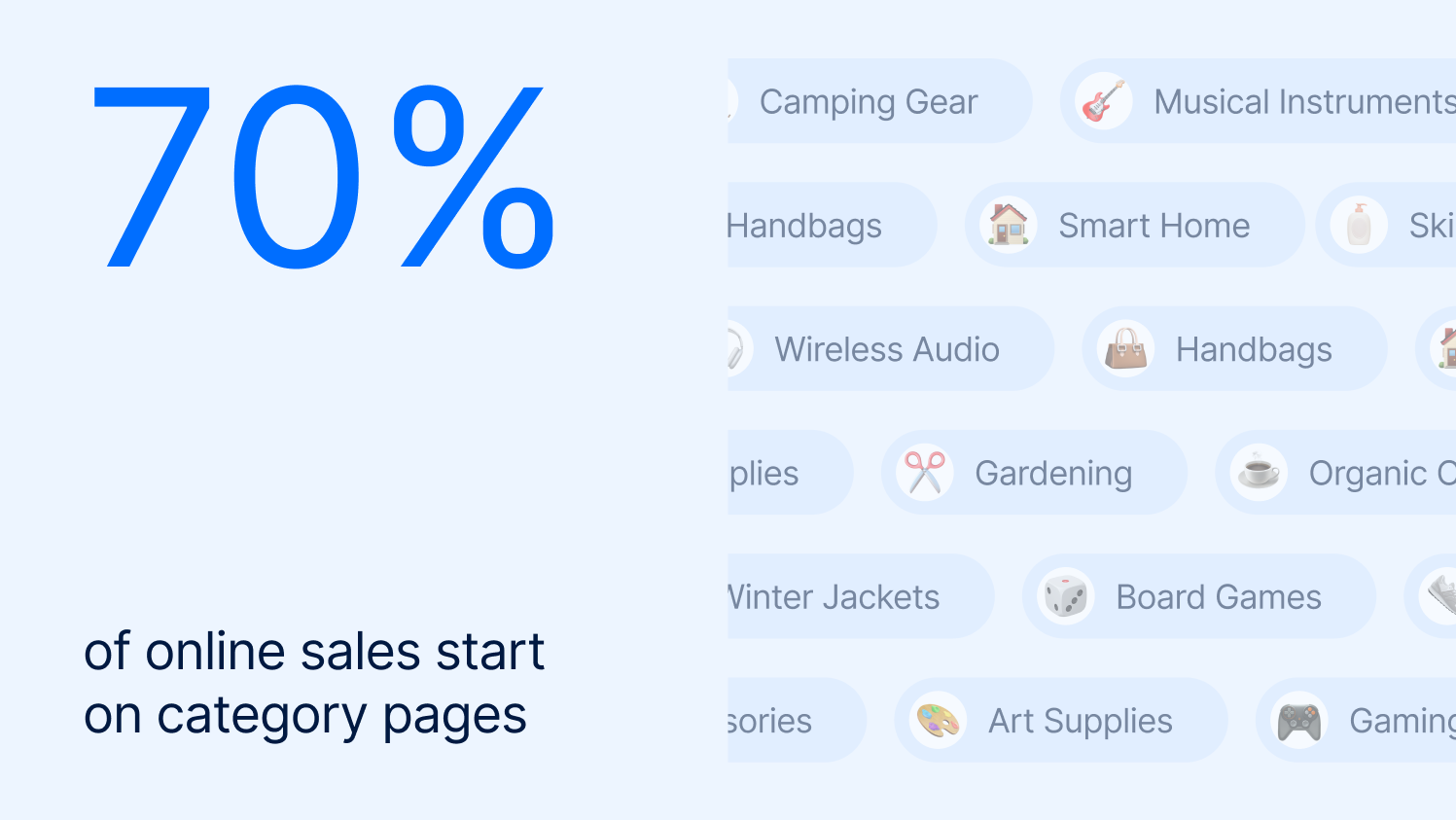
Category pages are key entry points for shoppers browsing by product type rather than specific items. In fact, according to Nosto, a Commerce Experience Platform (CXP), as much as 70% of online sales start on category pages. Optimizing them allows you to rank for broader search terms and guide traffic toward relevant product selections.
From a business perspective, this means more customers can find your products organically. It makes your site easier to navigate, improves visibility in search engines, and gives you greater control over how potential buyers experience your store.
How to Optimize eCommerce Category Pages
So, how do you actually turn a standard category page into one that performs in search, guides users, and supports conversions? The steps below walk you through a proven framework that covers structure, content, technical SEO, and UX.
Step 1: Structure Categories Logically
Your product category structure influences everything from search performance to how quickly customers can find what they’re looking for. A smart setup makes it easier to grow your catalog and ensures every product has a clear home. Not only that, it improves the store’s usability, which is a priority for 60% of users.
The best practices to follow are:
- Use consistent naming conventions
- Group similar items under parent categories
- Limit nesting to 2–3 levels deep
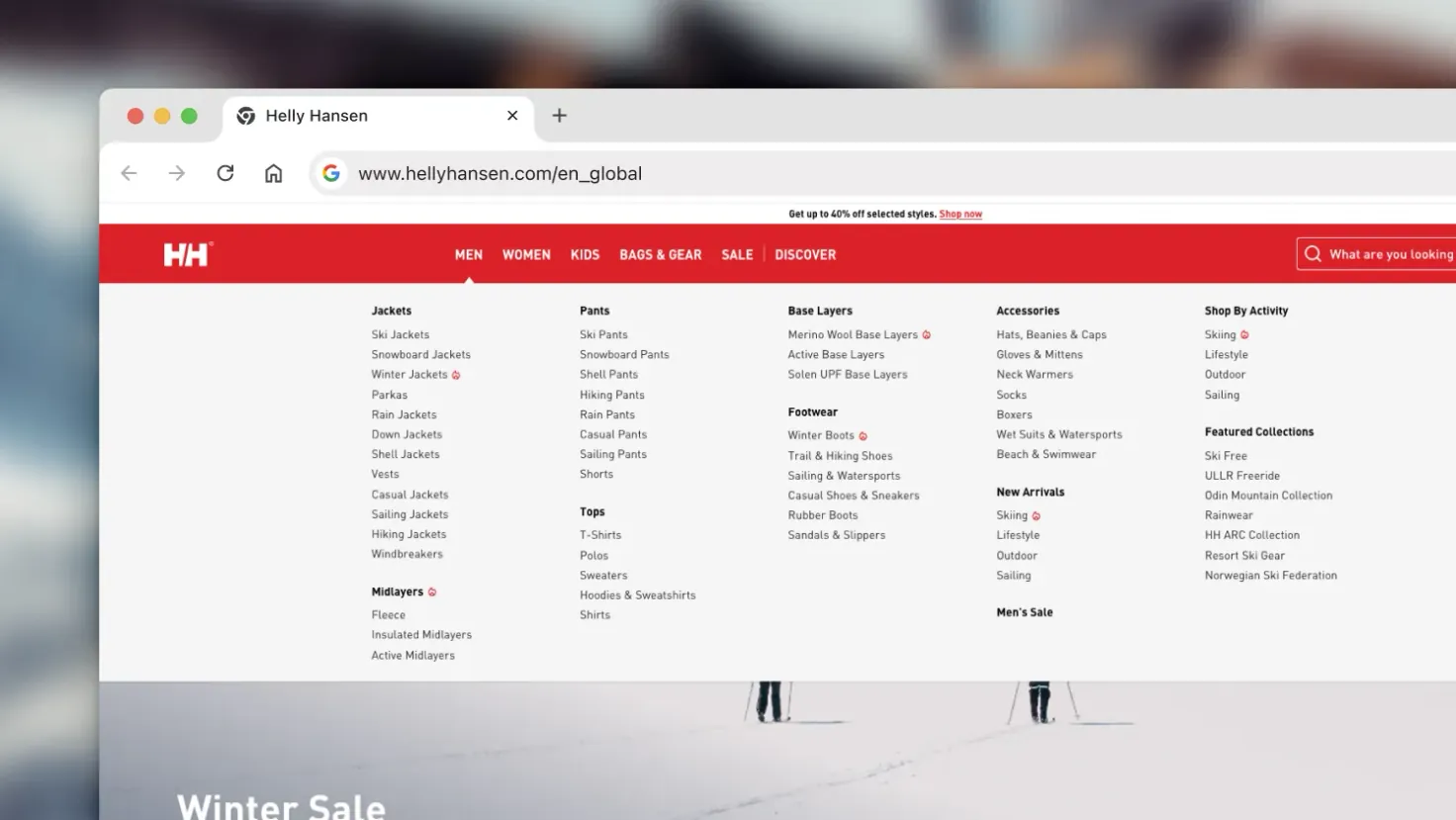
Helly Hansen organizing their catalog by clear, functional groups such as Jackets, Pants, and Footwear, and then breaking these down into specific use cases like Ski Jackets, Rain Jackets, or Hiking Pants.
Step 2: Keep URLs Clean and Reflect the Category Hierarchy
A messy URL structure confuses users and search engines alike. If your category pages don’t reflect your site’s hierarchy, it’s harder to scale, measure, and optimize. Clean, keyword-aligned URLs, on the other hand, give clarity and control, especially as your store expands.
To keep your URLs in good shape:
- Avoid unnecessary parameters
- Use lowercase letters
- Separate words with hyphens
- Keep the structure logical
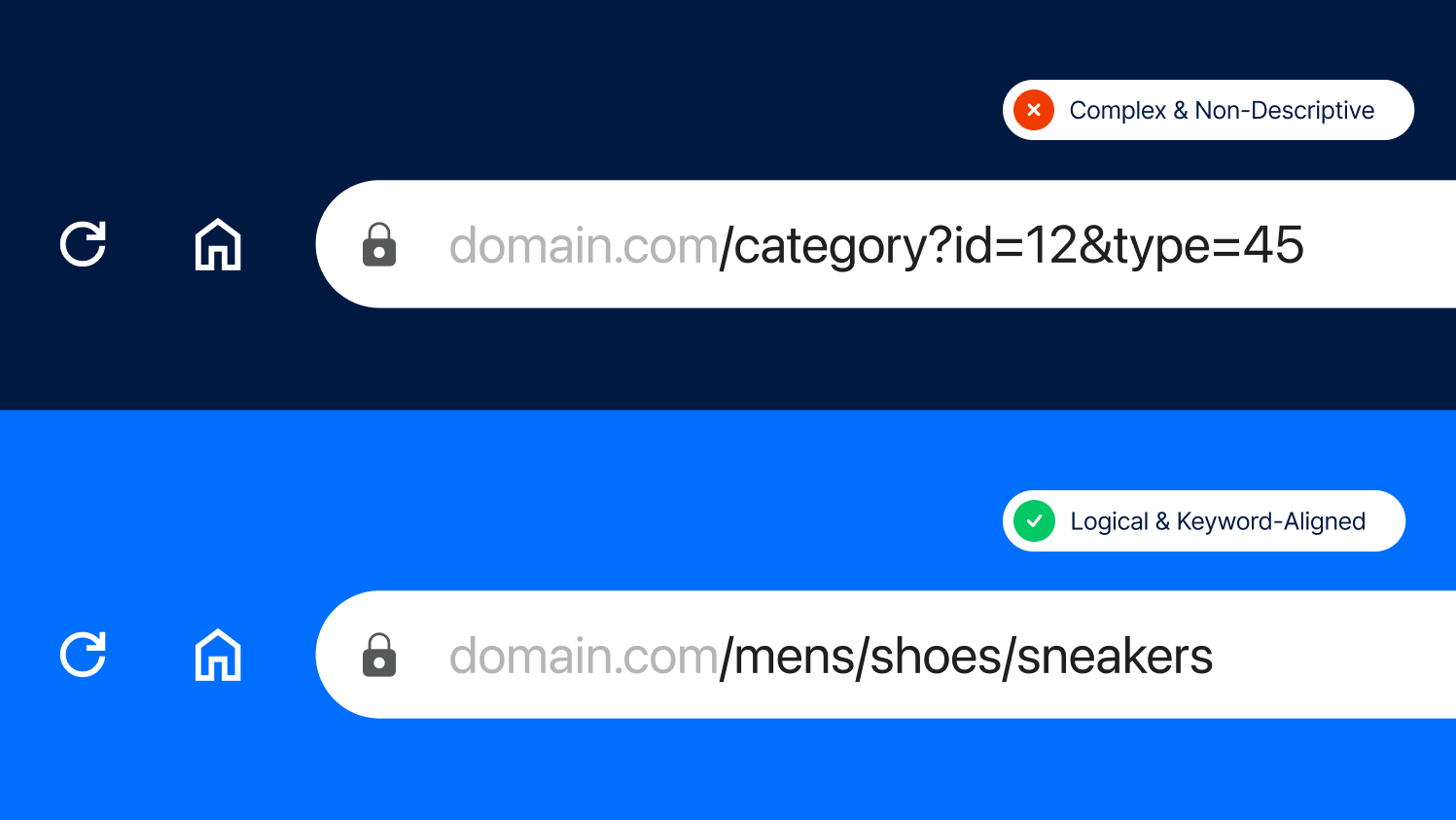
SEO-friendly vs. illogical and complex URL structure.
Step 3: Optimize Navigation and Internal Linking
We all want shoppers to stay longer and explore more. Internal linking is how you guide that journey, from high-traffic categories to deeper, more niche ones. Done right, it improves crawl paths, spreads authority, and gives users more paths to conversion.
We find these internal linking tactics bring the best results:
- Link from parent to child categories
- Cross-link between related categories
- Include product and blog post links where relevant
You can find more tips on the topic in our blog post “How to Turn Blog Traffic into eCommerce Sales”.
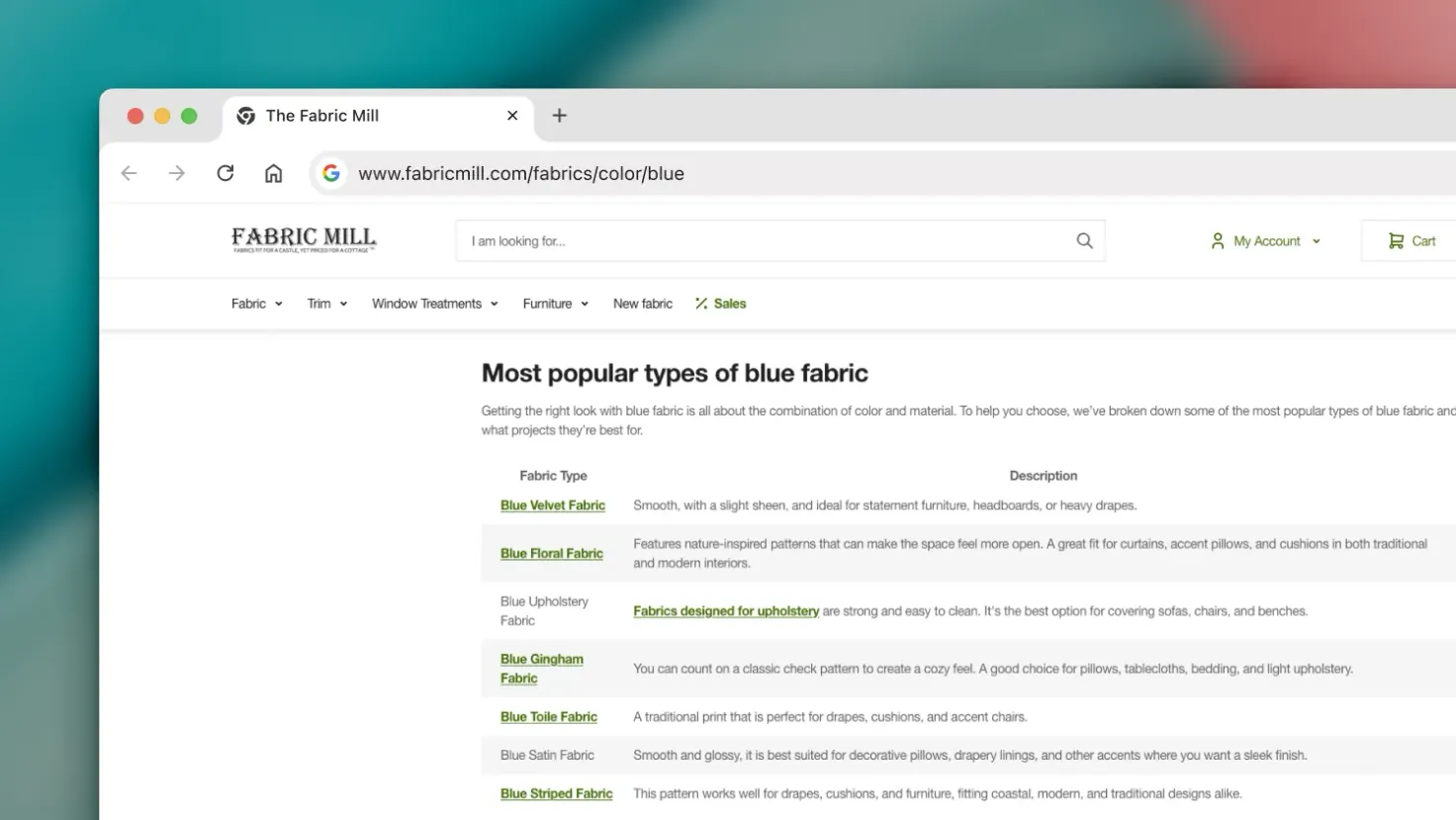
The Fabric Mill internally linking to various fabric categories.
Step 4: Use Clear, Keyword-Rich Titles and Meta Descriptions
Your title tag and meta description are often the first things people see in search results. That’s your moment to grab attention and stand out from every other store selling the same thing. Don’t just check a box, but treat this like your shop window.
What works well here:
- Include the main category keyword naturally
- Keep titles under 60 characters
- Keep meta descriptions under 160 characters
- Highlight features like “Free Shipping”
Step 5: Add Unique Content That Supports the Page
You’ve probably noticed that most category pages on the web are just product grids with zero context. That’s a missed opportunity. A short intro or guide helps users and search engines understand what the page is really about. If you’re adding a longer content block after the product list, make sure it follows all the best copywriting practices. Start with keyword research, use proper heading structure, bullet points, and short paragraphs for scannability.
We recommend the following approach:
- Add a short keyword-optimized intro above the product grid
- Include a second content block at the bottom with use cases or helpful tips
- Write clearly and in a tone that fits your brand
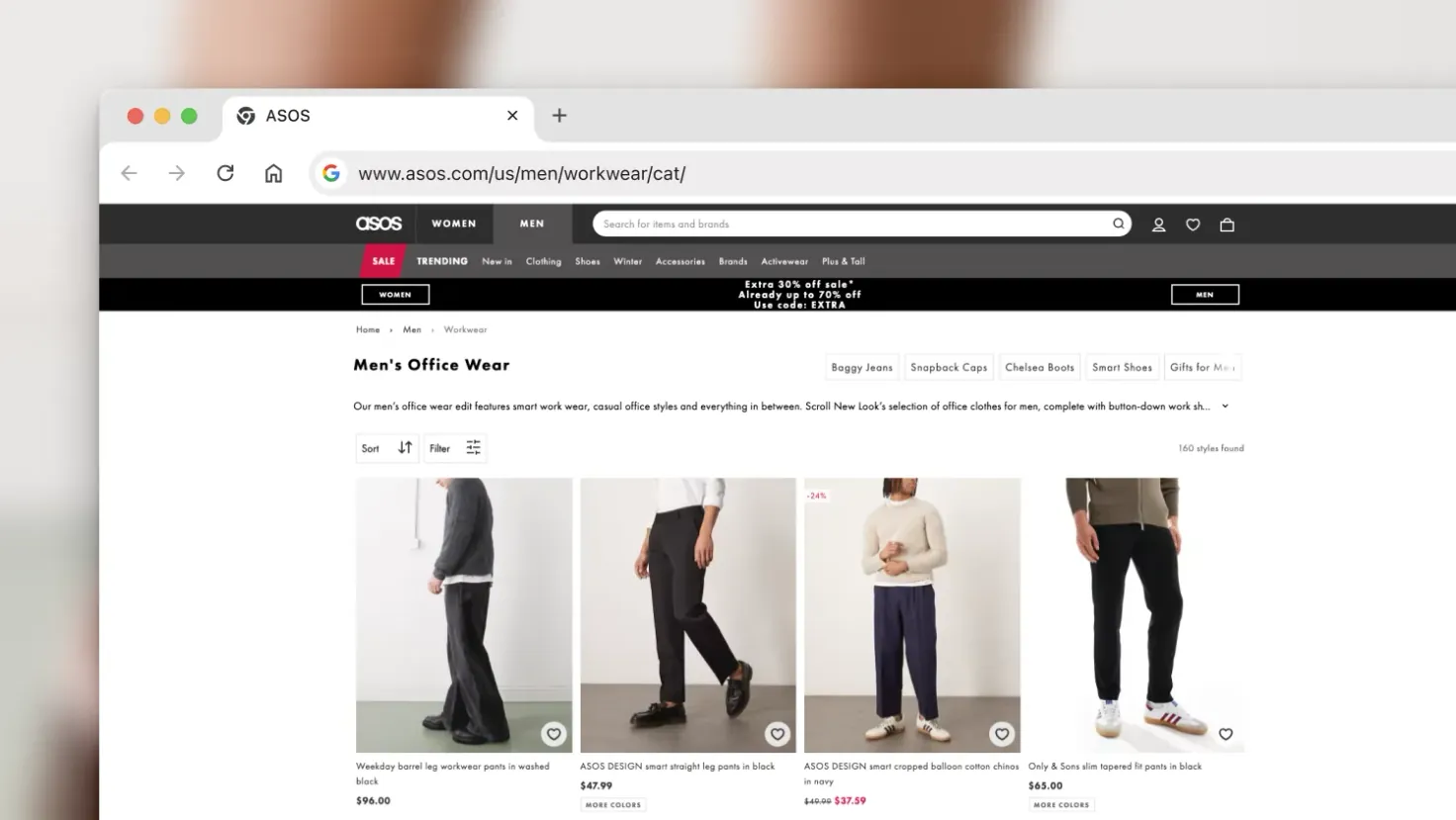
Top area content on ASOS’s Men’s Office Wear category, overviewing the items available, and naturally targeting keywords.
Step 6: Include an FAQ Section
Customers often arrive with specific questions about fit, use, or product differences. Short, focused FAQs can help keep them on your page and improve your chances of being featured in rich snippets like “People also ask”. Use tools like Semrush, Ahrefs, or Google Search Console to uncover real questions with solid search volume and build your FAQ content around those.
The best way to set up your FAQ is:
- Use real customer questions and simple answers
- Keep it concise (1–2 sentences per answer)
- Add FAQPage schema for rich snippet eligibility
Step 7: Apply Structured Data (Schema Markup)
Structured data is one of the most efficient ways to give Google more context about your category pages. It helps search engines understand what your content represents and can unlock enhanced search features like rich results.
For category pages, focus on key schema types, such as:
- ItemList to describe the collection of products on the page
- Product for any specific product highlights, especially if there’s a featured item or first item consistently shown
- BreadcrumbList to reinforce your site structure and aid navigation
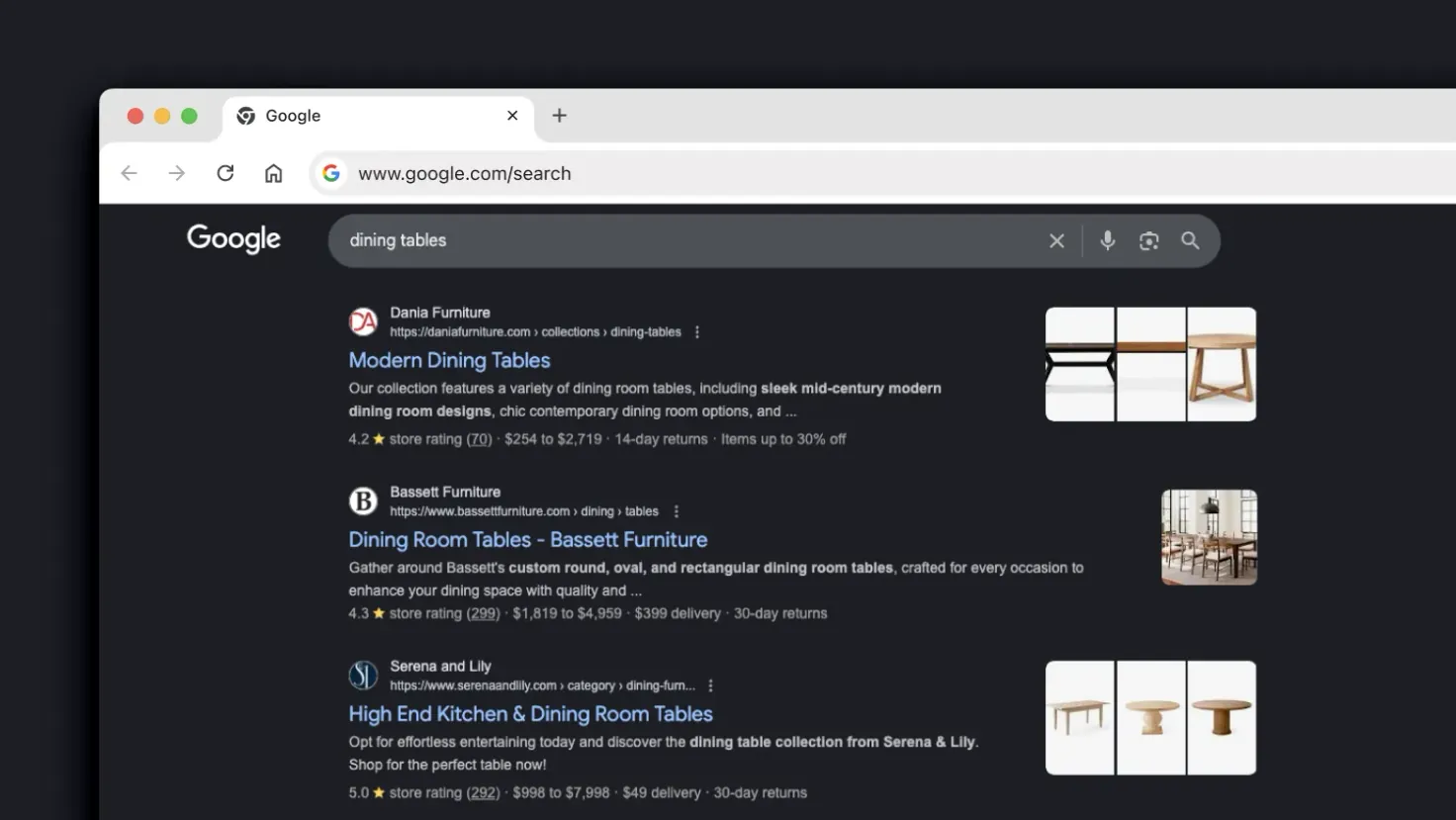
Using structured data can positively impact how your website appears in search engines and how high it ranks - these are the top unpaid results for the search “dining table”.
Step 8: Use Canonical Tags and Hreflang Properly
If you’re running a large or multilingual store, managing duplicate content is a constant battle. Canonical and hreflang tags are your best defense. They help search engines understand what to index, what to ignore, and where to display the right version.
To handle these correctly:
- Use canonical tags for each core category page
- Add hreflang tags for regional versions (e.g., en-us, en-gb)
- Keep hreflang consistent across alternate pages
Step 9: Balance Filters and Crawl Budget
Filters are great for users, but a potential nightmare for SEO. If every filter combo creates a new URL, Google may waste crawl time on low-value pages and skip the ones you want to get indexed.
It can also be confusing for search engines because URL parameters can essentially create multiple versions of the same page. For instance, a page sorted by price will likely display the same products, simply in a different order.
You need a system that stays flexible while keeping focus on the pages that matter and isn’t wasting crawl budget. What tends to work well:
- Add noindex to non-essential filter combinations
- Block unhelpful filters via robots.txt
- Use canonical tags for filtered views that don’t add value
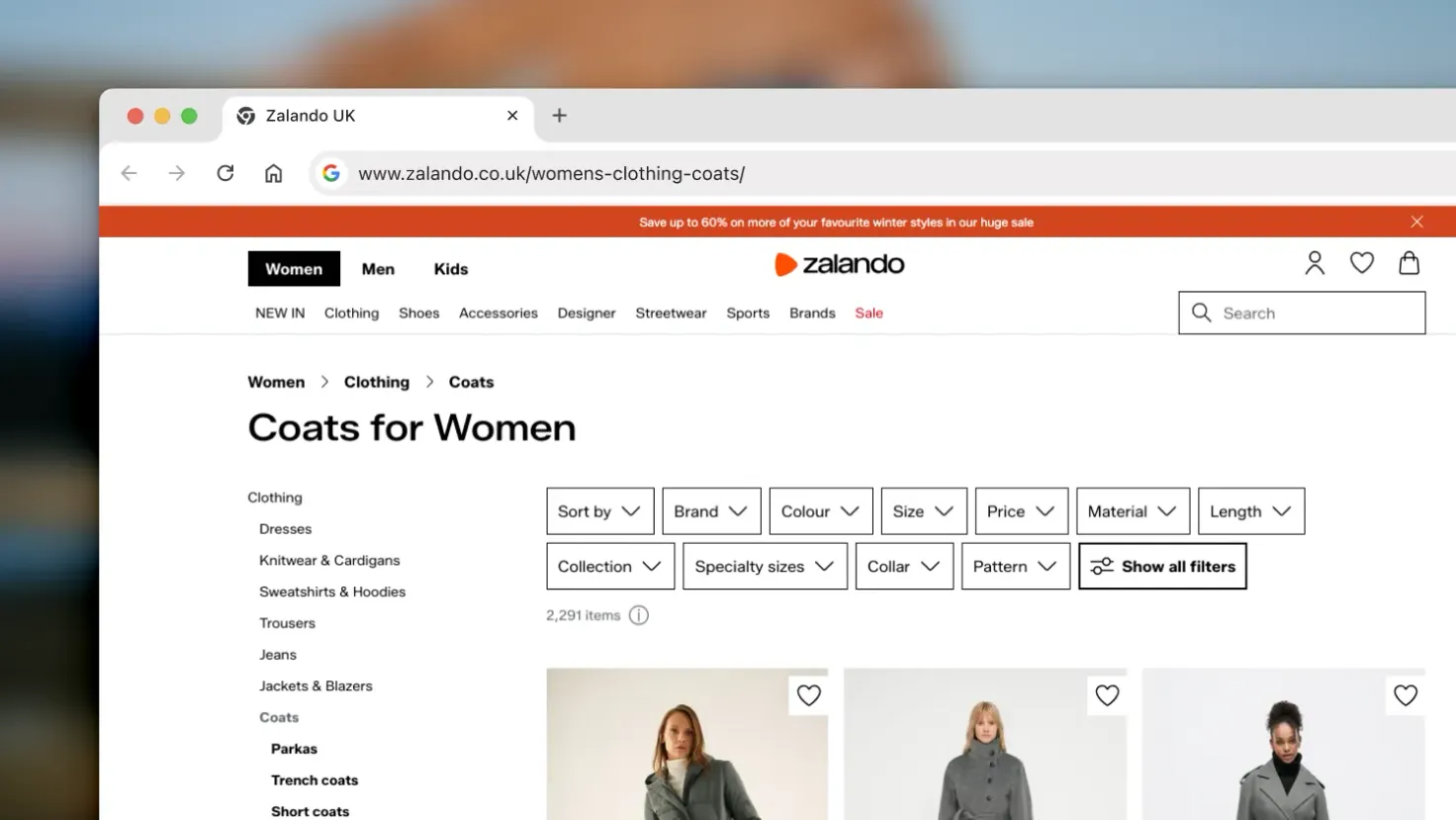
The abundance of filters makes it a lot easier for the customers to find what they’re looking for, but you need to be aware of potential crawl budget issues in these cases.
Step 10: Don’t Overload the Page with Too Many Items
We’ve all seen those pages that seem to go on forever. Fifty, one hundred, two hundred products on scroll. It’s slow, it’s overwhelming, and it’s not helping anyone. A more focused display keeps load times fast and makes browsing easier. SEMrush also notes that paginated pages link naturally to one another, which helps spread link equity and strengthens your site’s internal linking structure.
To keep things manageable, we encourage you to:
- Limit product count per page (20–40 is the most optimal)
- Use pagination or “Load More” buttons, depending on your layout
- Implement lazy loading for product images
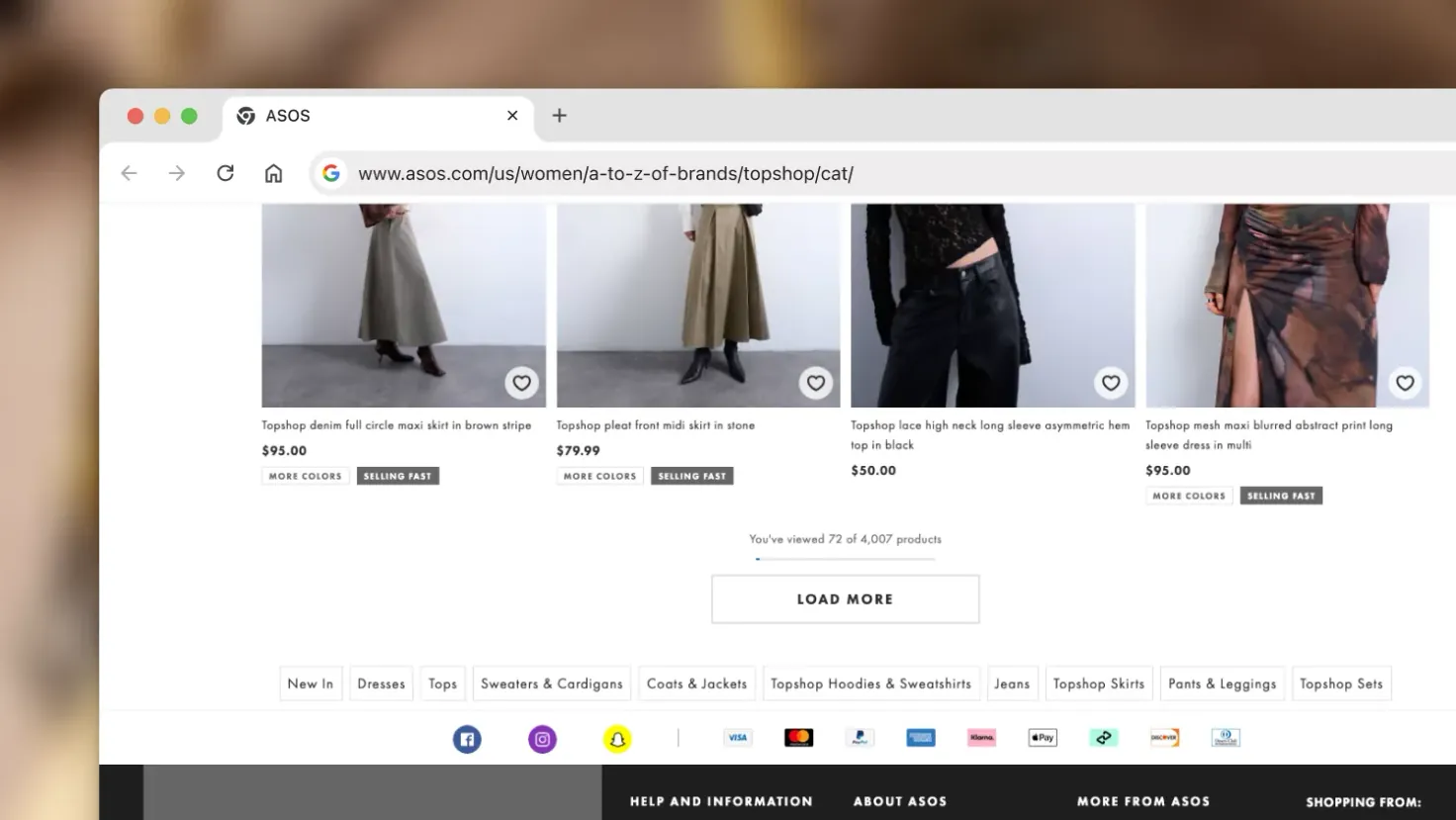
ASOS using a “Load More” button to avoid showing too many items at once.
Step 11: Use High-Quality Images
Crisp, optimized images boost buyer confidence and improve performance across the board. Large or unoptimized images, on the other hand, can slow down your page and create a frustrating experience. In fact, about 39% of people are said to stop engaging with a website if the images take too long to load or won’t load at all, according to HubSpot.
The image improvements we rely on include:
- Optimize image file size
- Use descriptive ALT text
- Include multiple views or color options
Step 12: Maintain a Consistent Layout and Prioritize UX
While not entirely an SEO matter, a consistent, user-friendly layout improves metrics like bounce rate and engagement. If users feel disoriented or frustrated by layout changes or clutter, they’re more likely to exit before even engaging. In fact, Tenet has found that companies lose about 35% of potential revenue because of poor user experience.
Our base go-to practices here include:
- Use uniform fonts, colors, and spacing
- Keep filter and sort features consistent
- Ensure mobile responsiveness
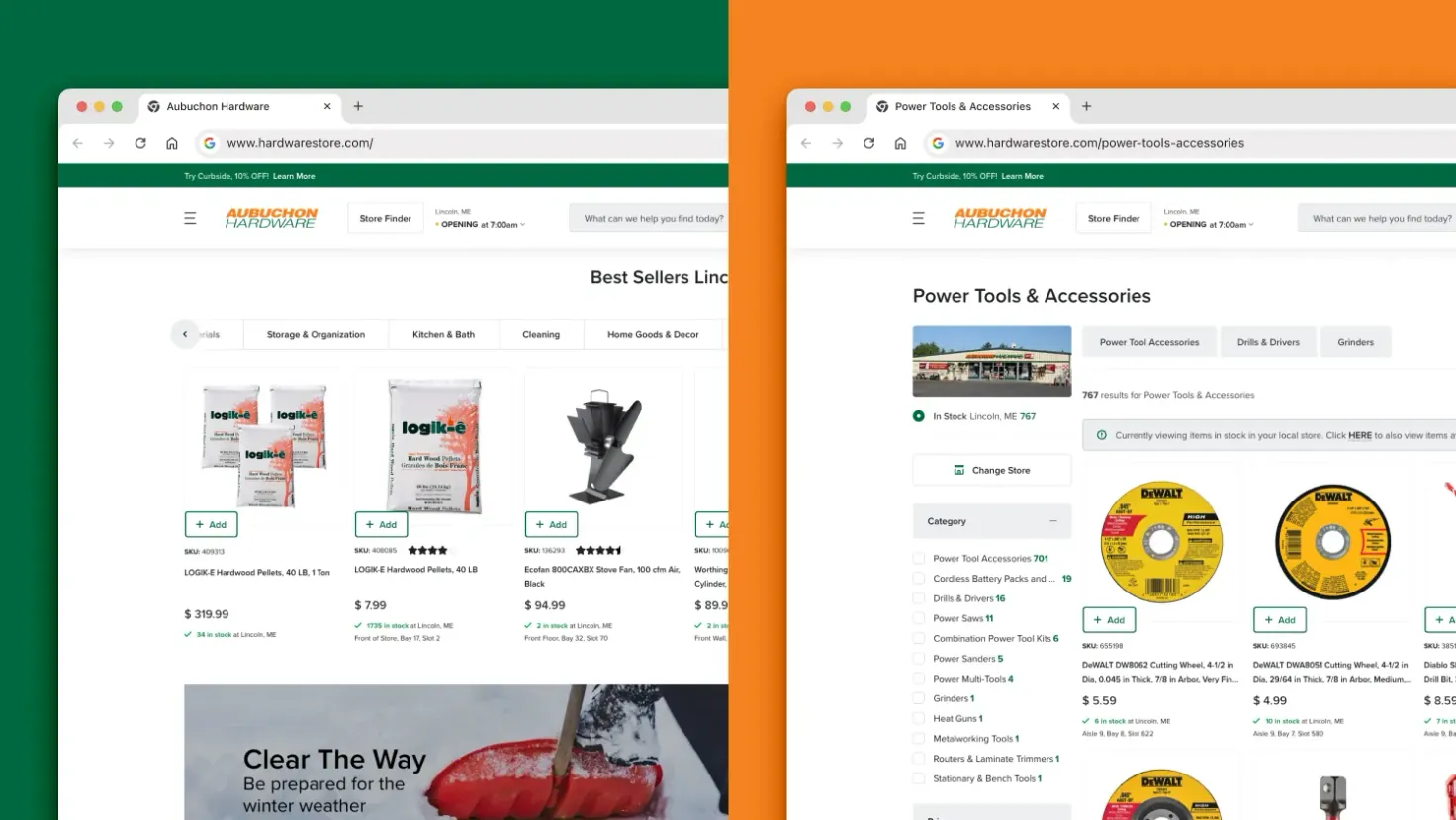
Aubuchon Hardware’s website maintaining the same design across their homepage and category pages.
Step 13: Add Customer Reviews or Ratings
Social proof isn’t just for product pages. Displaying reviews or ratings on your category grid helps shoppers compare and builds confidence at a glance. And structured properly, these can even show up in Google.
Here are some ideas on what to include:
- Show average rating below the product name
- Allow filtering by star rating
- Add structured data with the AggregateRating schema
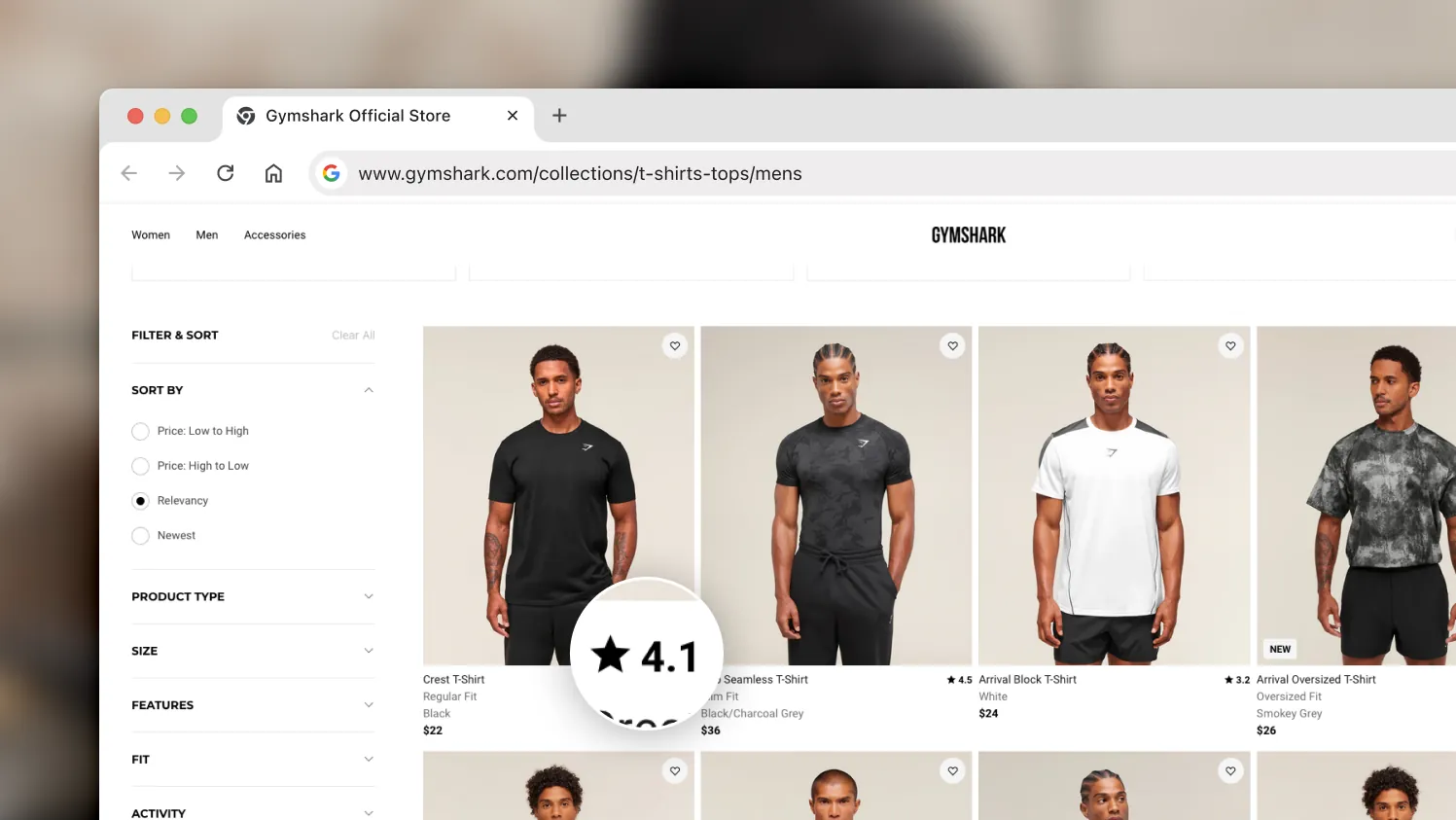
Gymshark displaying an average star rating for their products already on the category page.
Final Thoughts
Your category pages are more than just links to products. They’re often the first experience a new visitor has with your brand, so they should be fast, relevant, and easy to navigate. When structured thoughtfully, they drive qualified traffic, keep users engaged, and ultimately increase conversions.
Getting there takes time, testing, and experience. From fixing crawl issues and improving templates to writing better content and building internal logic that scales, each step matters. If you’d rather stay focused on other tasks while we handle the technical and creative execution, our full-service team is ready to help. Explore our SEO & AEO services, or reach out to us for personalized support across SEO, UX, content, and web development.