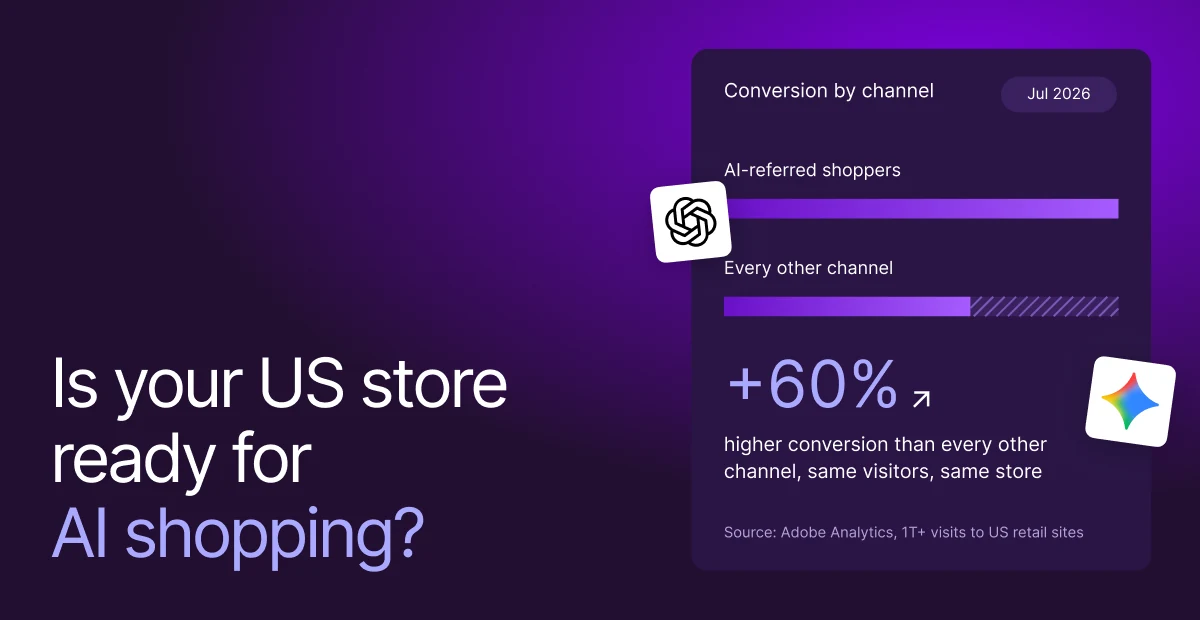
Customer acquisition is getting more expensive across the board. Meta CPMs alone are up 18.3% year over year, and similar pressure is showing up across paid and organic channels.
But here’s the real issue: Most brands are still trying to grow by buying attention, not by capturing demand where it already exists. And that’s exactly what the Shop app offers.
With over 200 million shoppers globally, Shop app is no longer a supporting feature. It’s a native commerce environment where:
- Nearly 48% of orders come from first-time buyers
- Customers are already logged in, with saved payment details
- Discovery is algorithm-driven, not traffic-driven
Yet most brands treat it like a checkbox, which means they show up like everyone else. In this blog, we’ll show you how to optimize your Shop app step by step, so your products get surfaced more often, convert faster, and turn first-time buyers into customers organically.
What exactly is the Shop app?
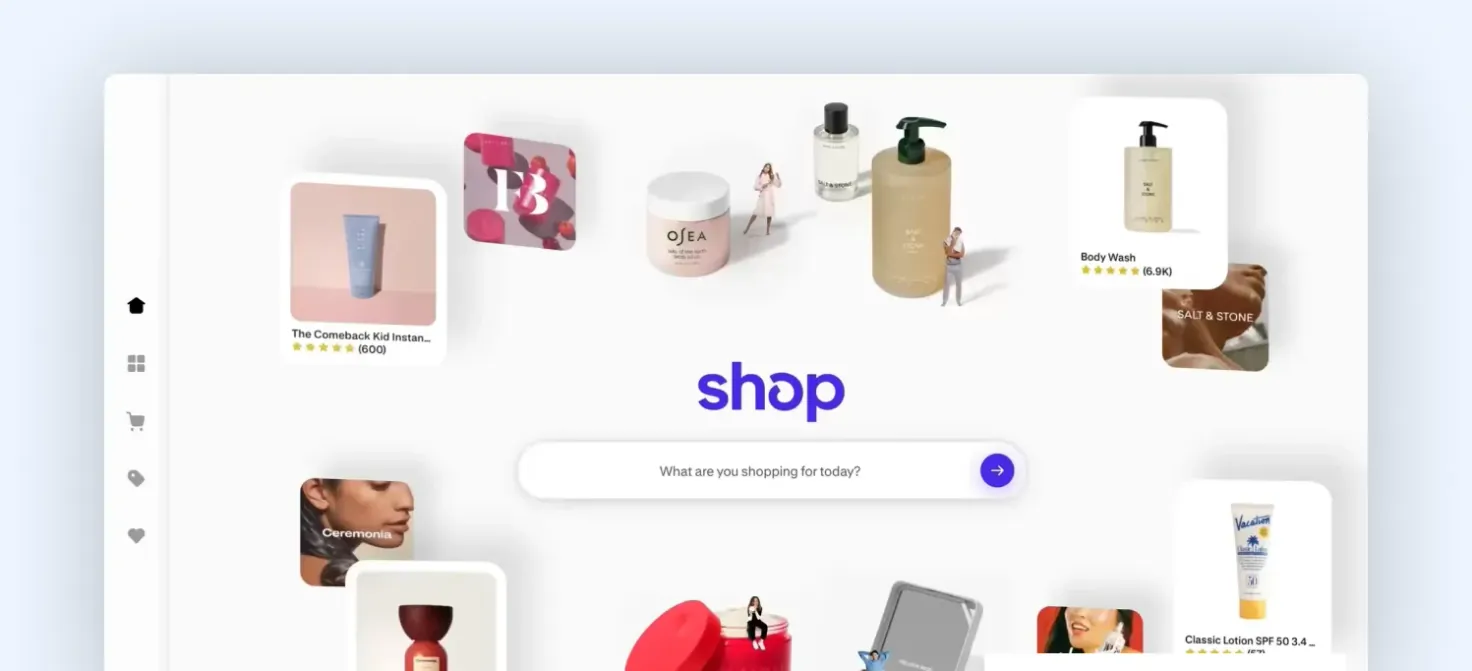
Shop app home page (Source: shop.app)
The Shop app started as Shopify’s simple order-tracking tool (originally Arrive), but has evolved into a full shopping experience where customers can discover products, track orders, and buy from brands in one place.
However, it is not a marketplace like Amazon or Etsy. Those platforms are built around search and comparison, where users actively look for a product and evaluate multiple options within a category.
The Shop app works differently. Products are surfaced to users based on their behavior (what they’ve browsed, purchased, or shown interest in). This means your product is often seen before the user has fully formed intent.
E.g., someone who recently bought nail care products may start seeing similar or complementary items in their feed without actively looking for them. This changes how performance works.
You’re not competing to rank for a keyword. You’re competing to be understood and chosen instantly, in a context where the user has limited information and very little time to decide.
How the Shop app works
Most merchants think, “If my product is good, it will sell.” In the Shop app, that’s not true. If your product is not immediately clear and easy to buy, it won’t get the chance to sell again.
Once your store is connected, your catalog is synced. But visibility depends on how your products perform. Here’s how it works:
- Products are shown based on behavior
The app decides what to show users based on browsing, purchases, and preferences.
- Performance drives visibility
Clicks increase exposure, purchases increase prioritization, and ignored products lose visibility over time.
- Checkout is frictionless
Shop Pay enables instant purchases with saved details, reducing drop-off and speeding up decisions.
- Purchases don’t happen in one session
Features like saved carts and order tracking bring users back into the app. E.g., a user can add to the cart on your website and later complete the purchase inside the Shop app.
- The system continuously learns
Your products are constantly being tested, and the ones that perform well are shown more often.
8 steps to sell more through the Shop app sales channel
If the Shop app is a performance-driven system, then optimization is about making your products easier to surface, easier to understand, and easier to buy, especially for first-time customers.
Most stores rely on the default setup. That leads to low visibility, weak engagement, and poor conversion when products are shown. Here’s the optimization path that actually drives results:
Step 1: Optimize how your store appears in the Discover feed
Most stores enter the Shop app in an out-of-the-box state, where the catalog is auto-synced and displayed with minimal context or intent. The platform does not optimize this for you; it simply reflects your existing setup.
In the Discover feed, this has a direct consequence: these stores are rendered as low-priority, small-format listings because there is no strong signal of relevance or clarity. From the system’s perspective, they are harder to interpret and less likely to drive engagement.
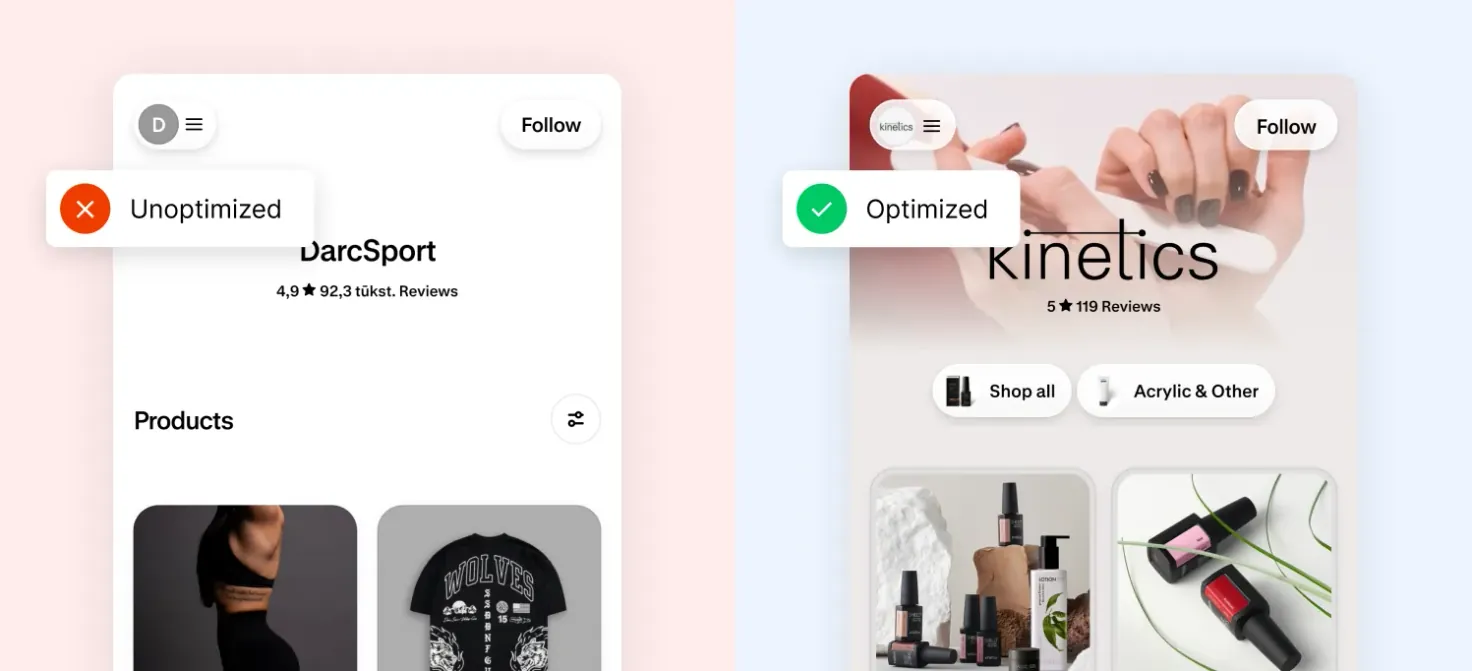
An unoptimized store vs the optimized store of Kinetics
Optimized stores send stronger signals. By using clear, context-rich visuals (especially video) and a more intentional presentation, they improve:
- Immediate product comprehension
- Early engagement (stops, clicks)
- Confidence in relevance
This increases the likelihood of being shown in larger, full-height placements, which compounds visibility. When Magebit optimized the Shop app for Kinetics, we introduced a video of the nail-filing action to reduce interpretation effort at the feed level. This made the product instantly understandable and improved early engagement.
Step 2: Structure your Shop app store page for conversion
After a user clicks from the Discover feed, the store page becomes the next critical point of decision, and this is where most setups lose momentum.
By default, the Shop app shows a flat list of all products with generic recommendations and no prioritization. This forces users to decide where to start, which is where most drop-offs happen.
An optimized store page removes that friction by creating a guided, shoppable experience. Instead of showing everything, it highlights top-selling collections and high-converting products first, giving users a clear entry point and reducing decision effort.
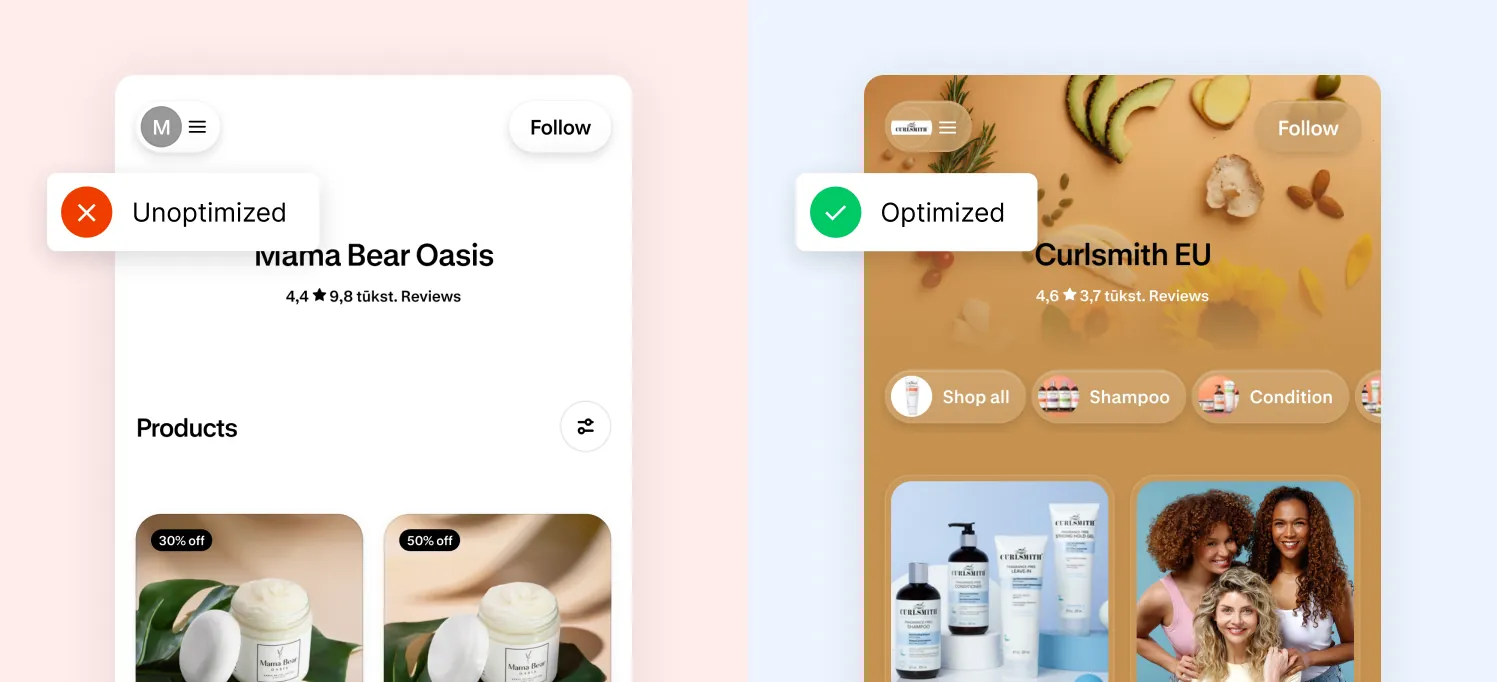
Default vs optimized store page
There is also a structural constraint that directly impacts how you should prioritize products. The Shop app does not support true personalization natively. If a product requires custom input, it redirects the user to your website in a browser. This breaks the in-app flow and introduces friction, which lowers conversion rates.
Because of this, we recommend to:
- Push simple or configurable products (size, color) at the top
- Start with categories that your ideal customers typically shop for
- Offer personalized products later, not at the entry point
- Remove duplicate products and too many similar variants
Step 3: Improve the navigation experience
Once users are inside your store, their navigation experience also needs to be smooth. It’s about how easily users can jump between sections.
Out-of-the-box navigation in the Shop app is minimal. It shows basic store information but doesn’t actively guide users to key categories or high-intent areas. As a result, users either stay limited to what’s visible or drop off instead of exploring further.
Optimized navigation changes that by making movement inside the store intentional and efficient. It allows users to:
- Quickly access top categories or collections
- Move between sections without scrolling through everything
- Understand the structure of your store at a glance
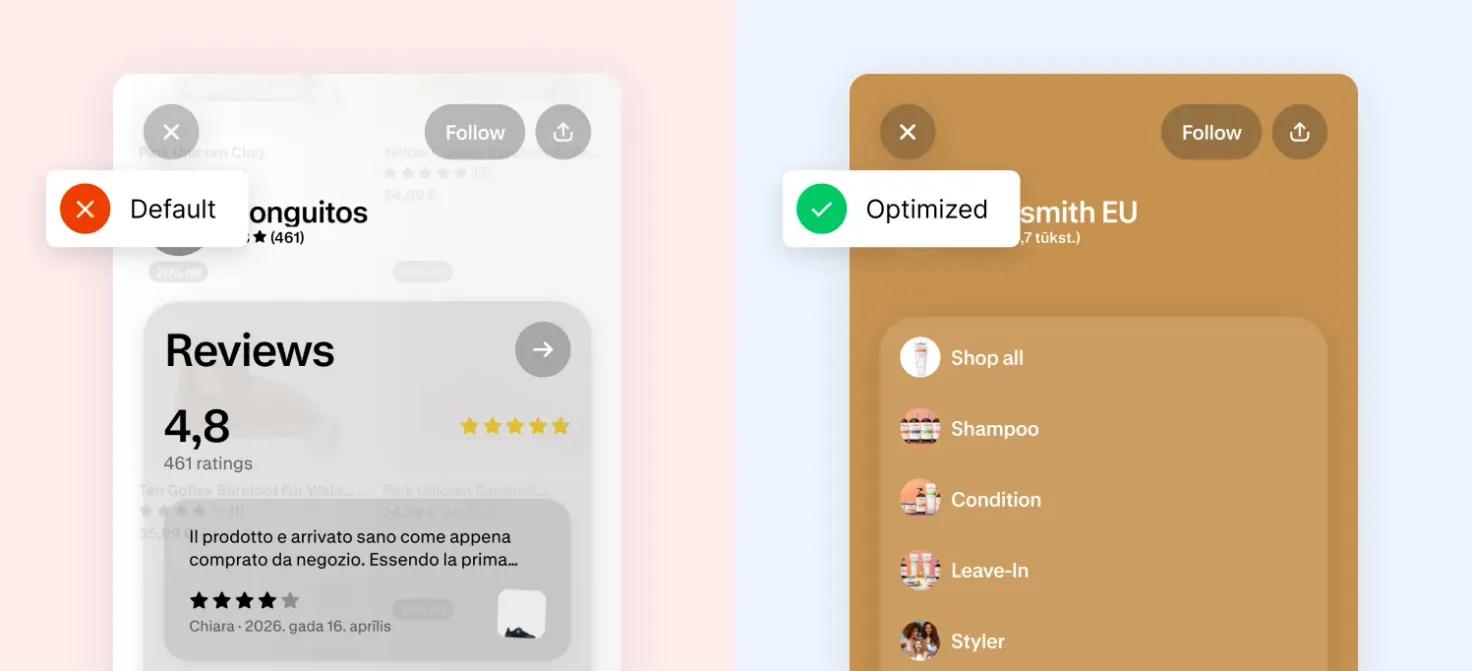
Default vs optimized navigation experience
This becomes important once a user is interested but hasn’t decided yet. At that point, they don’t want to start over, but want to refine their choice quickly.
Step 4: Optimize your product data
Before your product is shown to a user, the Shop app needs to understand what it is, where it belongs, and who it’s relevant for. This understanding comes entirely from your product data.
Most stores overlook this and treat metadata as a backend task. In the Shop app, it directly impacts visibility and matching. If your data is unclear or inconsistent, products get shown in the wrong context or not shown enough at all.
For optimizing this, you need to audit your Shop app metadata. Check the table below for details.
| Element | Guidelines & Checklist |
|---|---|
| Title | Include the brand + clear product description + key attribute. Example: Use “Zara Blue Floral Cotton Maxi Dress” instead of “Summer Breeze” |
| Product Category (Standardized Product Type) | Is it correctly assigned in Shopify? This directly affects how your product is grouped and surfaced. |
| Tags and Attributes | Do they reflect material, use case, and category consistently across the catalog? |
| Metafields | Are you using structured data (like size, fabric, compatibility) to give the system more context? |
| Hero Image | Does it communicate the product instantly, or require interpretation? |
Step 5: Make product information easy to scan and compare
Product descriptions in the Shop app are not pre-defined; they come directly from your Shopify store. But most of these are written for desktop or SEO, which doesn’t translate well to how users behave in the app.
The Shop app is a mobile-first environment, where users scan quickly and make decisions with limited attention. Long paragraphs or unstructured content slow them down and increase drop-off. Optimization here is about formatting and prioritization, not rewriting everything.
Focus on:
- Leading with what the product is and who it’s for
- Surfacing key features or benefits early
- Breaking content into short, scannable sections or bullet points
- Making it easy to compare with alternatives
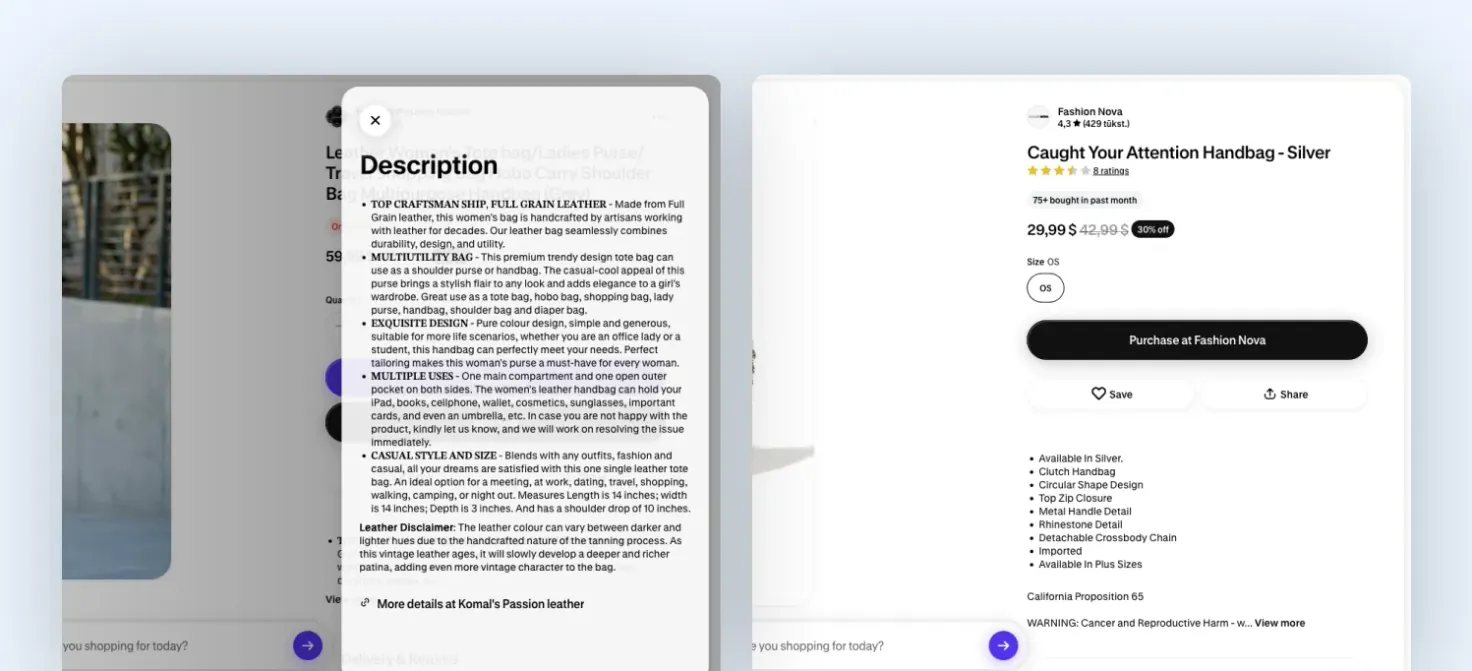
A comparison between a long product description and a short, structured product description
Step 6: Use the Shop app to convert drop-offs into completed purchases
When a shopper is logged in and adds products to the cart on your Shopify store but doesn’t complete the purchase, that intent is not lost. The cart is automatically passed into the Shop app and can reappear when the user is browsing there later.
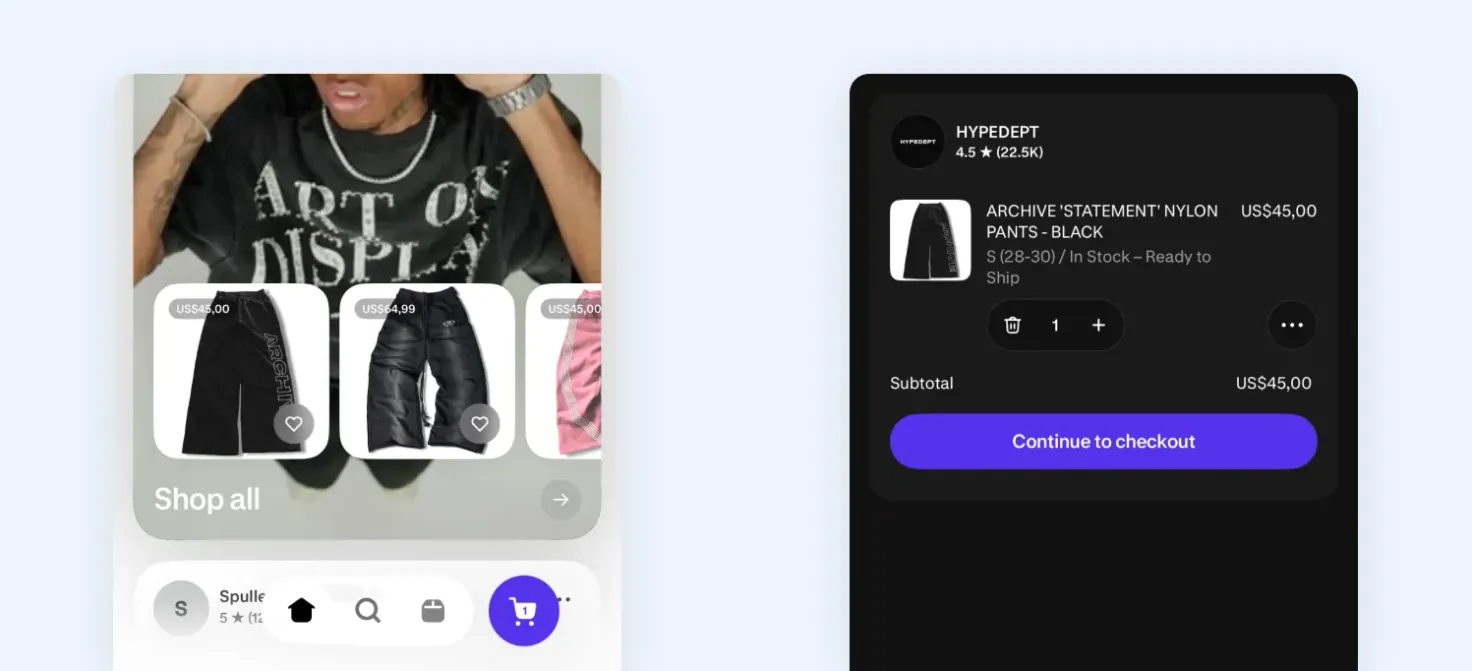
Abandoned cart appearing inside the Shop app
This creates a clear optimization opportunity. Instead of relying only on emails or retargeting, you can:
- Let users resume their purchase natively inside the Shop app
- Reduce friction with Shop Pay and save details
- Convert users without forcing them to restart the journey
For this to work effectively, your setup should ensure that products are eligible for in-app checkout and the experience remains simple and uninterrupted.
At this stage, the user has already shown intent. The role of the Shop app is to surface that intent again at the right moment and make completion effortless.
Step 7: Use reviews to reduce hesitation for first-time buyers
In the Shop app, many users are discovering your brand for the first time. That means they’re making decisions with little to no prior trust. This is where reviews play a critical role.
Unlike your website, where users might explore multiple pages, Shop app decisions happen quickly. Reviews act as a shortcut to trust, helping users validate their decision without needing more information.
To optimize this:
- Ensure reviews are visible and integrated within the Shop app
- Highlight clear, relevant feedback (quality, results, usability)
- Focus on reviews that help answer: “Will this work for me?”
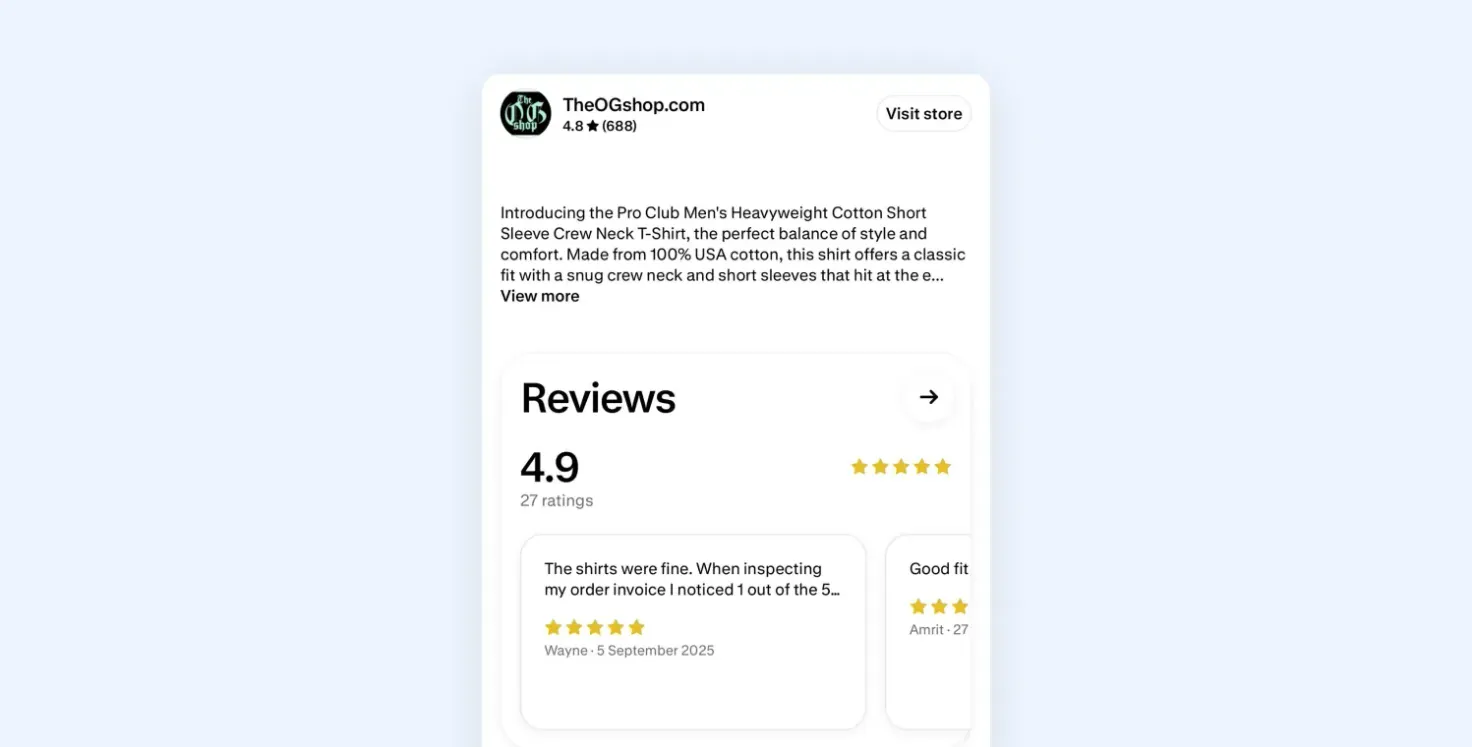
An example of a Shop app product with good reviews
Step 8: Use promotions strategically without breaking conversion quality
Promotions in the Shop app need to be handled differently from those on your website. Most merchants rely on frequent discounts to drive sales. In a feed-driven channel like the Shop app, this can backfire. It attracts price-sensitive, low-intent users, which can hurt overall product performance over time.
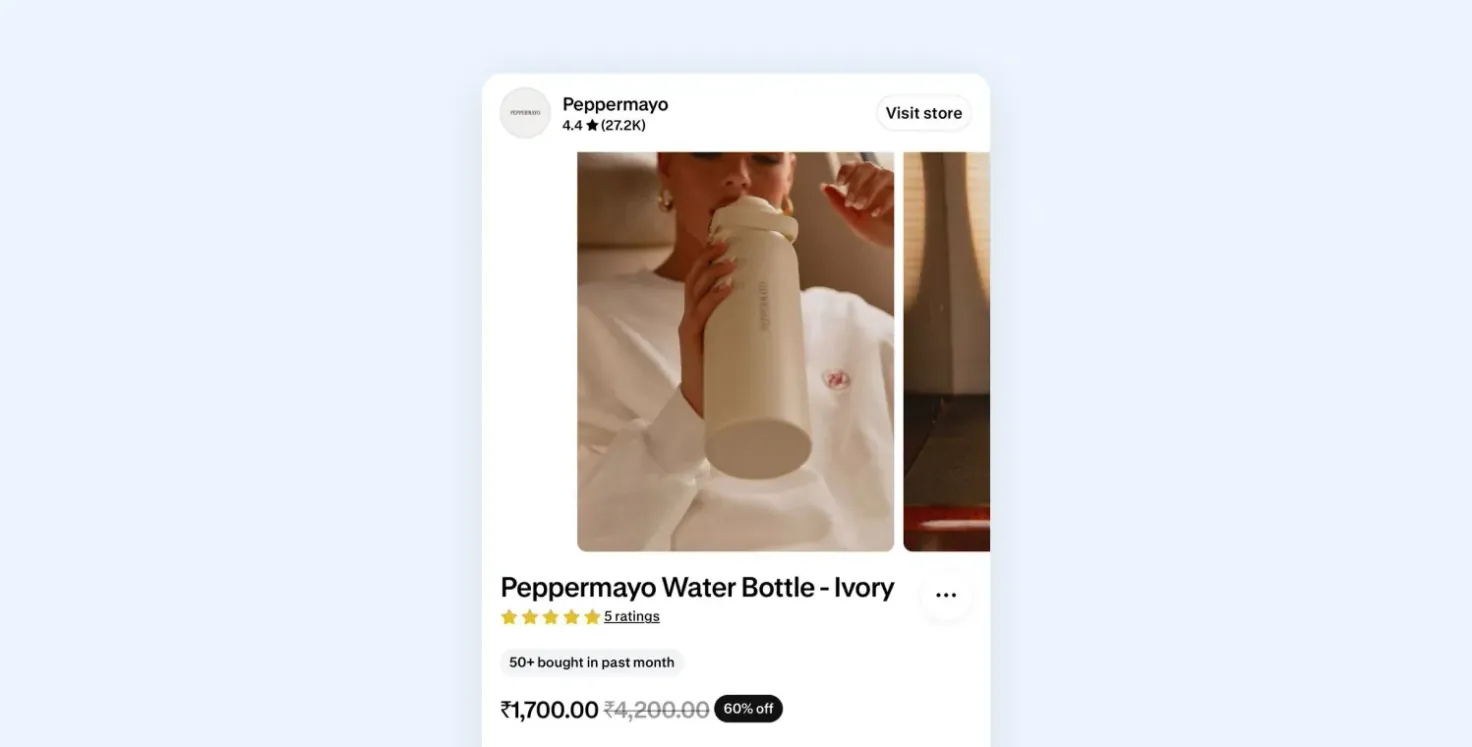
An example of promotions inside the Shop app
Instead, promotions should be used to support conversion. Focus on:
- Time-bound offers (launches, seasonal moments) to create urgency
- Bundles that simplify decision-making and increase order value
- Free shipping thresholds that encourage users to add one more item
The goal is to make the purchase feel like a better decision, not just a cheaper one. Timing also matters. Promotions perform best when user intent is already high, not when you’re trying to force demand.
Final thoughts
Most merchants expect the Shop app to work like a passive extension of their store. It doesn’t. It is a performance-driven channel where visibility is earned, not given. If your products are not clear, comparable, and structured in a way the system can understand, they won’t scale, regardless of how strong your brand or traffic is.
Across the brands we’ve worked with, including Kinetics, the pattern is consistent. The issue is rarely demand; it’s how products are set up, how they perform in the first interaction, and how consistently that performance is improved over time.
The difference between an underperforming Shop app channel and a high-performing one is not a single tactic. It’s how well these pieces work together.
If you want to see where you’re losing visibility or conversion, start with our Shop app optimization checklist.
If you’d rather fix it end-to-end, we’ll help you restructure, optimize, and scale your Shop app channel into a reliable source of revenue. Get in touch with a Magebit expert.