The Hyvä compatibility module for Checkout.com started not with Checkout.com itself, but as a solution for another client who needed payment compatibility with the Hyvä frontend. Magebit developed and published it alongside other payment modules we've created, such as:
- Viva Wallet Hyvä Compatibility Module
- Utrust Payment Hyvä Compatibility Module
- Quickpay Gateway Hyvä Compatibility Module
- Cardstream Payment Hyvä Compatibility Module
After the initial release, Checkout.com, a payment processing service provider partnered with eBay, Uber, Pinterest, and many other huge clients, approached us to extend the module with more payment options and checkout flows. The work brought together our Magento and Hyvä developers, project managers, and Checkout.com’s technical team to integrate features like tokenization, 3DS handling, and real-time webhook updates while keeping the checkout experience fast and stable.
You can find the codebase in the Magebit GitHub repository and listed on the Hyvä Modules page.
In this blog, we walk through the initial Hyvä compatibility we built, the enhancements delivered with Checkout.com, the technical and UX decisions behind them, and the impact on merchant checkouts.
What the Initial Compatibility Included: Key Payment Flows
The first version of the Hyvä compatibility module delivered a strong foundation and introduced secure, flexible payment flows.
- Card Payments: Implemented through Checkout.com Frames v2 tokenization. This approach ensured PCI compliance by preventing card data from being stored on Magento.
- 3D Secure: Fully handled at the place-order stage through redirect URLs from Checkout.com, enabling smooth authentication flows.
- Vaulting: Securely stored tokenized cards for returning customers. Saved card options appeared only when relevant settings were active.
- Checkout Flow Modes: Supported both payment-first and order-first flows, configurable through Magento admin.
The Next Phase: Checkout.com’s Requested Enhancements
Checkout.com requested the following additional features to align the Hyvä experience with Luma and to introduce greater flexibility and payment diversity:
- Alternative Payment Methods: MB WAY with webhook support, part of the broader APM structure within Checkout.com’s Magento 2 module.
- Apple Pay and Google Pay: Added as regular payment methods, matching Luma Checkout behavior.
- Express Checkout Options: Apple Pay and Google Pay Express buttons for faster, in-context payments directly from the cart or minicart.
- Webhook Support: Automated order updates and MB WAY waiting page logic for real-time payment feedback.
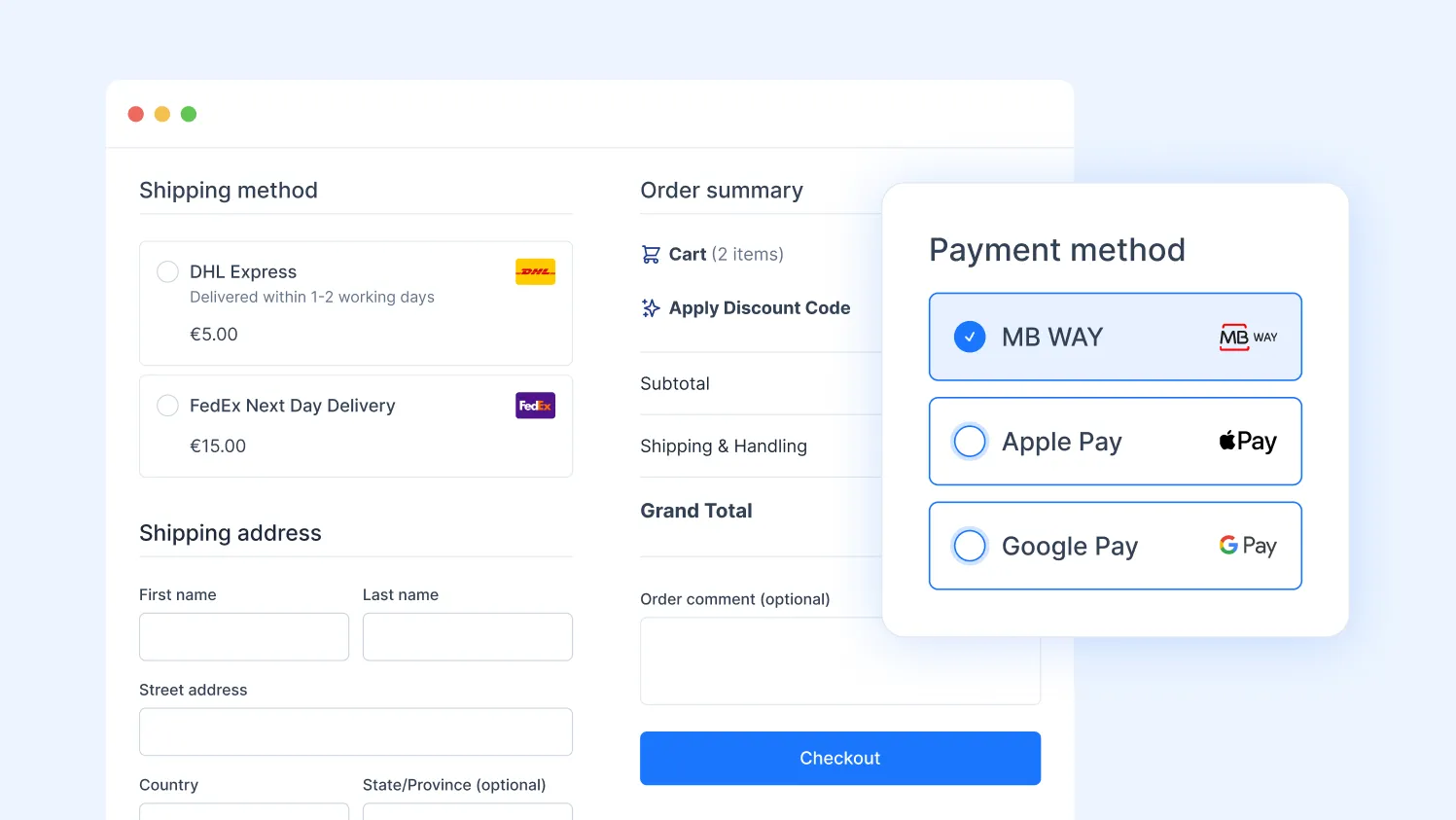
Each addition was prioritized to balance technical complexity with business value, ensuring early delivery of the most visible improvements like Apple Pay, Google Pay, and MB WAY.
Technical Specifications and Integration Details
Even with a business-first focus, technical depth mattered. Every enhancement followed strict PCI, SCA, and UX standards.
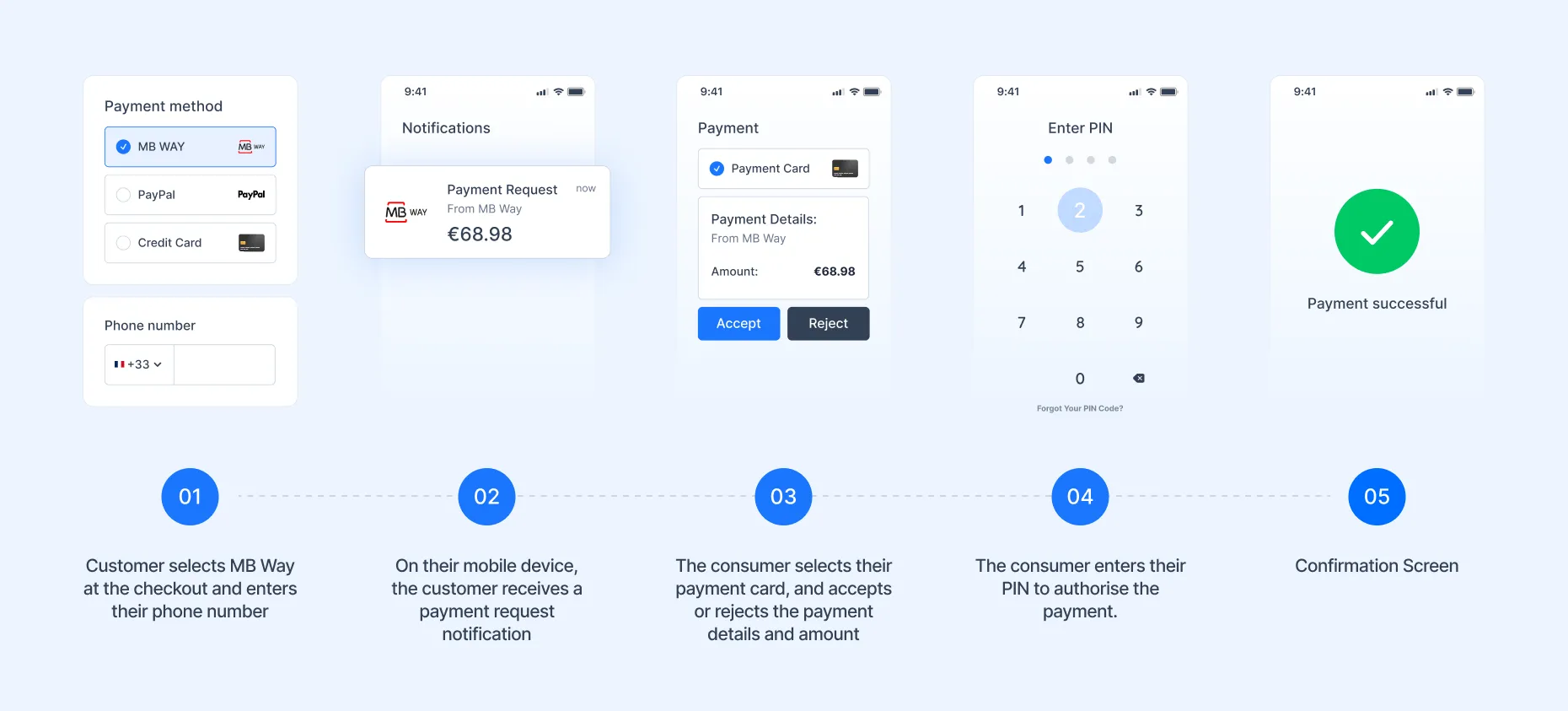
APM (MB WAY)
Firstly, MB WAY was implemented as an alternative payment method on top of a shared APM structure.
- Built as a base wrapper to easily add new APMs.
- Integrated via Magewire for real-time request handling.
- UI developed using Tailwind CSS and AlpineJS for consistency with Hyvä.
- Added phone number validation specific to MB WAY.
Apple Pay & Google Pay
Apple Pay and Google Pay needed to behave the same way merchants already knew from Luma while taking advantage of the Hyvä frontend.
- Functionality fully mirrors Luma Checkout to maintain parity.
- Supported standard checkout and express modes.
Webhook Logic
Webhook handling is central to keeping orders in sync with Checkout.com in real time. The same webhook flow covers card payments and APMs, so the store always reflects the latest payment state.
- Real-time updates for payment status changes (authorized, captured, failed).
- MB WAY uses a waiting screen while users confirm payments in their mobile app.
APIs and SDKs
To keep the integration aligned with Checkout.com best practices, all payment communication runs through their official SDKs and APIs.
- Checkout.com SDK is used for secure tokenization and payment processing.
- Webhook events processed via Checkout.com’s gateway for instant synchronization.
This design ensures that new payment methods would fit neatly into the existing Hyvä checkout experience without sacrificing performance or maintainability, allowing for easy scaling of the business.
UX and Performance Standards
To meet client and user expectations, UX and performance criteria were defined early in the project and tracked throughout testing.
One major improvement came after addressing a sandbox gateway delay where webhooks took over two minutes to trigger. This was fixed after internal collaboration with Checkout.com, ensuring real-time feedback.
.webp)
Delivery and Rollout Plan
The project followed a phased delivery model with clear prioritization and review cycles.
Priorities
- MB WAY Flow: Core APM functionality and webhook-based waiting screen.
- Apple Pay and Google Pay: Standard checkout implementation matching Luma behavior.
- Express Checkout: Cart and minicart buttons with logic for multiple active buttons on the same page.
Test Environments
- Checkout.com sandbox for all payment types.
- Shared staging environment hosted by Magebit for QA and client testing.
- Local environments for active development.
Acceptance Criteria
- Every payment flow operated securely and accurately.
- Webhooks synchronized order statuses without manual intervention.
- UX met accessibility and latency goals.
Target Release Strategy
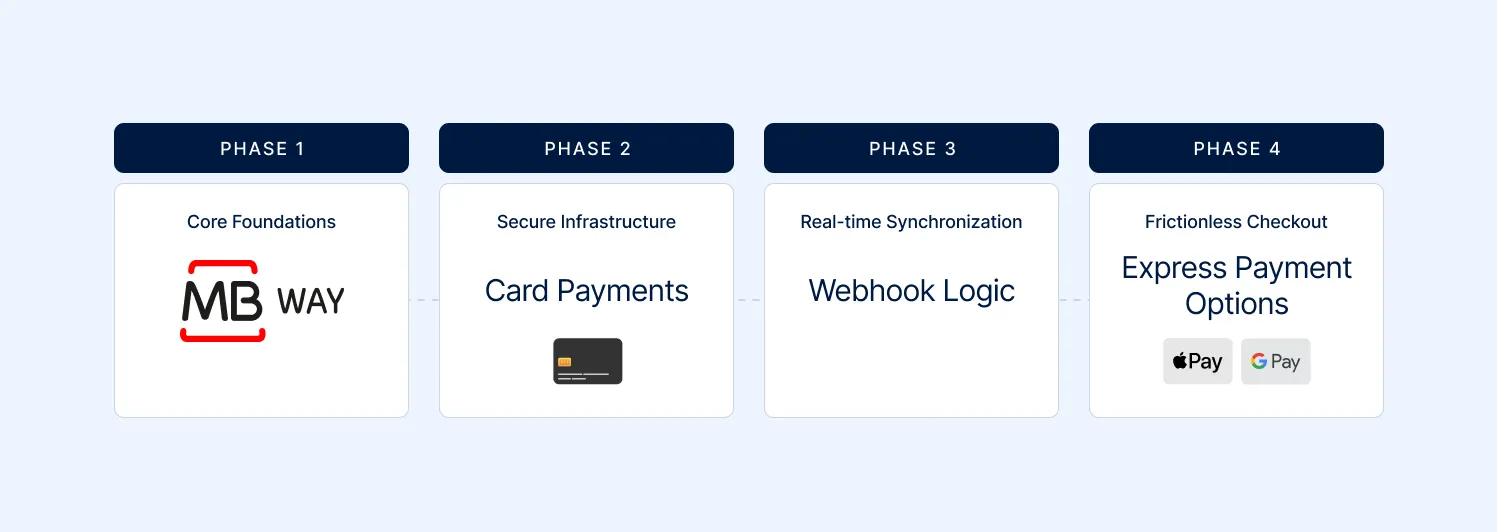
Features were rolled out in phases, starting with MB WAY and card methods, followed by webhook logic and express payments. This allowed continuous client feedback and risk mitigation across milestones.
Outcomes and Impact
The compatibility module gave Checkout.com merchants using Hyvä access to a broader set of payment options while maintaining speed and user trust.
- Reduced checkout friction with Apple Pay and Google Pay integration.
- Improved transparency through real-time webhook updates.
- Simplified APM extensions with reusable architecture.
- Enhanced compliance through tokenization and secure data handling.
Together, these results not only modernized payment flows but also positioned the integration for future scalability and multi-market adoption. If you want to learn more about what we do, give “World’s Leading Magento Agency” a read.
Final Thoughts
Building the Checkout.com Hyvä compatibility module was a collaboration between technical innovation and business priorities. By aligning Hyvä’s modern architecture with Checkout.com’s advanced payment solutions, Magebit delivered a faster, safer, and more flexible checkout experience for merchants and their customers.
If you're using Hyvä and need to add a payment method, enhance existing flows within this model, or you're a payment provider looking to integrate with Hyvä, reach out to Magebit. We’re here to take your business to the next level!


Free tips to grow your store
eCommerce related news
New articles every month
Macaroni and cheese recipes
Check your inbox for tips.