An accessibility widget is a useful tool with a marketing problem. The button in the corner of your store genuinely helps some shoppers. But installing a widget doesn’t make your store fully accessible, guarantee WCAG compliance, or automatically make it ADA compliant.
That gap now has a price tag. More than 5,000 digital accessibility lawsuits were filed in the US in 2025, and widgets kept appearing in the complaints as part of the problem rather than as a defense. E-commerce stores took 70% of those filings.
So, do accessibility widgets work? Yes, for one specific job, and no for the job most of them are sold to do. This guide explains the difference, shows how major accessibility tools work, and what they cover.
Short answer: Accessibility widgets help shoppers with visitor controls like larger text and higher contrast, but they don’t make a website compliant because their fixes never change your store’s code. For Magento and Shopify stores, Inclusify is the strongest choice, pairing a widget with scanning, dated reports, and Slack, Jira, and GitHub alerts. UserWay suits teams that need manual audits, and accessiBe suits teams that want hands-off automatic correction.
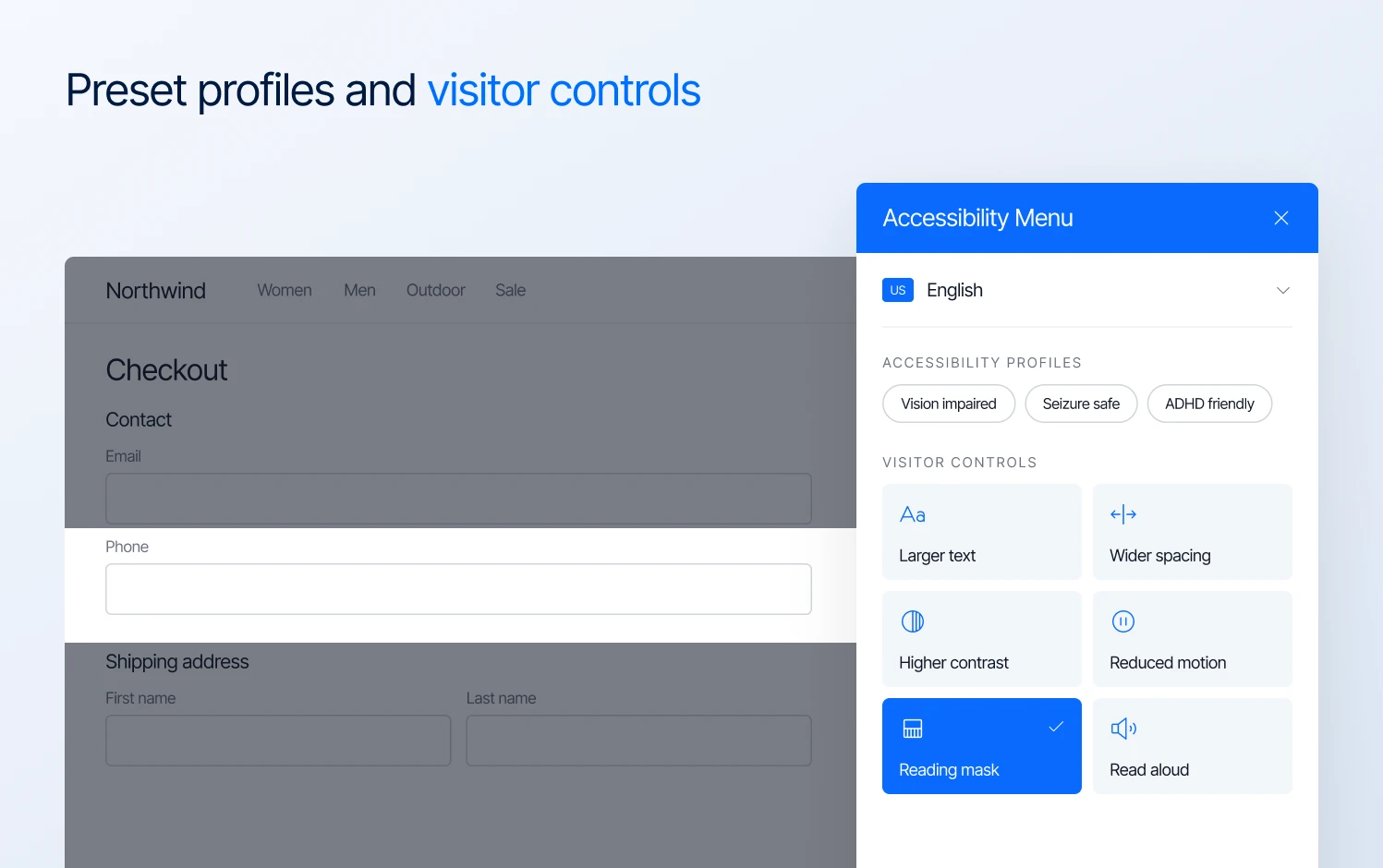
Accessibility widget showing preset profiles and visitor controls
Who this guide is for
This guide is for e-commerce managers, store owners, and CTOs on Magento, Adobe Commerce, or Shopify. It fits you if any of these apply:
- You’ve been pitched a “one line of code” compliance widget
- You’ve received a demand letter
- You sell to customers in both the US and the EU, and need to understand what the European Accessibility Act and the Americans with Disabilities Act (ADA) mean for your store
It is not for you in these cases:
- You already run a mature program. If a consultancy runs manual audits for you and your developers fix issues every sprint, keep doing that. A widget comparison adds little.
- Your main concern is a native mobile app. Everything here is about websites.
Do accessibility widgets work? What they fix and what they can’t
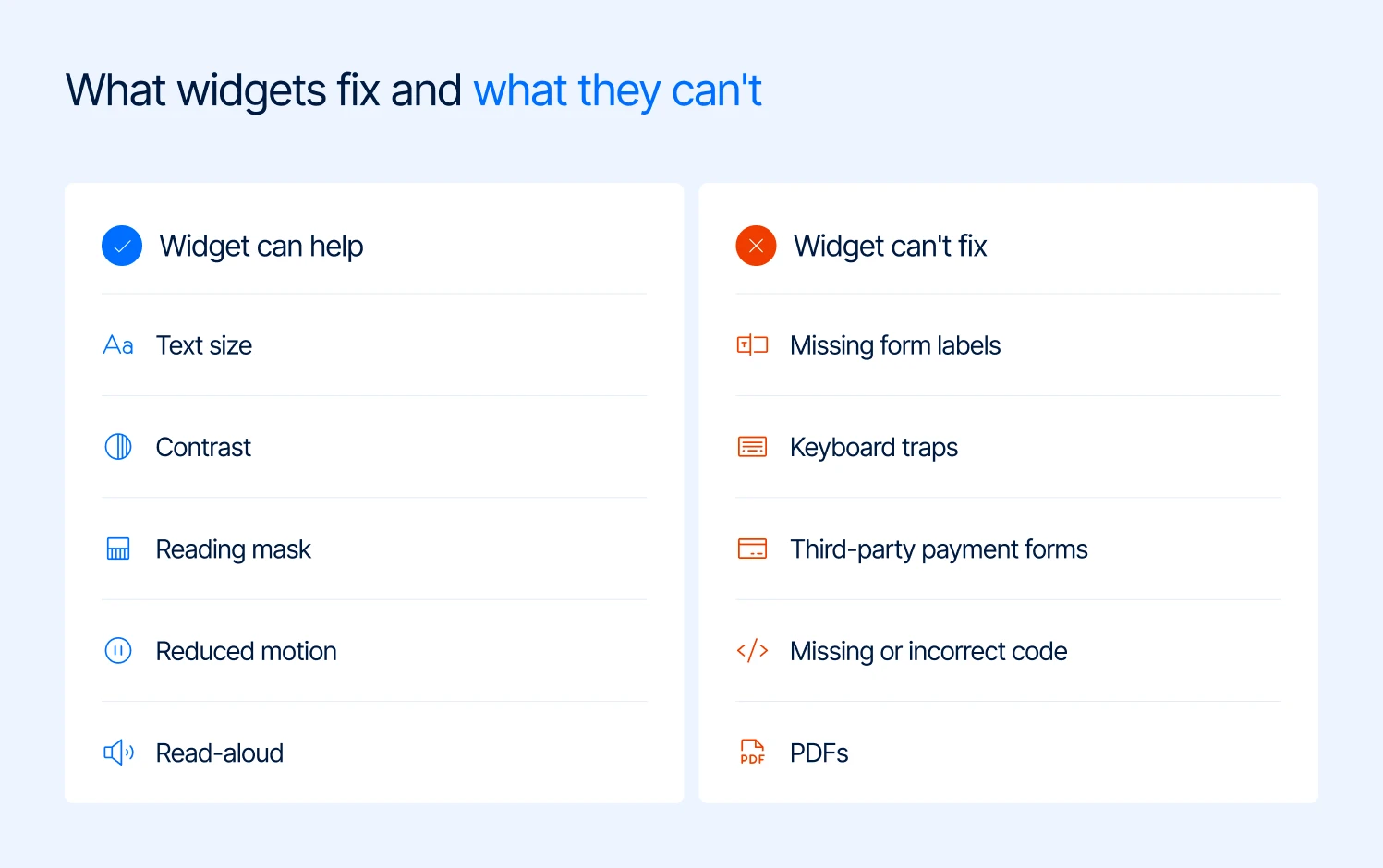
Accessibility widgets can help with text size, contrast and motion, but can’t fix missing labels, keyboard traps, payment forms or PDFs
Most merchants assume a widget does one thing. It actually does two, and they deserve very different levels of trust. The first is visitor controls. These are options a shopper can switch on for themselves:
- larger text and wider spacing
- higher contrast
- reduced motion
- a reading mask
- read-aloud
This part works. Some people use these controls and find them helpful, while they cost you very little to offer.
The second is automatic repair. The script tries to fix problems as the page loads. For example, imagine your checkout has a phone number field with no label in the code. A screen reader may not know what the field is for.
The widget may spot the problem and add a label in the shopper’s browser. That can help the shopper, but the label is still missing from your store’s code.
The same problem comes up with things like keyboard traps in your mini-cart, third-party payment forms, or product configurators. A widget may not be able to fix them. And someone using a screen reader may never open the widget in the first place. They are using their own accessibility tools and rely on what your store sends them.
So a widget can make a page easier for some shoppers without fixing the accessibility problems in the store itself.
| Problem in your store | Can a widget help the shopper? | Is it fixed for everyone? |
|---|---|---|
| Text too small, contrast too low | Yes | No, only for the visitor who switches it on |
| Animations and auto-playing banners | Yes | No |
| Product images with no description | Partly, through an AI guess | No, and the guess can be wrong |
| Unlabeled checkout and account fields | Rarely | No |
| Menus or mini-carts you can’t exit with a keyboard | No | No |
| Third-party payment, reviews and chat windows | No | No |
| PDFs (size guides, spec sheets, catalogs) | No | No |
Scanning has limits too, and honest vendors say so. In one academic benchmark, six automated tools covered between 23% and 50% of WCAG success criteria. The rest needed human judgment. When the UK Government Digital Service built a deliberately broken page, the best tool found 41% of the barriers, and 29% were missed by every tool.
Every widget and every scanner shares these limits. The real difference between vendors is whether they tell you.
What the accessiBe FTC order really says about this market
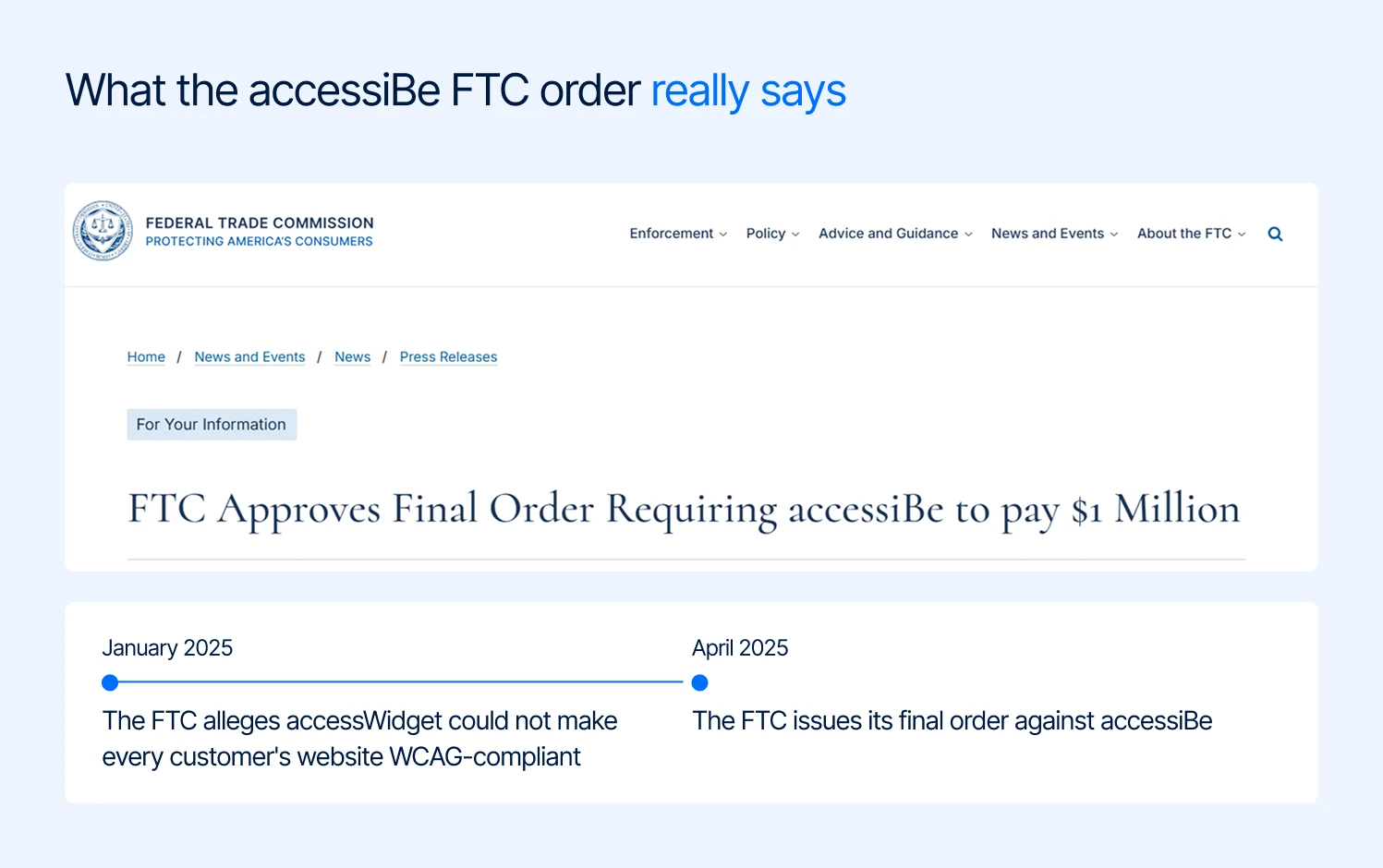
Timeline of the accessiBe FTC order, from the January 2025 WCAG compliance allegation to the April 2025 final order
Most coverage of accessiBe focuses on the $1 million FTC penalty in 2025. For merchants, the more important point is why the FTC took action.
In January 2025, the FTC alleged that accessiBe’s accessWidget could not make every customer’s website WCAG-compliant, despite its marketing claims. In April 2025, the FTC issued its final order requiring accessiBe to pay $1 million.
The order also prevents accessiBe from claiming that its automated products can make a website compliant unless it has evidence to support that claim.
The FTC also alleged that accessiBe presented some third-party articles and reviews as independent opinions without clearly disclosing its relationship with the people behind them.
For merchants, the takeaway is simple: a widget can help with accessibility, but it does not make a website compliant on its own. Be careful with any vendor that suggests otherwise, especially when compliance or lawsuit protection is part of the sales pitch.
How to tell an honest accessibility tool from a marketing one
You don’t need to be technical to screen a vendor. Ask these five questions on the sales call and compare the answers.
| Question to ask | An honest answer sounds like | Red flag |
|---|---|---|
| Will this make my store compliant? | “No tool can. Here’s the part we cover.” | “Yes, within 48 hours.” |
| What don’t you check? | A published list of what the tool skips | “We scan everything.” |
| Does the widget change my store’s code? | “No, it runs in the shopper’s browser.” | “Our AI fixes your code automatically.” |
| What do I have if a demand letter arrives? | A dated report of what was tested and fixed | “Lawsuit protection” or “a shield” |
| Where do the findings go? | Into Jira, Slack, or GitHub, where your team already works | Only a dashboard you’ll open twice |
Pro tip: Ask every vendor for their limitations page. If they don’t have one, you have your answer. Inclusify publishes one. Its scope and limitations page lists what the tool does not check:
- PDFs
- video captions
- cross-origin embeds such as payment forms, review carousels and chat windows
- canvas-drawn content like product configurators
- CAPTCHAs
- anything behind a login, including checkout steps past the cart
It also states that a score is not a compliance claim, not even a perfect one. That page is the main reason we’d put Inclusify first for most stores. A tool that tells you exactly where its coverage stops is easier to trust with everything it reports.
accessiBe vs UserWay vs Inclusify: how do they compare?
| Feature | accessiBe | UserWay | Inclusify |
|---|---|---|---|
| Core approach | Widget with automatic in-browser correction | Widget with automatic correction, plus scanning and manual audits via Level Access | Visitor widget plus scanning and dated reports; does not claim the widget fixes code |
| Starting price | From $490/year for up to 5,000 monthly visits | Widget Pro from $490/year | Free widget; paid from $39/month |
| Free plan | No, trial only | Yes, basic widget | Yes: 35 widget adjustments, no card, no time limit |
| Published limits | Not documented publicly | Not documented publicly | Public limitations page |
| Shopify | App Store app | App Store app | Native App Store app (theme app embed) |
| Magento / Adobe Commerce | Script install | Script install | Guided install; Hyvä, Luma and custom themes |
| AI assistant access | Not documented publicly | Not documented publicly | Remote MCP server, 38 tools |
| Slack, Jira, GitHub | Not documented publicly | Not documented publicly | Yes, all three |
| Manual expert audits | Yes, sold separately | Yes, via Level Access | No; pair it with an agency or auditor |
| Weak spot | FTC order history; built around the correction claim | Slow audit turnaround; findings stay in its dashboard; price jumps between tiers | 100-page ceiling on the top plan; 71 widget languages; no in-house audit team |
Note: Pricing is based on public pages and trackers as of September 2026, so check each vendor before buying. “Not documented publicly” means we couldn’t find it on their public pages, not that it definitely doesn’t exist.
Top 3 accessibility tools for Magento and Shopify in 2026
Our ranking is based on three things each vendor documents publicly: how honest it is about what the tool covers, how well it fits Magento and Shopify stores, and how findings reach your team.
1. Inclusify: the best accessibility tool for Magento and Shopify stores
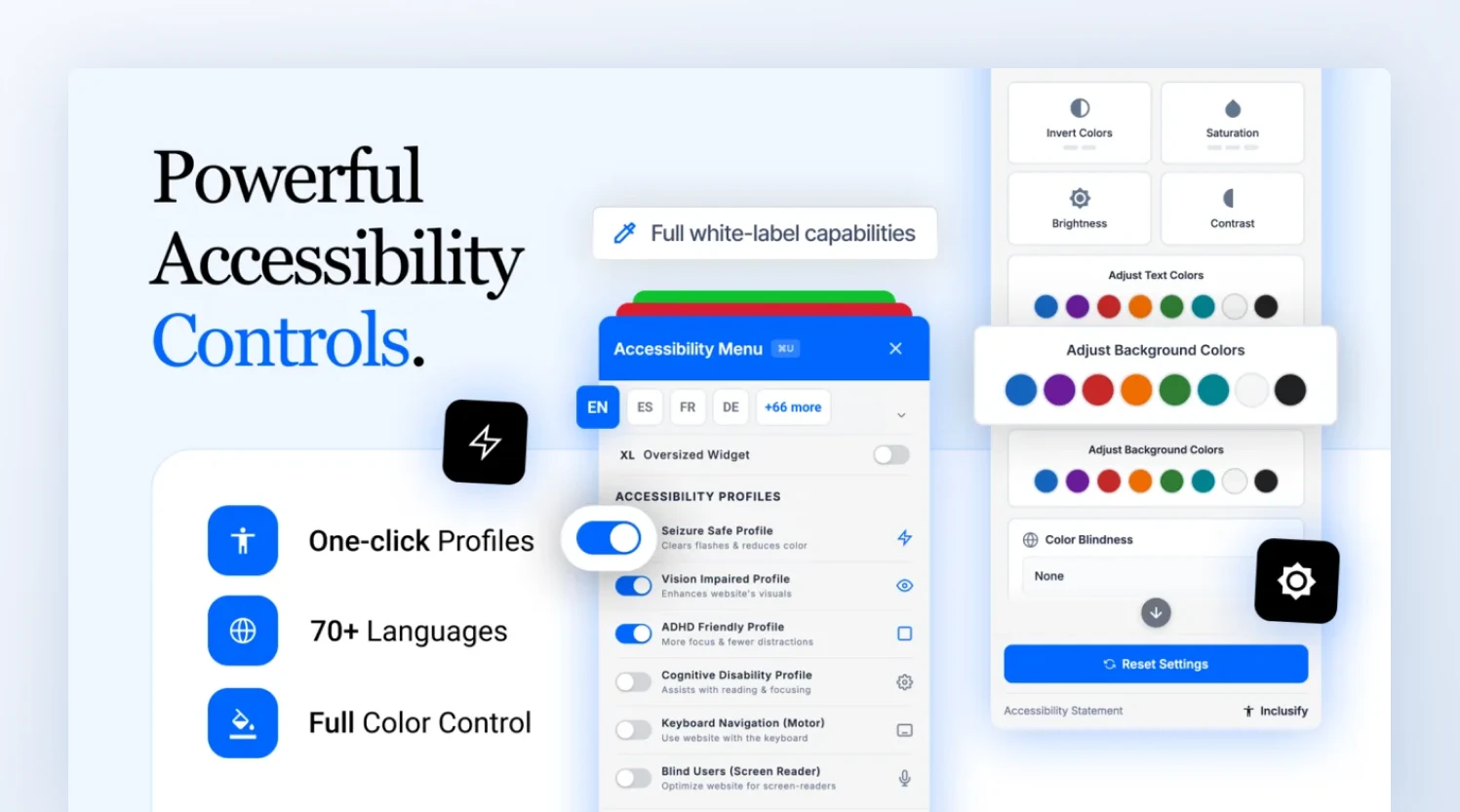
Inclusify’s accessibility widget offers one-click profiles, 70+ languages and full color control for Magento and Shopify stores
Inclusify is the only one of the three that sends accessibility findings straight to where your team works: AI assistants, GitHub, Slack, and Jira.
Most vendors use AI to guess at fixes inside a shopper’s browser, where nobody on your team sees the result. Inclusify uses AI to find problems, turn them into tasks, and confirm the fixes held.
Built for AI assistants
Inclusify runs a remote MCP server with 38 accessibility tools for Claude, ChatGPT, Cursor, VS Code, and other AI assistants, with nothing to install. Your team can ask “What should we fix first on our product pages?” and get an answer from your store’s own latest scan. No tool can edit your store, and most of them only read.
Automations and alerts
Inclusify files findings into GitHub as one issue per problem pattern, so 400 images missing descriptions become one task, not 400 tickets. When a later scan confirms the fix, the issue closes itself.
The Slack app only posts when a page picks up a new problem, with a one-click button to file a Jira ticket. Anyone can type /inclusify score to check a site without logging in.
Native to Magento and Shopify
On Shopify, it’s a native App Store app you switch on in your theme, and Pro drafts AI image descriptions for product photos.
On Magento and Adobe Commerce, a guided install works across Hyvä, Luma, and custom themes, including multi-store views. As a Hyvä Platinum Partner, we know exactly where a flagged fix lives in the theme.
What shoppers and your team get
- For shoppers: a widget with 35 adjustments, plus six one-click profiles and 71 languages on paid plans, matched to your brand and loaded without slowing your pages
- For your team: axe-core scanning in a real browser, daily monitoring, and on Pro, a full-site crawl plus live keyboard, screen reader, and zoom checks
- For your lawyer: dated PDF reports of what was found and fixed, an accessibility statement, and a VPAT draft on Enterprise
Pricing
| Plan | Price | Pages audited | Highlights |
|---|---|---|---|
| Free | $0 | None | Core widget |
| Starter | $39/month | 5 | Profiles, branding, daily monitoring |
| Pro | $99/month | 25 | Full crawl, PDF reports, live checks, AI assistant findings |
| Enterprise | $279/month | 100 | VPAT draft, release check, dedicated managers |
Starter costs $390 a year on yearly billing and covers 10,000 monthly visitors. accessiBe’s cheapest plan costs $490 a year for half that traffic.
Honest about its limits
Inclusify is the only one of the three with a public limitations page. It doesn’t run manual audits, tops out at 100 audited pages, and can’t scan behind a login or inside third-party embeds. We’d rather you know that before you sign up.
Try it first: the free homepage scan takes about a minute and needs no account.
2. UserWay: best for manual audits and VPAT reports
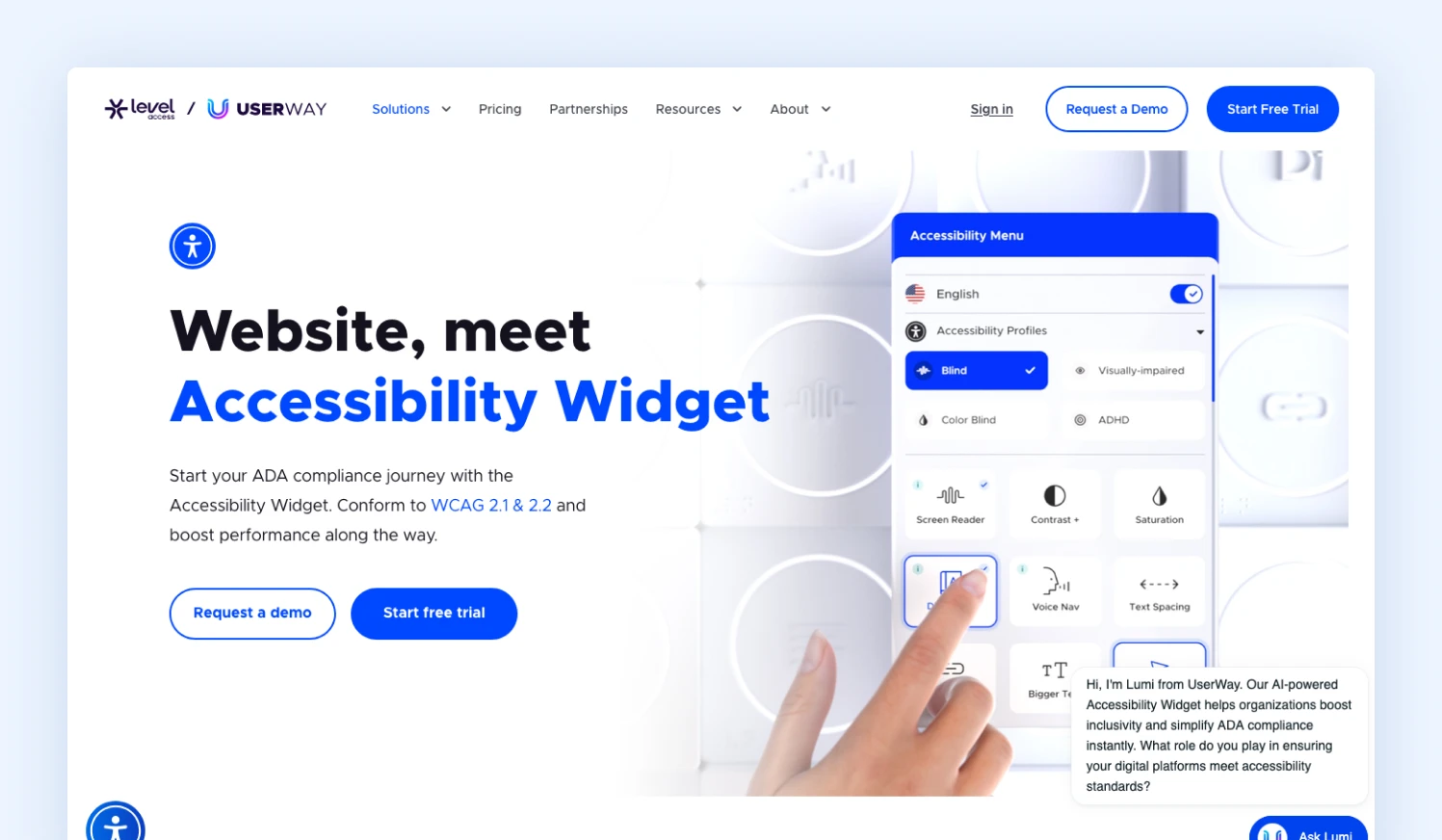
UserWay’s accessibility widget menu with visitor controls such as screen reader, contrast and text spacing
UserWay’s biggest strength is the company behind it. Level Access acquired UserWay in March 2024, so the widget now sits alongside a mature audit practice.
You can buy manual expert audits and VPAT reports from the same vendor, which matters if B2B or public-sector buyers ask you for formal conformance documents.
The free widget is a decent starting point, and it installs easily through the Shopify App Store or as a script on 20+ other platforms. It fits best where accessibility is run by a compliance, legal, or procurement team rather than by developers.
Human audits catch the judgment calls no scanner can make, and on complex sites that’s worth paying for. For e-commerce teams, the gaps show up in day-to-day work. The widget’s automatic fixes run in the shopper’s browser, so they don’t change what your store actually sends.
Findings live in UserWay’s dashboard, and we couldn’t find an MCP server, Slack alerts, or GitHub issues documented on its public pages. On Magento, it’s a generic script with no specific guidance for Hyvä themes.
Pricing
| Plan | Price | Traffic | What’s included |
|---|---|---|---|
| Free | $0 | Not published | Basic widget |
| Widget Pro Small | $490/year | Up to 100K page views/month | AI fixes, accessibility statement, legal support |
| Widget Pro Medium | $1,490/year | Higher traffic | Same, for larger sites |
| Audits and scanning | Quoted separately | Varies | Manual audits, VPAT |
Note: Prices are from G2’s UserWay pricing data. Capterra reviewers note sizable jumps between tiers, so price out your likely next tier before signing.
Honest about its limits
UserWay’s fixes vanish the moment the script is removed, so you can’t take the improvements with you if you switch vendors. Manual audit reports take 14 to 30 days, which is slow if a demand letter is already on the table.
There’s also no public list of what the scanner skips, such as login pages, checkout steps, or third-party embeds.
3. accessiBe: best for hands-off automatic correction
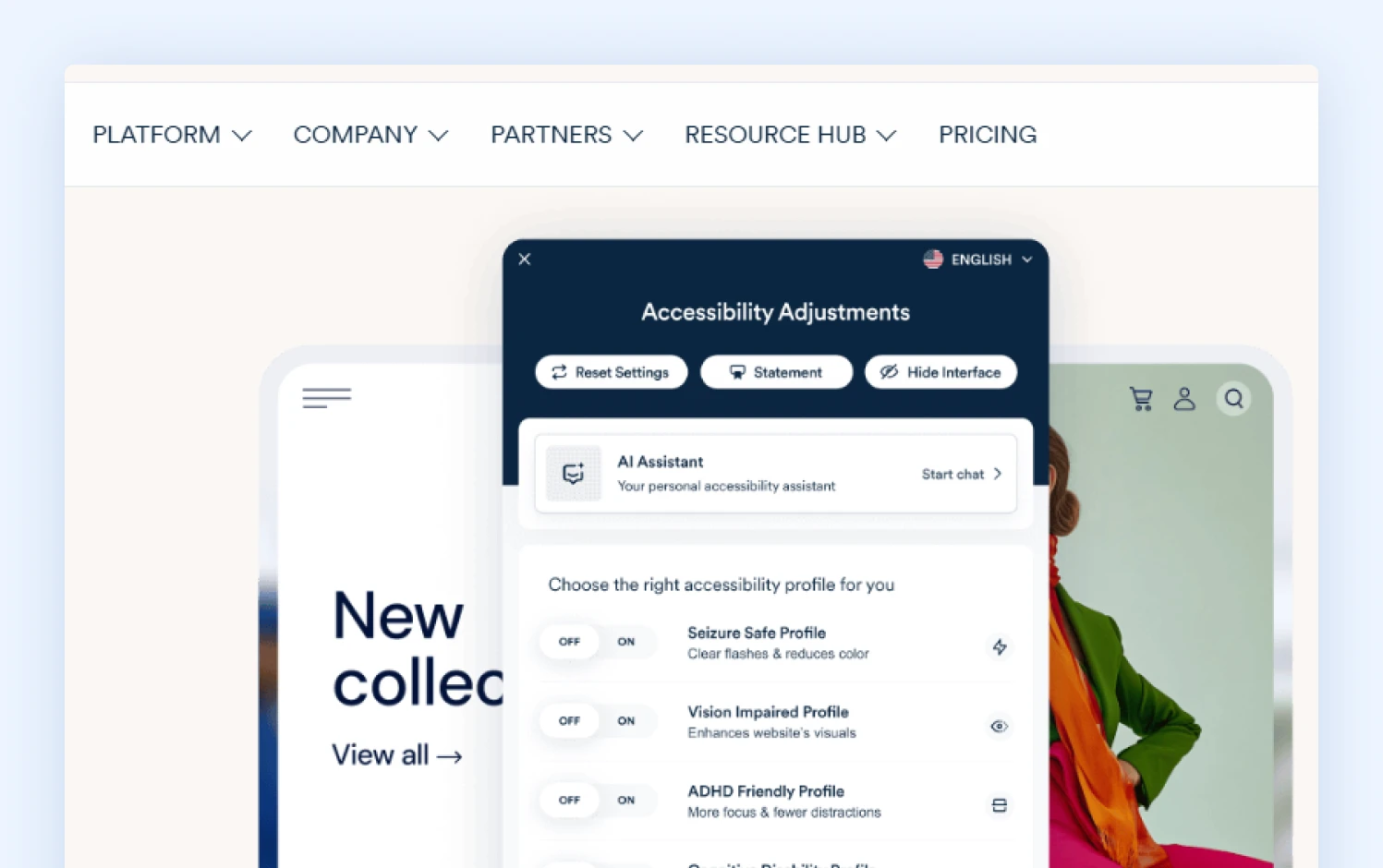
accessiBe’s accessWidget pairs visitor accessibility profiles with automatic in-browser corrections
accessiBe is the most hands-off option of the three. accessWidget scans your store daily and applies corrections automatically, so a small team with no developer time can have something running the same day.
When you need more than the widget, accessiBe sells manual audits, PDF remediation, and VPAT support, and its higher plans include litigation support with a dedicated case manager.
On Magento, accessiBe isn’t among the highlighted integrations, so it goes in as a script or through a tag manager.
On Shopify, there’s an App Store app from $59/month. Its developer product, accessFlow, is sold separately through a demo. We couldn’t find an MCP server, Slack alerts, or GitHub issues documented on its public pages.
The bigger trade-off is that the product is built around in-browser correction. It can still be a reasonable choice if you want automation plus support, as long as you treat it as one layer on top of real code fixes.
Pricing
| Plan | Price | Traffic | What’s included |
|---|---|---|---|
| Micro | $490/year | Up to 5,000 visits/month | Widget, automated scans |
| Growth | $1,490/year | Up to 30,000 visits/month | Adds litigation support |
| Scale | $3,990/year | Up to 100,000 visits/month | Adds yearly manual testing |
| Enterprise | Custom | Above 100,000 visits/month | On-demand testing |
Note: Prices are from third-party pricing trackers. There’s no free plan, only a 7-day trial, and each subdomain needs its own license, which adds up if you run regional storefronts. Some Capterra reviewers report surprise price increases and trouble cancelling.
Honest about its limits
accessiBe’s corrections never appear in your store’s code, so your developers have no record of what was fixed and nothing to build on. There’s also no public list of what its scans don’t reach, such as PDFs, third-party embeds, or pages behind a login.
Which accessibility tool should you choose?
Choose Inclusify if:
- you run a Magento, Adobe Commerce, or Shopify store
- you want a visitor widget, honest scanning, and dated reports in one tool
- your team works in Slack, Jira, GitHub, or AI coding assistants
- you want published pricing that starts free
Choose UserWay if:
- you want manual expert audits or a VPAT from the same vendor as your widget
- you care more about human audits than day-to-day workflow tools
Choose accessiBe if:
- you specifically want automatic in-browser correction with litigation support bundled in
- you’ve read the FTC order and will treat the widget as a supplement to code fixes
Look elsewhere if:
- You need very large page coverage or 100+ widget languages. EqualWeb documents plans up to 100,000 pages, and enterprise platforms like Level Access or Siteimprove are built for that scale.
- You want fully managed remediation with a legal assurance program. Look at AudioEye’s managed tiers.
- A demand letter has already arrived. Start with an attorney and an independent manual audit, not a new tool.
- You want someone to fix the code for you. That’s agency work, whichever scanner you use.
Final thought
“Which widget should we buy?” is the wrong question. The widget is the easy part. The better question is which vendor tells you the truth about what its widget can’t do.
Keep a widget for the shoppers who use it. Fix the real problems in your theme and content. Choose the tool that publishes its limits and puts findings where your team already works.
For most Magento and Shopify stores, that’s Inclusify. But don’t take our word for it: read the limitations page first and decide if that’s the kind of honesty you want from your accessibility tool. Speak to a Magebit expert if you’d like to explore your options.