Hyvä Pocket: Key takeaways
- What it is: A free, read-only iOS app for monitoring Magento Open Source, Mage-OS, and Adobe Commerce stores from an iPhone, iPad, Apple Watch, or Mac.
- Why it matters: It makes routine store checks easier without requiring full Magento Admin access.
- The catch: The connection method matters. A dedicated, scoped integration is a better choice than sharing admin credentials or using a single token across multiple devices.
You no longer need a laptop to check your Magento store
Magento gives merchants a lot of control, but that control comes with a trade-off. Even a simple task like checking today’s revenue, confirming an order, or looking up a customer’s purchase usually means opening Magento Admin. On a phone, that can quickly turn into a poor substitute for the desktop experience.
For teams managing multiple stores, working across time zones, or simply needing to keep an eye on orders outside office hours, that creates unnecessary friction. The alternative is often worse: giving people admin access when all they really need is visibility into what’s happening in the store.
That’s where Hyvä Pocket comes in. Released on July 1, 2026, Hyvä Pocket is a free iOS app that gives Magento merchants access to key store data from their iPhone, iPad, Apple Watch, or Mac.
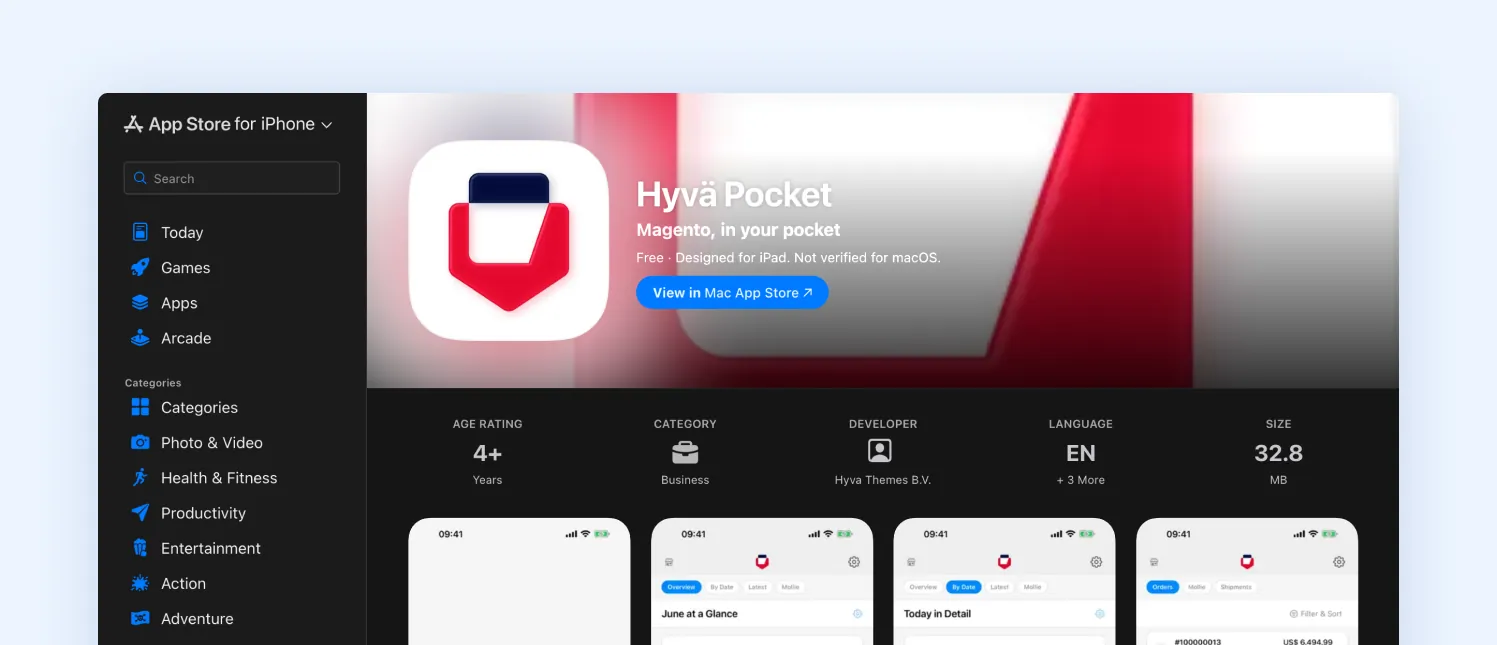
Hyvä Pocket app on the Apple App Store for iPhone and iPad.
What Is Hyvä Pocket?
Hyvä Pocket is a free, read-only mobile app for Magento Open Source, Mage-OS, and Adobe Commerce. It connects directly to a Magento 2 store through the REST API and provides access to key store information without requiring users to work through the Magento Admin.
The app covers sales, orders, customers, products, stock, and payment information. It also supports multiple stores, push notifications, Home Screen and Lock Screen widgets, Apple Watch, and Mollie payment data.
You also do not need to use the Hyvä frontend to use Pocket. It works with Magento stores running Hyvä, Luma, PWA, or another frontend because the app communicates with Magento through its API.
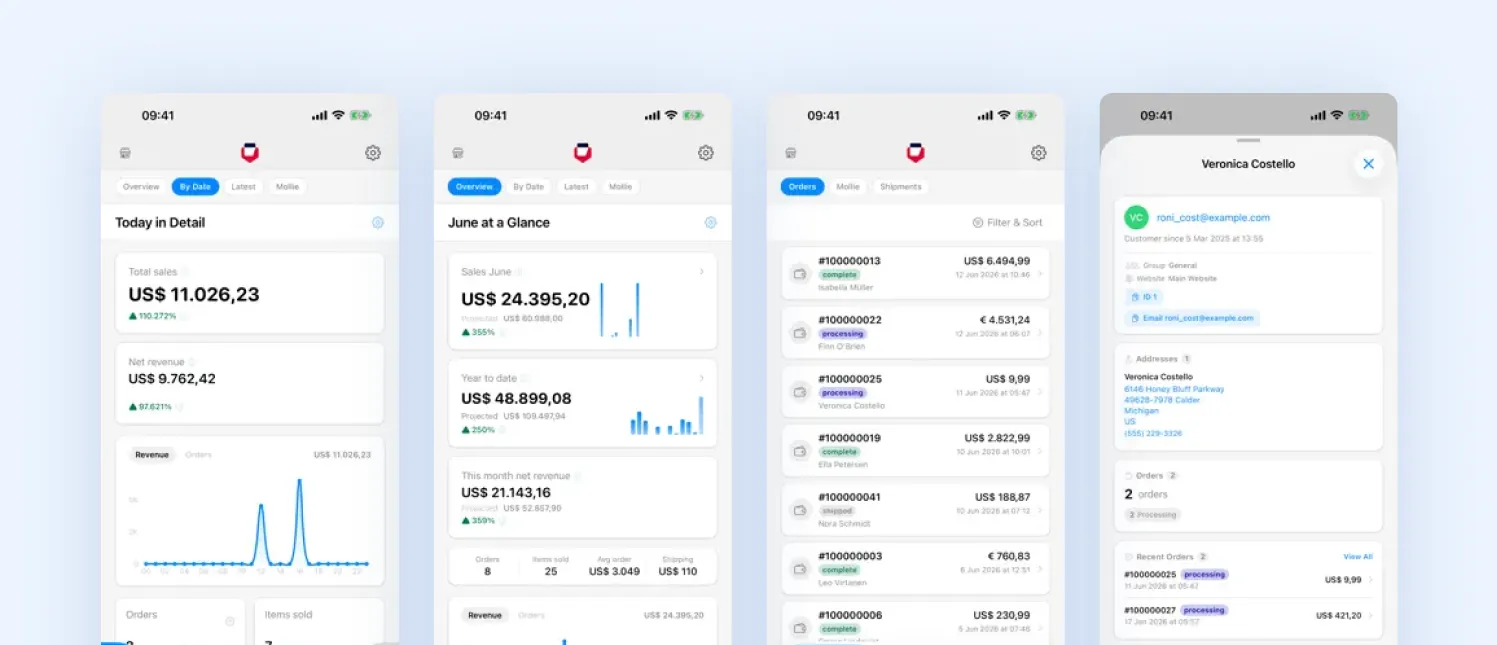
Hyvä Pocket Magento mobile app showing sales, orders, and customer data.
What are the benefits of Hyvä Pocket?
Hyvä Pocket’s value is less about putting Magento on a phone and more about making store monitoring faster and more controlled.
- Less friction for routine checks. Checking revenue, an order, or a customer’s history no longer requires opening Magento Admin. For quick checks, that removes an unnecessary step from a task that does not require administrative access in the first place.
- Visibility without broad permissions. Pocket is read-only, which makes it suitable for people who need to see store information but should not be able to change it. That distinction becomes important as more people across operations, customer service, and management need access to store data.
- Notifications instead of constant checking. Order and payment notifications make Pocket useful as an exception-monitoring tool. Rather than repeatedly opening a dashboard, teams can wait for an event that actually requires attention.
- Useful across multiple stores. Multiple Magento stores can be connected and switched from the same app. For teams managing several storefronts, that makes quick checks considerably less cumbersome.
Hyvä Pocket features at a glance
The app’s functionality goes beyond a basic revenue dashboard. As of version 1.3.0, the main capabilities include:
| Area | What you get |
|---|---|
| Sales | Revenue for today, this week, this month, this year, and custom date ranges, with interactive period comparisons and Revenue Trend views. |
| Orders | Search by order number or customer and view items, totals, shipping, invoices, and credit memos. |
| Customers | Search by name, email, or phone and view a customer’s order history. |
| Notifications | Alerts for new, paid, completed, and cancelled orders, with controls for each store. |
| Catalog | Browse products and categories and check prices and stock levels. |
| Multi-store | Connect multiple Magento stores and switch between them from the app. |
| Mollie payments | View payments, refunds, and chargebacks and trace a chargeback back to its related order. |
| Widgets and Apple Watch | View sales through Home Screen and Lock Screen widgets or on Apple Watch. |
| Multi-currency | Dashboard totals use the store’s base currency, while orders can show both the customer’s payment currency and base-currency value. |
| iPad | Access the store switcher and supporting resources through the iPad interface. |
Two features are particularly worth paying attention to:
- The notification model makes Pocket more than a dashboard. If the goal is to know when something needs attention, you do not necessarily need to monitor revenue throughout the day. You can configure the relevant alerts and let the app surface exceptions.
- The Mollie integration shortens the path between payment information and the related Magento order. That can be useful when investigating payments or chargebacks, although its value is naturally limited to merchants using Mollie.
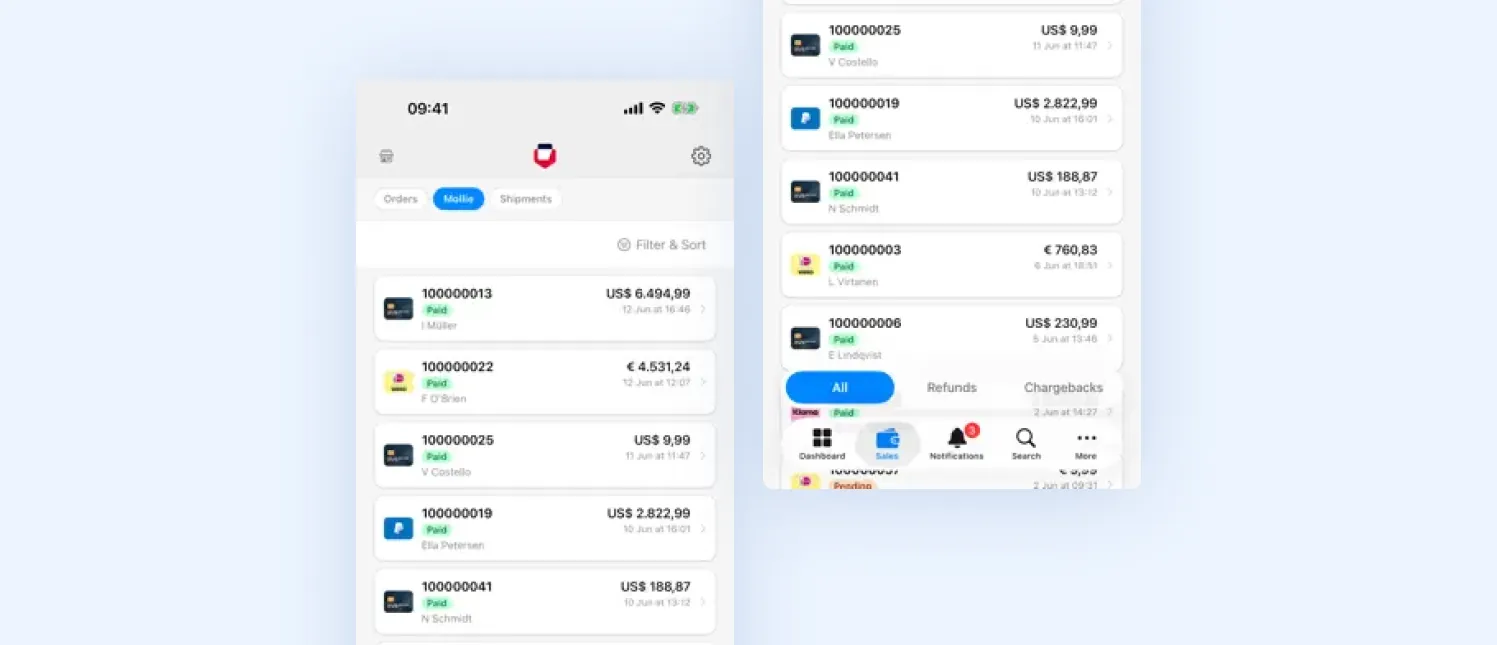
Hyvä Pocket mobile app showing Magento orders and Mollie payment data.
What can and can’t you do in Hyvä Pocket?
Hyvä Pocket is built for store visibility, not store administration. The distinction is important because it defines where the app fits into a Magento team’s workflow.
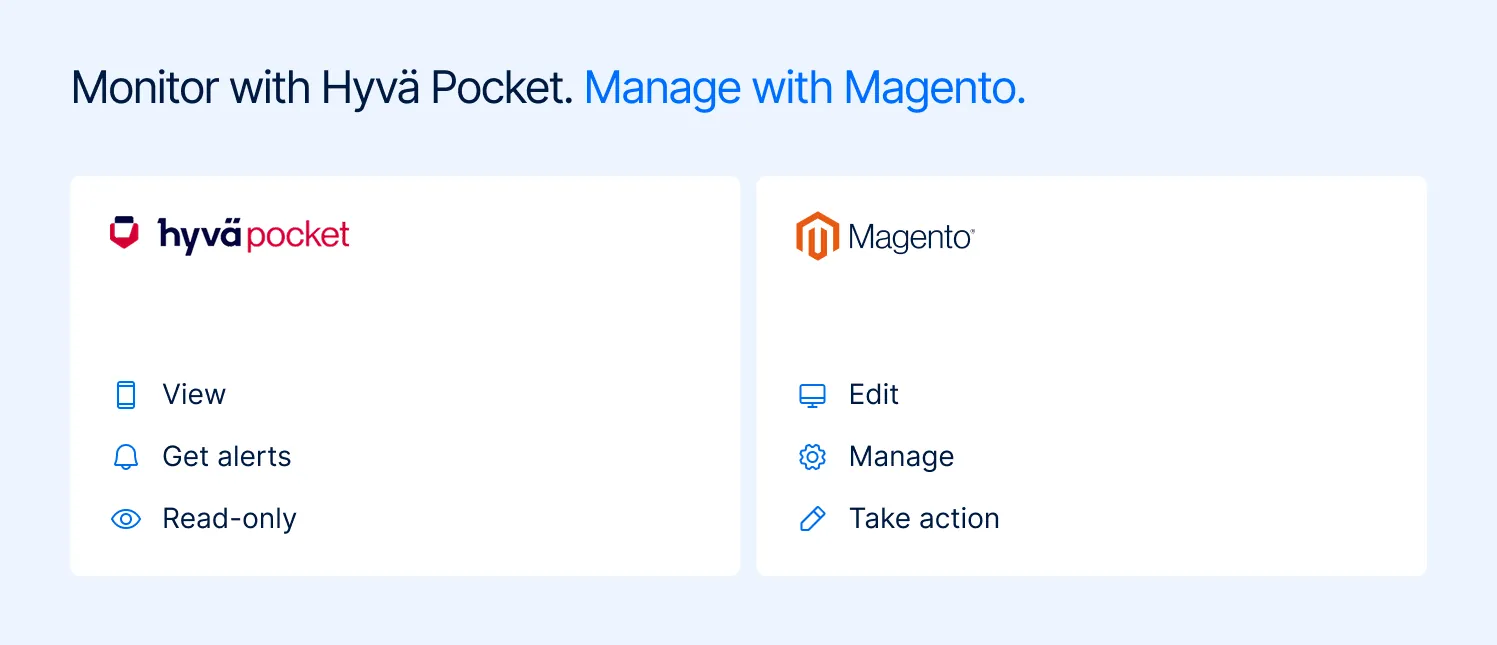
Hyvä Pocket and Magento comparison showing mobile monitoring versus store management.
| Hyvä Pocket is useful for | You still need Magento Admin for |
|---|---|
| Checking whether sales are on track | Changing products or catalog data |
| Checking incoming and paid orders | Managing or editing orders |
| Looking up customer order history | Editing customer records |
| Checking product prices and stock | Updating inventory |
| Monitoring payment activity | Managing payment configuration |
| Receiving alerts about important order events | Taking administrative action on those events |
| Checking several Magento stores | Configuring or managing stores |
| Monitoring performance while away from your desk | Advanced reporting and business analysis |
The important point is that Pocket is not intended to replace Magento Admin. It gives merchants another interface for the information they need most often, while administrative work remains in the admin environment.
How to install Hyvä Pocket
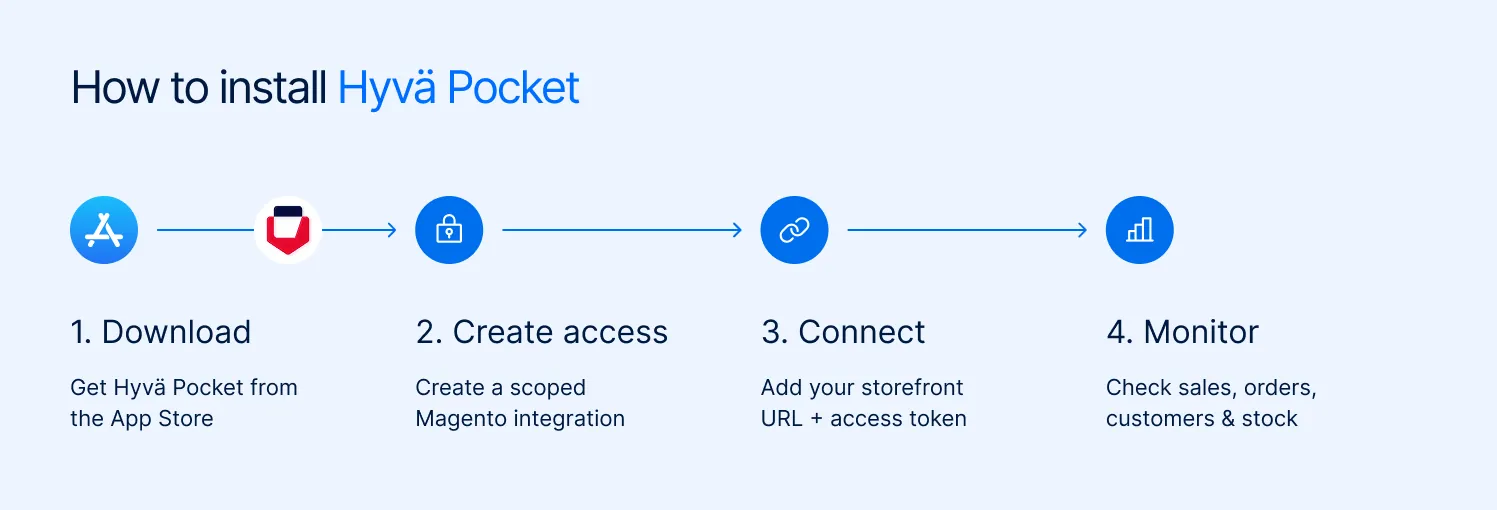
Hyvä Pocket installation steps for connecting and monitoring a Magento store.
Downloading the app is straightforward. The part worth getting right is how you connect it to Magento. That determines what access the app receives and how easily you can revoke that access later.
Step 1: Check compatibility
You need an iPhone, iPad, Apple Watch, or Apple Silicon Mac running the required Apple operating system versions. On the store side, Hyvä Pocket supports Magento Open Source, Mage-OS, and Adobe Commerce and does not require the Hyvä frontend.
If someone on your team uses Android, there is currently no Android version of the app.
Step 2: Choose your connection method
Hyvä Pocket supports several authentication methods, but they are not equally suitable for a production store.
For regular use, a dedicated Magento integration is generally the more practical approach. OAuth is another option if the technical team wants a more managed authentication flow.
Using an individual admin account may be convenient for testing, but it is not the approach we’d recommend for a wider rollout.
Step 3: Create the access in Magento
For the integration-token approach:
- Go to System > Extensions > Integrations in Magento Admin and create a new integration.
- Give it an identifiable name, ideally tied to the person or device using it.
- Limit its API permissions to the resources required by the app rather than granting unnecessary access.
- Activate the integration and copy the generated access token.
- Check the OAuth configuration required for standalone bearer tokens. On Adobe Commerce versions where this is disabled by default, it must be enabled before the token can be used this way.
Use separate integrations for different users or devices. That gives you a clear way to revoke one person’s access without affecting everyone else.
Step 4: Add the store to Hyvä Pocket
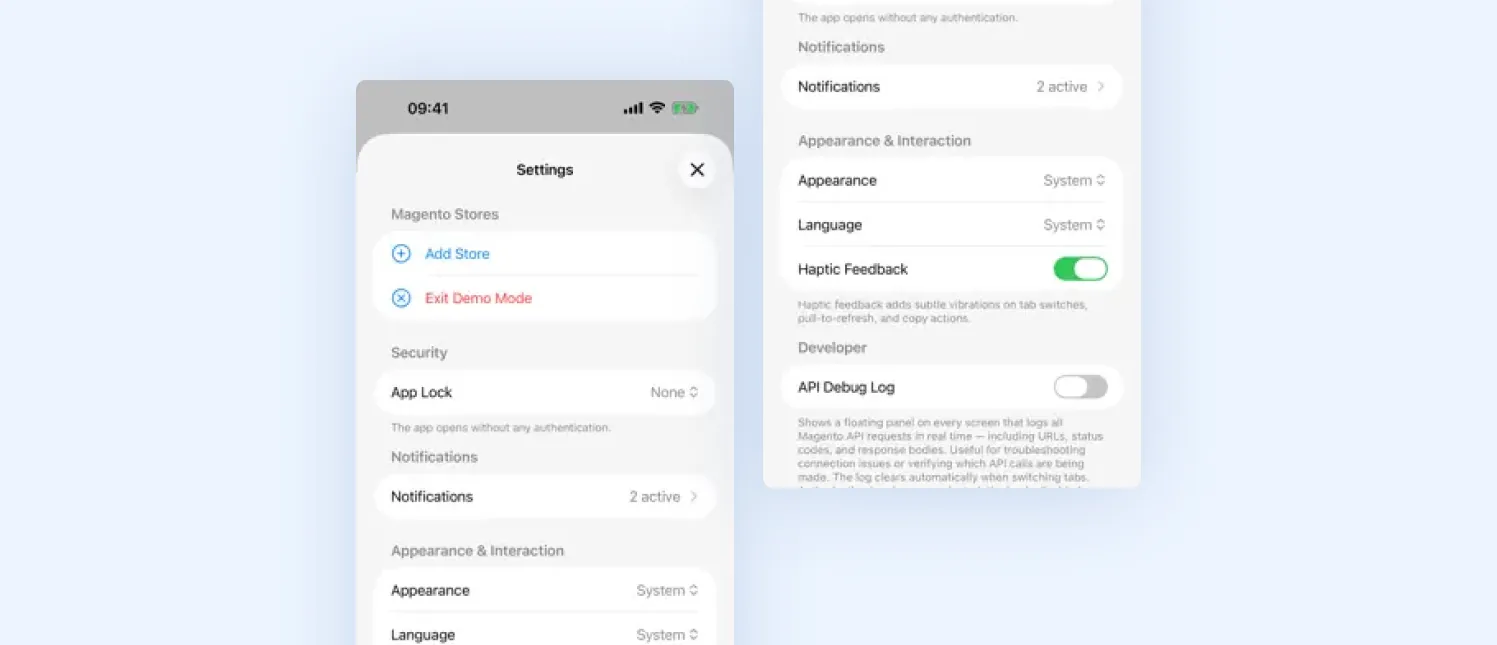
Hyvä Pocket iPhone settings for Magento store connections and security
Open Hyvä Pocket, tap Add Store, and enter your storefront URL, the same URL customers use to visit your store. Do not enter your Magento Admin URL.
If you’re unsure which URL to use, open your store in a browser outside Magento Admin and copy that address.
Once you’ve entered the storefront URL, add the access token from Step 3 and complete the connection. You can then enable Face ID to protect access to the app on your device.
Step 5: Configure notifications
Choose the events that actually require attention. Depending on the store setup, these can include new, paid, completed, and cancelled orders, as well as Mollie chargebacks.
More notifications are not necessarily better. A store processing hundreds of orders a day can quickly turn constant alerts into background noise.
Step 6: Document the access
Record which integration belongs to which user or device and include it in your access and offboarding documentation. A token that is no longer needed should be revoked deliberately rather than left active indefinitely.
For larger teams, it is also sensible to start with a small rollout and check API behavior before connecting the app to a large number of devices.
The setup decision that matters: How you connect it
Hyvä Pocket supports several ways to authenticate with your Magento store. The right choice depends on how the app will be used and how much control your team needs over access.
| Method | How it works | Best suited for | Key consideration |
|---|---|---|---|
| Admin login | Uses an admin account to obtain an access token | Testing or temporary access | Convenient, but tied to an individual admin account |
| Integration token | A Magento integration generates an access token for the app | Regular production use | Easy to manage and revoke, but should be properly scoped |
| OAuth 1.0a | Uses Magento’s OAuth authentication flow | Teams that want a managed authentication flow | More involved to configure |
For most production setups, a dedicated Magento integration is the practical choice. It gives you a separate credential that can be scoped and revoked without affecting other users.
Whichever method you choose, avoid treating the credential as a shared team login. Authentication should give you a clear answer to two basic questions: who has access, and how do we remove it?
Where Hyvä Pocket falls short
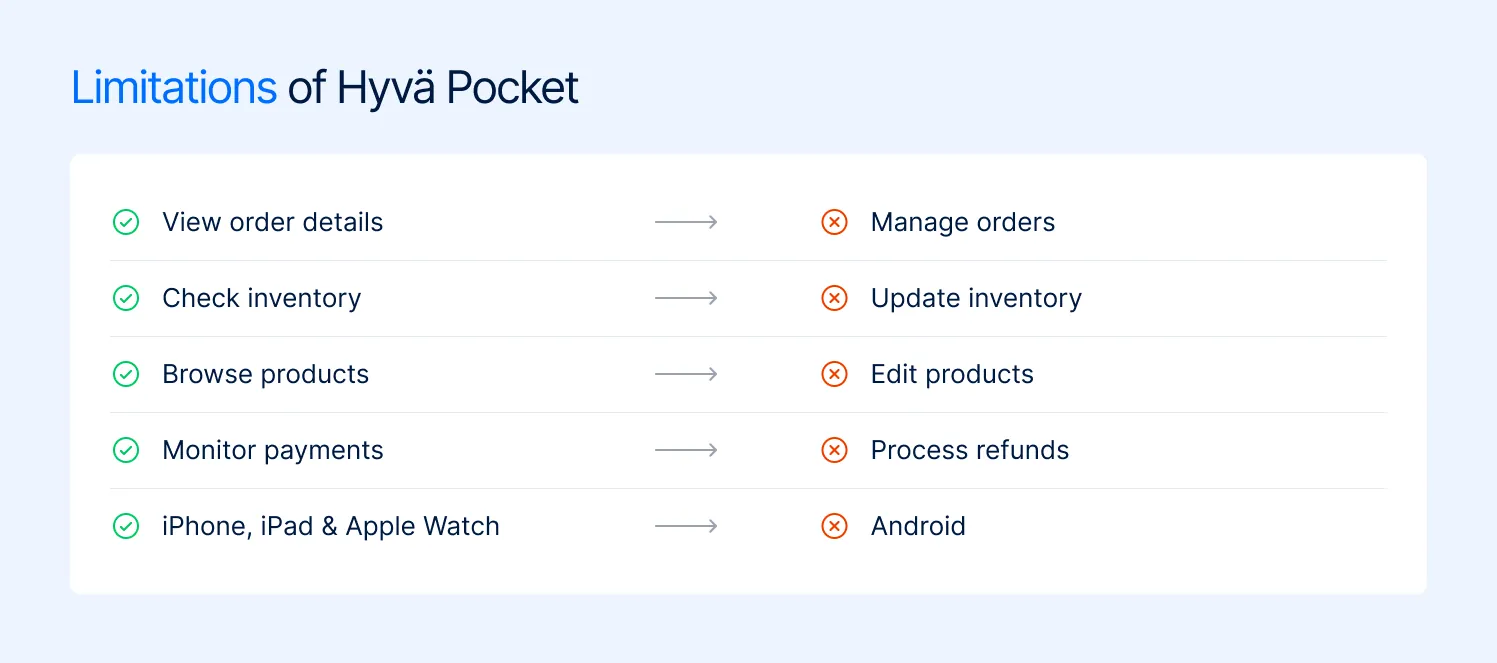
Hyvä Pocket limitations for Magento store monitoring and administration.
Pocket is useful precisely because it does less than Magento Admin. That also means it is not the right tool for every Magento workflow.
- It cannot perform administrative actions. You cannot use it to ship an order, issue a refund, edit a price, or change customer information. Those tasks still require Magento Admin.
- It is currently Apple-only. iPhone, iPad, Apple Watch, and Apple Silicon Mac are supported, but there is no Android version.
- The payment integration is limited to Mollie. Merchants using other payment providers can still use Pocket for Magento data, but they do not get the same payment-side functionality.
- It is not a BI platform. Revenue, orders, and period comparisons are useful for monitoring, but Pocket does not replace a proper analytics or reporting stack for margins, attribution, cohorts, or profitability.
- It is still a relatively new product. The rapid release cycle in its first weeks shows that Hyvä is actively fixing accuracy, notification, and reliability issues. That’s encouraging from a product-development perspective, but it also means teams should keep the app updated rather than treating the initial release as a finished product.
The read-only limitation is therefore not necessarily a weakness. It is part of the product’s value proposition. Giving a mobile app the ability to modify production data would create a very different security and operational risk.
The security questions to ask before your team installs it
Connecting a mobile app to production Magento data introduces another access point, so there are a few questions worth answering before rollout.
Who has access? Each user or device should have identifiable access rather than everyone sharing one credential. That makes it easier to see who has access and remove it when necessary.
What can they access? Use the minimum API permissions required for Pocket’s functionality. Read-only access does not mean unrestricted access to every Magento resource.
What happens when someone leaves? Access should be part of your normal offboarding process. If a user no longer needs Pocket, their integration should be revoked rather than left active.
How is the credential stored? Production credentials should be handled through your existing credential-management process rather than copied into chat messages, documents, or shared notes.
Could the app affect store performance? Pocket communicates with Magento through the REST API. For stores with high traffic, large catalogs, or constrained infrastructure, test the connection and API behavior before rolling it out across a larger team.
These are not reasons to avoid Pocket. They are the same access-management questions you should ask when introducing any new integration that connects to production data.
Where Hyvä Pocket fits in the wider Hyvä ecosystem
Hyvä Pocket is easy to confuse with other products in the growing Hyvä ecosystem, but the use cases are different.
| Product | What it is | Primary use case |
|---|---|---|
| Hyvä Pocket | Read-only mobile app | Monitor store data while away from the desk |
| Hyvä POS | Point-of-sale solution connected to Magento | Process in-person sales |
| Admin Dashboard | Dashboard functionality within the Magento administration environment | Monitor and manage store operations from the desktop |
If you need to monitor, Pocket is the relevant product. If you need to transact, you’re looking at POS. If you need a more powerful desktop administration experience, Pocket is not the answer.
Pocket also does not require a Hyvä storefront. Its connection to Magento’s REST API means the app can sit alongside a store using Hyvä, Luma, PWA, or a custom frontend.
How Magebit approaches Hyvä Pocket for clients
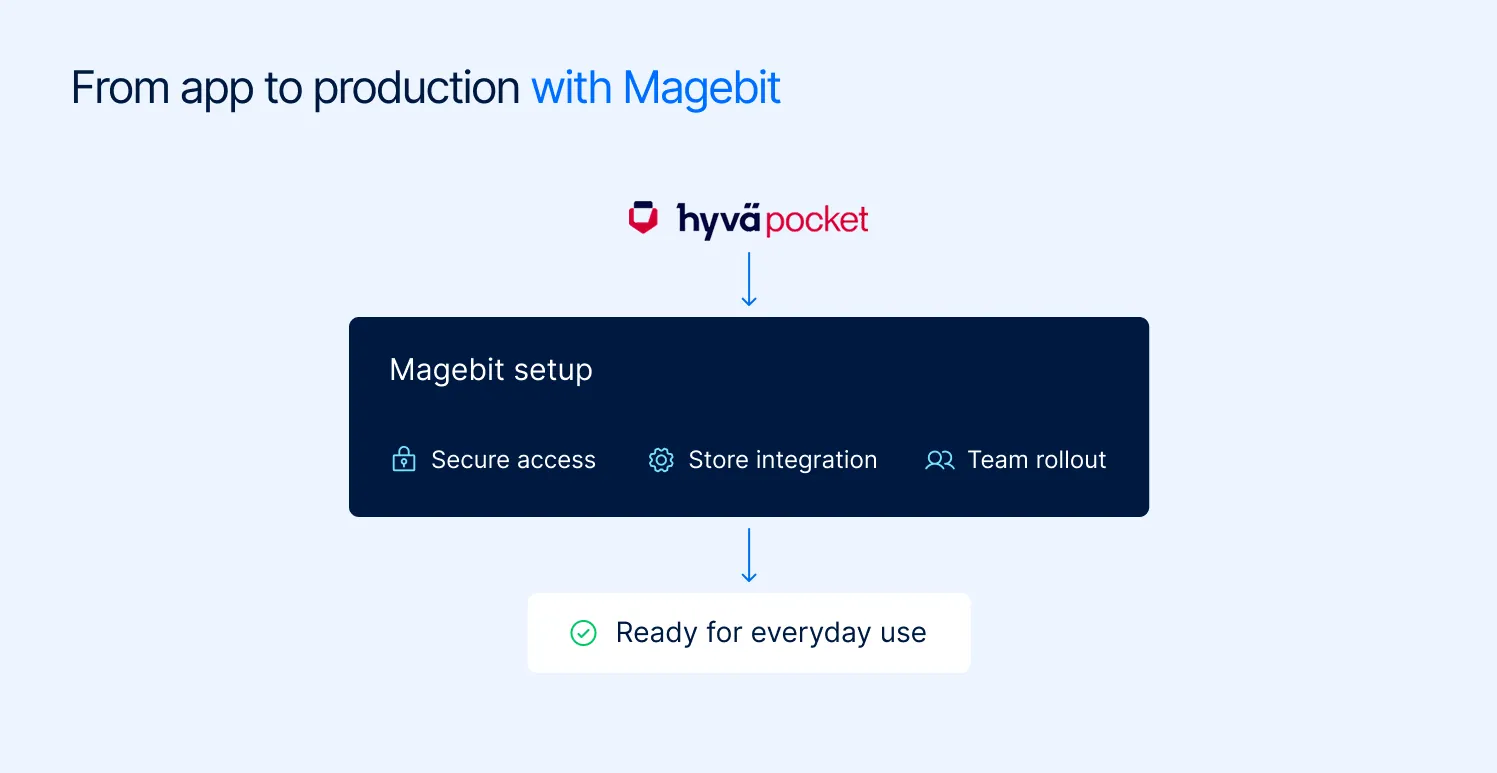
Magebit setup for securely connecting and rolling out Hyvä Pocket for Magento stores.
For a Magento merchant, setting up Pocket is not just about getting the app connected. It is about fitting that connection into the store’s existing access and security practices.
That’s where Magebit comes in. As a Hyvä Platinum Partner, we approach the rollout as part of the wider Magento environment rather than as a standalone mobile app.
We can help clients:
- Set up individual Magento integrations instead of shared credentials
- Scope API permissions to the access Pocket actually requires
- Manage credentials through an appropriate password-management system
- Test the connection and API behavior against the client’s environment
- Build Pocket access into existing access-management and offboarding processes
- Roll out the app gradually before extending access to the wider team
Who gets the most value from Hyvä Pocket?
| If you are | What you’d use it for | Our take |
|---|---|---|
| Store owner or founder | Revenue, orders, and quick store checks | Good fit |
| Multi-store merchant | Checking several storefronts from one app | Good fit |
| Operations or customer service lead | Order lookup and payment monitoring | Strong fit |
| Marketing or analytics team | Attribution, campaign analysis, profitability | Limited fit |
| Android user | Mobile store monitoring | Not currently supported |
| Merchant using a non-Mollie PSP | Payment investigation | Partial fit |
Final thoughts
Hyvä Pocket does not solve the problem of managing Magento from a phone. That is not what it is trying to do. It solves a narrower problem: getting the information you need from Magento without opening Magento Admin every time.
For store owners and operations teams, that can be enough to make a meaningful difference. The read-only model also makes it easier to give people visibility without automatically giving them administrative control.
The important part is setting it up correctly. Access should be scoped appropriately, credentials should be issued individually, and revocation should be part of your access and offboarding process.
If you want to introduce Hyvä Pocket without adding another unmanaged access point to your Magento store, Magebit can help you set it up securely and make sure it fits into your existing Magento environment. Get in touch now.