When you ask an agency what Magento development costs, you get a quote for the build. It covers designing, developing, testing, and launching your store. What it usually leaves out is everything that comes after launch.
Adobe supports each Magento version for around three years from its release date. When that support ends, you need an upgrade, whether you budgeted for one or not. Many merchants found this out on August 11, 2026, when regular support for Magento 2.4.6 ended.
The cost of that upgrade depends on how well the store has been maintained. Stores that stay up to date are usually simpler and less expensive to upgrade.
Stores that have gone 3-4 years without an upgrade may need extensive code changes and compatibility fixes, sometimes to the point where a rebuild costs less than an upgrade.
In this guide, we’ll walk you through what a Magento build really costs, what you’ll pay after launch, and how to tell a good quote from a cheap one.
Quick takeaway
- A Magento build typically costs around $60,000 for a theme-based store, $60,000 to $120,000 for a relatively simple store, and $150,000 or more for an enterprise build.
- Magento Open Source has no license fee. Adobe Commerce has a yearly license based on your revenue, starting around $22,000 a year.
- After launch, expect $500 to $15,000+ a month for support and ongoing improvements, depending on store size, and $3,000 to $15,000 for each Magento upgrade.
- Integrations, B2B buying rules, custom features, and selling in several countries are what push costs up most.
- Most quotes only cover the build. Before you sign, check who will build the necessary infrastructure, apply security patches, proactively monitor the site’s health, and how much it will cost.
Who this guide is for (and who it isn’t)
This guide is mainly for growing brands that sell a meaningful share of their products online and are planning a new Magento build, a redesign, or a move to Magento from another platform.
For larger businesses already running Magento, the sections on post-launch costs and upgrades will be the most useful. They explain how Adobe’s support windows work and how to plan upgrades so they don’t turn into unplanned bills.
If you run a small store with a simple catalog and no plans to customize it, a platform like Shopify is usually a better fit, and we’d rather tell you that here than on a sales call.
What Magento development costs actually cover
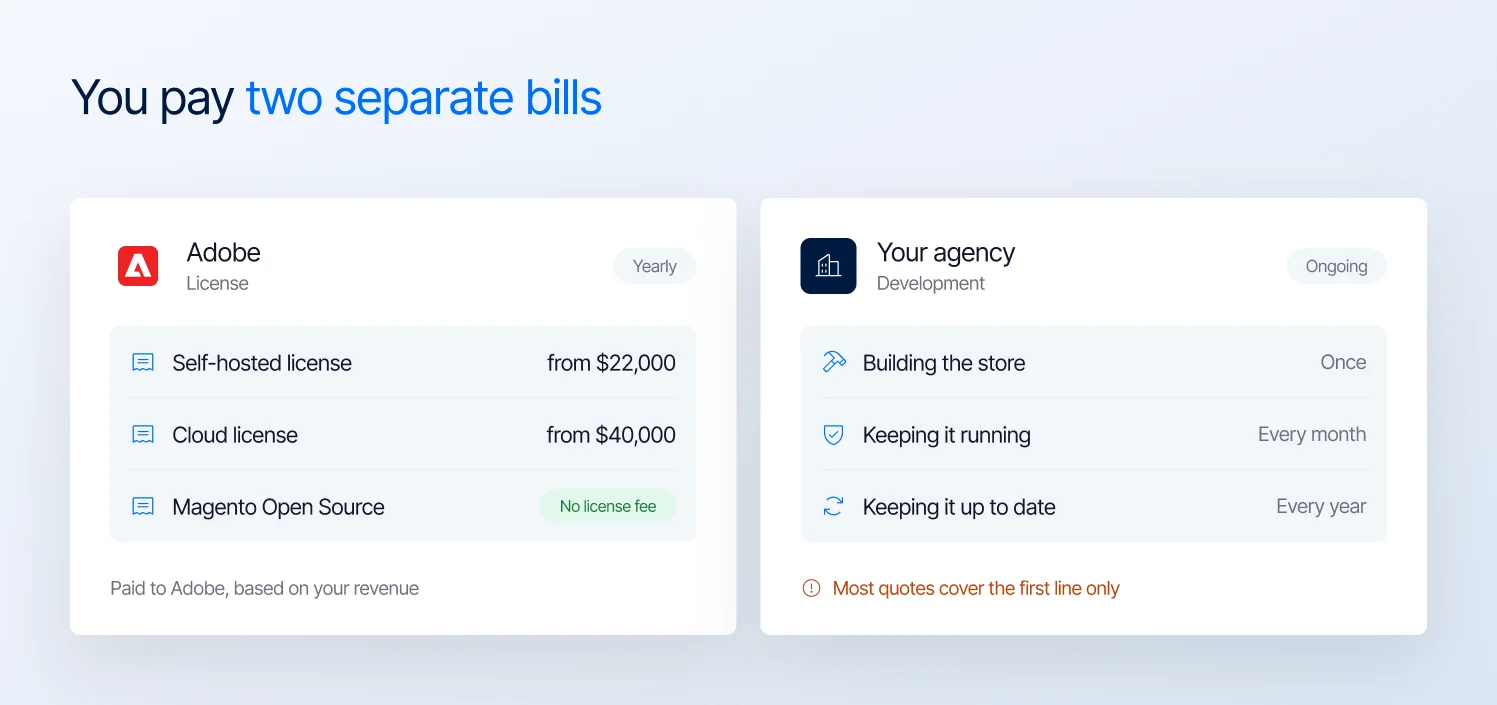
Magento cost comes as two bills: the Adobe license and your agency’s development work
When you budget for Magento, you’re paying two separate bills: the license and the development.
The license is what you pay Adobe to use the software. Magento Open Source has no license fee. Adobe Commerce has a yearly license, and Adobe sets the price based on your revenue. Adobe doesn’t publish its prices, but based on the quotes our clients receive, the license usually starts around $22,000 a year for a self-hosted store and $40,000 on Adobe’s cloud, rising to $125,000 and $190,000 or more for large stores. We compare the two editions in Magento Open Source vs Adobe Commerce.
The development is what you pay the people who build and look after your store. This is the bigger bill, and it’s the same whichever edition you choose. Paying for an Adobe Commerce license doesn’t include any of this work.
Development cost breaks down into three parts:
| Cost | What it pays for | When you pay it |
|---|---|---|
| Building the store | Planning, design, development, integrations, testing, and launch | Once, over the project |
| Keeping it running | Security patches, monitoring, bug fixes, and small improvements | Every month |
| Keeping it up to date | Upgrades to Magento, your theme, and your extensions | Every year, on a schedule |
Almost every quote you’ll receive covers the first row only. The second and third rows are where budgets fall apart, and they’re also where a good agency earns its fee.
What a Magento build costs in 2026
Here are the typical price ranges for a Magento build.
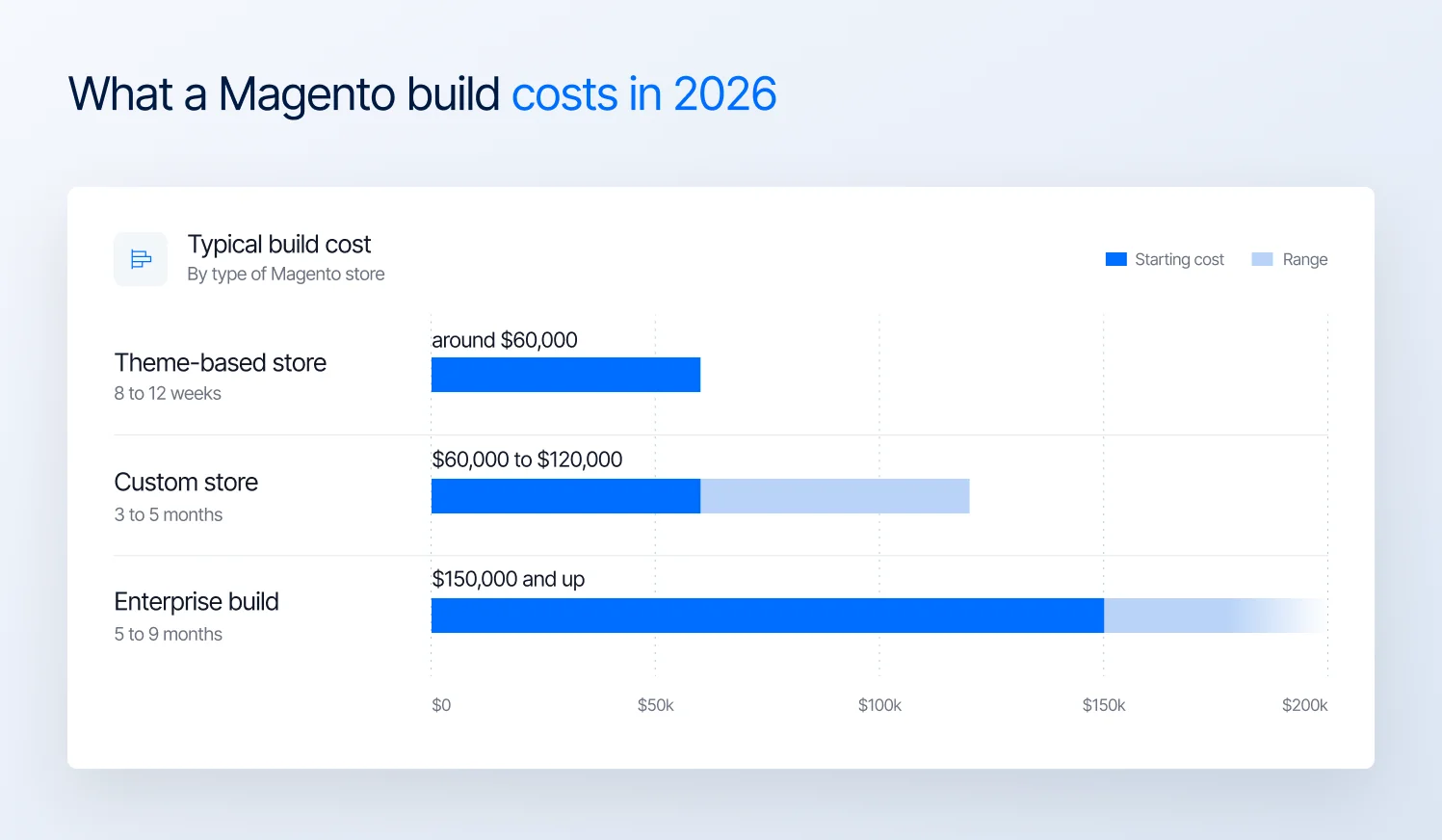
Typical Magento build costs and timelines in 2026
| Type of build | What it usually looks like | Typical cost | Typical timeline |
|---|---|---|---|
| Theme-based store | An existing theme with your branding, standard checkout, a few integrations | around $60,000 | 8 to 12 weeks |
| Custom store | Custom design, custom features, ERP integration, several store views | $60,000 to $120,000 | 3 to 5 months |
| Enterprise build | B2B buying rules, many integrations, multi-region setup, complex catalog | $150,000 and up | 5 to 9 months |
Note: Timelines are based on a few of our Magento project lengths and depend on how quickly decisions and content come from your side.
Agency size also affects what you can expect to pay. Smaller Magento agencies may charge less, but they may not have the experience to handle the complex integrations, customizations, and business requirements of large enterprises.
For a theme-based store with standard functionality, a smaller agency can be a sensible choice. But for a large business with complex systems and workflows, choosing a less experienced team to save on development costs can lead to costly mistakes and delays.
What pushes Magento development cost up
Two stores can look almost the same and still get very different quotes. The difference usually comes down to these five things.
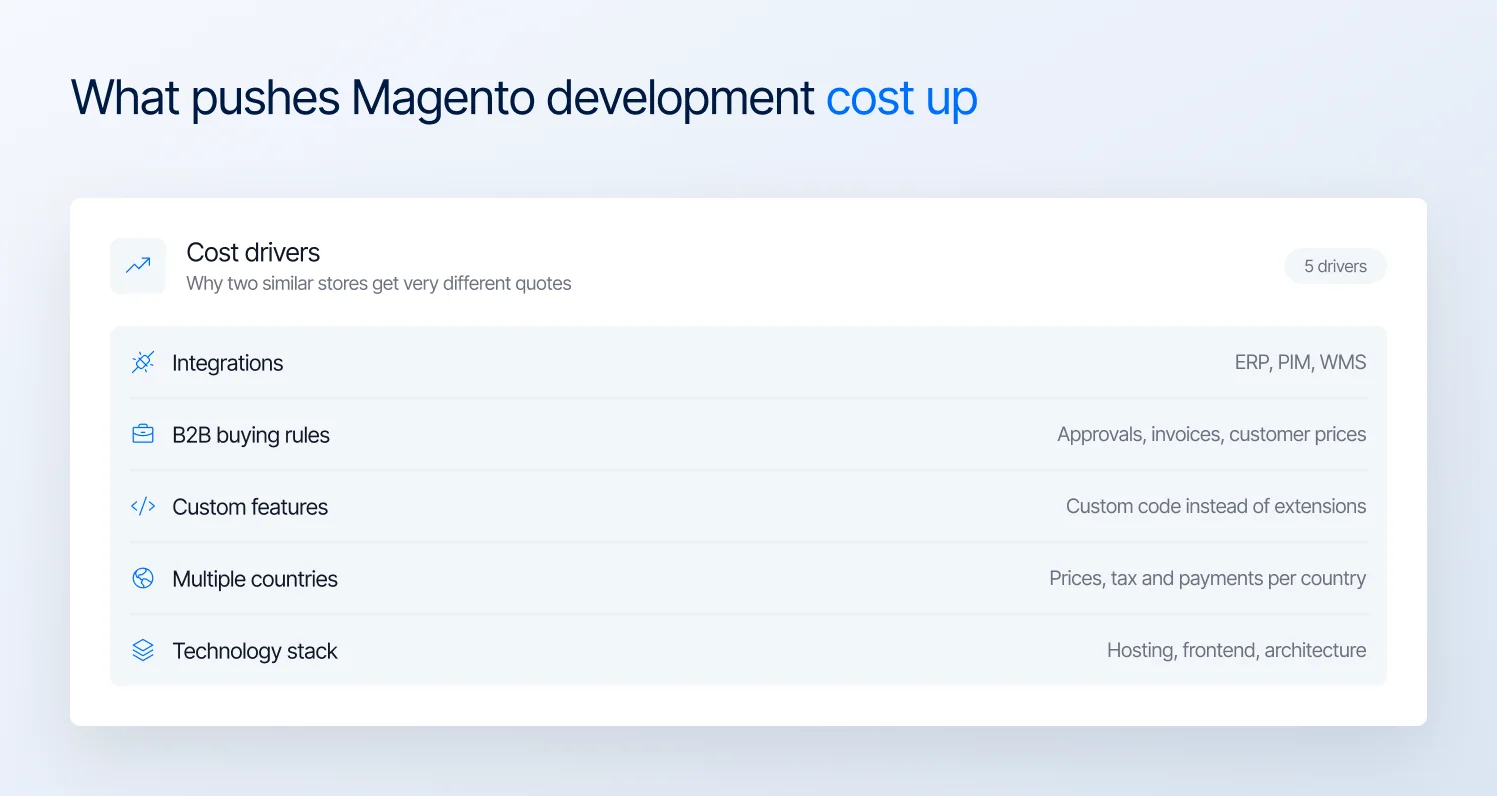
The five factors that push Magento development cost up
Integrations
Your store usually needs to share information with other systems you use, like your ERP, PIM, or WMS. Each connection is a project in its own right.
When we plan a project, we ask what needs to move between your store and those systems. Should customer details come from your ERP? Should product information and stock levels update automatically?
Every “yes” adds a cost to the project. Often the biggest job isn’t building the connection itself. It’s agreeing which system has the final say on things like prices and stock levels, so they never show different numbers.
How your customers are allowed to buy
If you sell to consumers, buying is simple: shoppers add products to the cart and pay. Selling to businesses adds rules, like managers approving orders, customers paying by invoice, or prices agreed for one customer only. Each rule has to be built into the store, and each one adds cost.
If your store needs a lot of these rules, expect to be in the enterprise range. At that point, Adobe Commerce is worth its license fee, because many of these features come built in.
For example, Snap-on Business Solutions supplies tools to the dealers of the world’s biggest vehicle brands. They were running 4 separate Magento stores, which meant paying to maintain and update each one.
We merged them into a single Adobe Commerce B2B platform where each brand’s dealers get their own catalog, pricing, and branding. The project took 5 months, and organic revenue grew 8%.
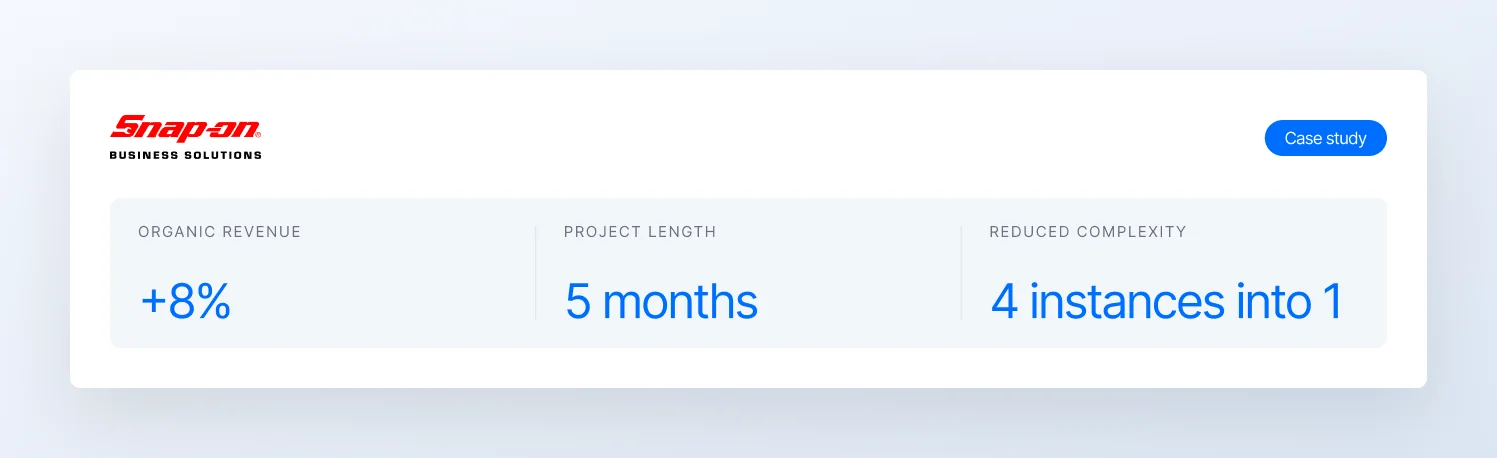
Snap-on Business Solutions merged four Magento stores into one Adobe Commerce B2B platform
Custom code versus extensions
For most features you want, someone has already built a ready-made add-on, called an extension, that you can buy and install. That costs a small license fee and is quick to set up. Building the same feature from scratch can take weeks.
Sometimes a custom build is worth it, especially when the feature is what makes your store stand out. But custom features also cost more later. Every time Magento is upgraded, your developers have to check and fix custom features, while ready-made extensions are updated by the company that makes them.
Store views, languages, and currencies
A store that sells in one country, in one language and one currency, is the simplest and cheapest to build. Every extra country adds work.
Each one may need its own prices, translations, tax rules, and payment methods, and all of it has to be set up and tested. A store that sells in five countries can easily take several times more work in these areas than a store that sells in one.
Choosing the right technology stack
Your technology choices affect both the initial build cost and what you’ll spend to maintain your Magento store. Three decisions matter most: where you host the store, which frontend you use, and whether your architecture can support your business as it grows.
The most affordable setup isn’t necessarily the cheapest to run over time. Consider how much development work future changes will require, whether your team can maintain the chosen technologies, and how easily the architecture can accommodate new requirements.
These decisions are easier to make during planning than after the store is live. Ask your agency to explain the trade-offs behind its recommendations, including the initial development cost and the ongoing expense of maintaining the technology stack.
What Magento costs after launch
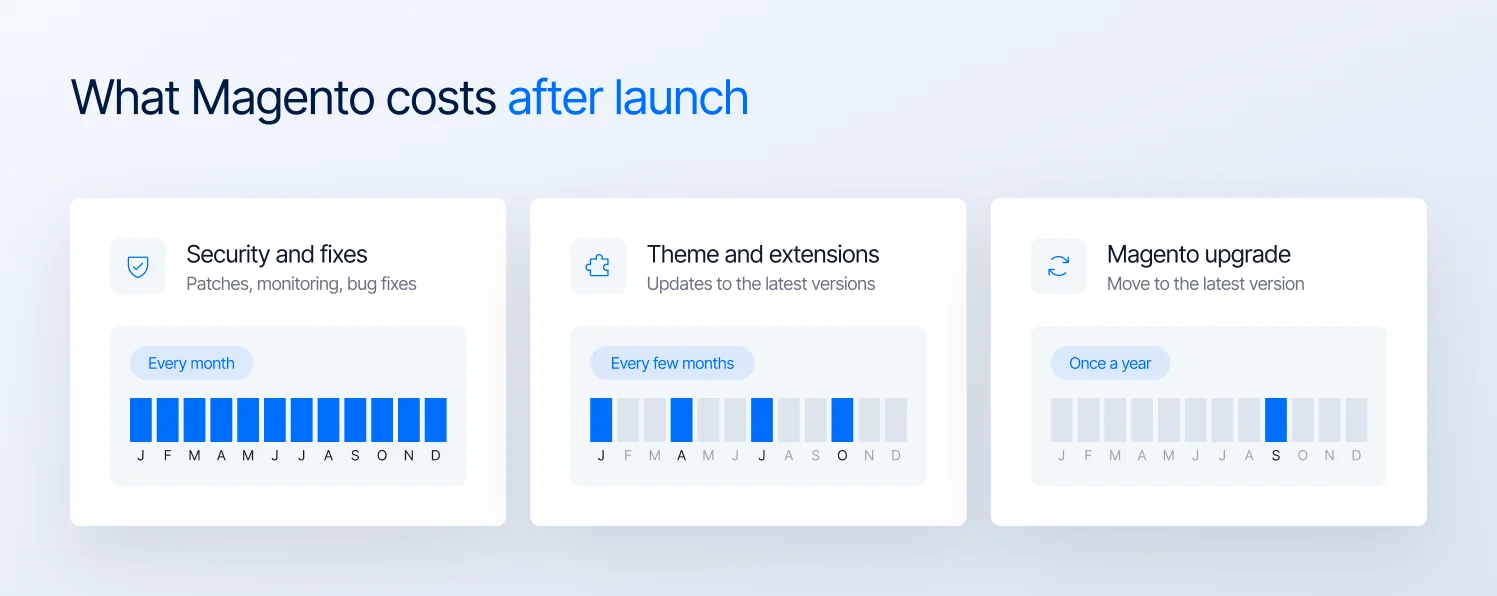
Ongoing Magento costs after launch: monthly support, regular updates and a yearly upgrade
Once your store is live, you’ll keep paying for three kinds of work. Here’s what each one covers and what it usually costs.
| Cost | What it covers | Typical cost |
|---|---|---|
| Monthly support | Security patches, monitoring, bug fixes, small improvements | $500 to $15,000+ a month, depending on store size |
| Theme and extension updates | Keeping your theme and extensions on their latest versions | Usually part of a support plan. On their own, $300 to $1,500 per round |
| Yearly Magento upgrade | Moving your store to Adobe’s latest Magento version | $3,000 to $15,000, more for complex stores |
Where you land in each range comes down to two things: how big your store is, and how much custom code and how many extensions it runs. Every custom feature and extension has to be checked and fixed when Magento changes, so the more you have, the more each upgrade costs.
Planned work versus emergency work
When something breaks on a live store, it usually happens at a bad time: during a sale, on a weekend, or right after a campaign goes out. Fixing it can’t wait, so a developer has to drop everything else and start right away.
That’s why emergency work costs more because it requires immediate attention and may disrupt other scheduled projects. Agencies may also charge a minimum fee for urgent requests.
In our experience, the stores that end up needing emergency help are usually the ones that skipped the routine work: security patches, monitoring, and upgrades. Keeping up with that work costs far less than fixing what goes wrong without it.
Planned work, on the other hand, keeps your budget predictable. In our support agreements, once you approve the estimate for a task, that’s exactly what you pay.
If the work takes us longer, we cover the extra time. If it goes faster, the price stays the same. That way, you always know the cost before the work starts.
How you pay for planned work usually depends on the size of your business.
- Growing brands do best with a monthly support plan. That covers security patches, small improvements, and the yearly upgrade, with every task estimated before the work starts.
- Larger businesses with a steady stream of changes get more value from a dedicated developer. The price depends on how much of the developer’s time you need, and that developer can draw on the rest of our team whenever a task needs extra expertise.
Whichever option you choose, ask what each piece of work is meant to improve.
At Magebit, every proposal names the result it should deliver, like faster page loads or a higher conversion rate, and roughly how much it should change. Routine maintenance is the exception, and we label it that way so you always know what you’re paying for.
How to read a Magento quote
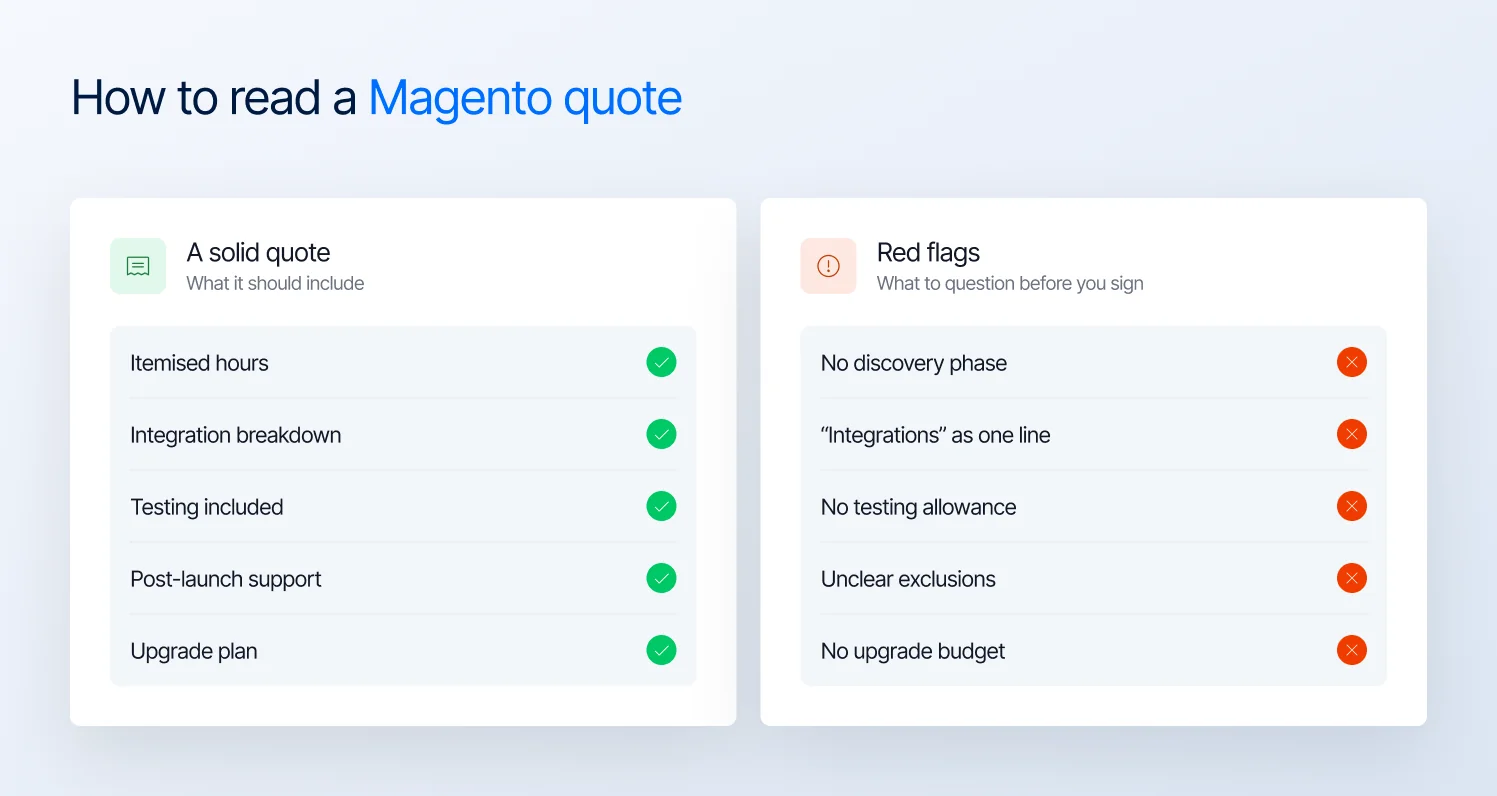
What a solid Magento quote includes, and the red flags to question before you sign
Two agencies can quote the same store and come back with very different prices. Usually that’s because they’ve included different work, or made different assumptions about what happens after launch. The best way to compare them is to ask each agency the same questions.
Here are the questions to ask every agency you’re considering, including us:
- What isn’t included in this price? Moving data from your old store, extension licenses, hosting, and testing are often left out.
- How are integrations scoped? If the quote lists “integrations” as one line, ask what each integration involves and what could increase the cost.
- Which features are custom-built and which use extensions? Custom features cost more to maintain at every upgrade.
- Have you checked our extensions against the latest Magento version and Hyvä? If not, problems can show up halfway through the project.
- What could make the final cost higher than this estimate, and who pays if it does? A good agency will give you a clear answer.
- What support do we get after launch, and for how long? Fixing bugs in the first few weeks shouldn’t be billed as new work.
- When is our next upgrade, and is it in the budget? The answer shows whether the agency is planning beyond launch day.
Watch for these warning signs too:
- No discovery phase. Without time to understand your business first, the agency is guessing the price.
- No testing. A quote without testing assumes nothing will go wrong.
- A much lower price than everyone else. Something has usually been left out, and you’ll end up paying for it later.
Final thought
A cheap build can turn into an expensive store. If a quote leaves out upgrades and maintenance, you’ll still pay for them later, usually at a higher price.
So when you compare quotes, don’t just look at the total. Ask each agency how they’ve priced your integrations and custom features, and what your store will cost to maintain and upgrade after launch. The agency that gives you clear answers is the one whose price is most likely to stay accurate.
Before you sign, make sure your budget covers three things: who will apply security patches, when your next upgrade will happen, and how much it will cost. If it covers all three, you’re budgeting for the full life of your store, not just the launch.
If you already run a Magento store, a Magento audit is a good first step. It shows what needs fixing, what each fix will cost, and how ready your store is for its next upgrade.
Want a Magento budget that holds up past launch day? We’ll scope the build, the running costs, and your next upgrade in one estimate. Get a Magento estimate from Magebit.