If you’ve ever looked at your store’s search analytics, you’ve probably seen it. Someone searches for a product you definitely sell, and your search engine still can’t find it.
Maybe they searched for “trainers” instead of “running shoes.” Maybe they typed “waterproof jacket size M,” and your search treated it as three separate keywords. Either way, a shopper who arrived with clear buying intent just hit a dead end.
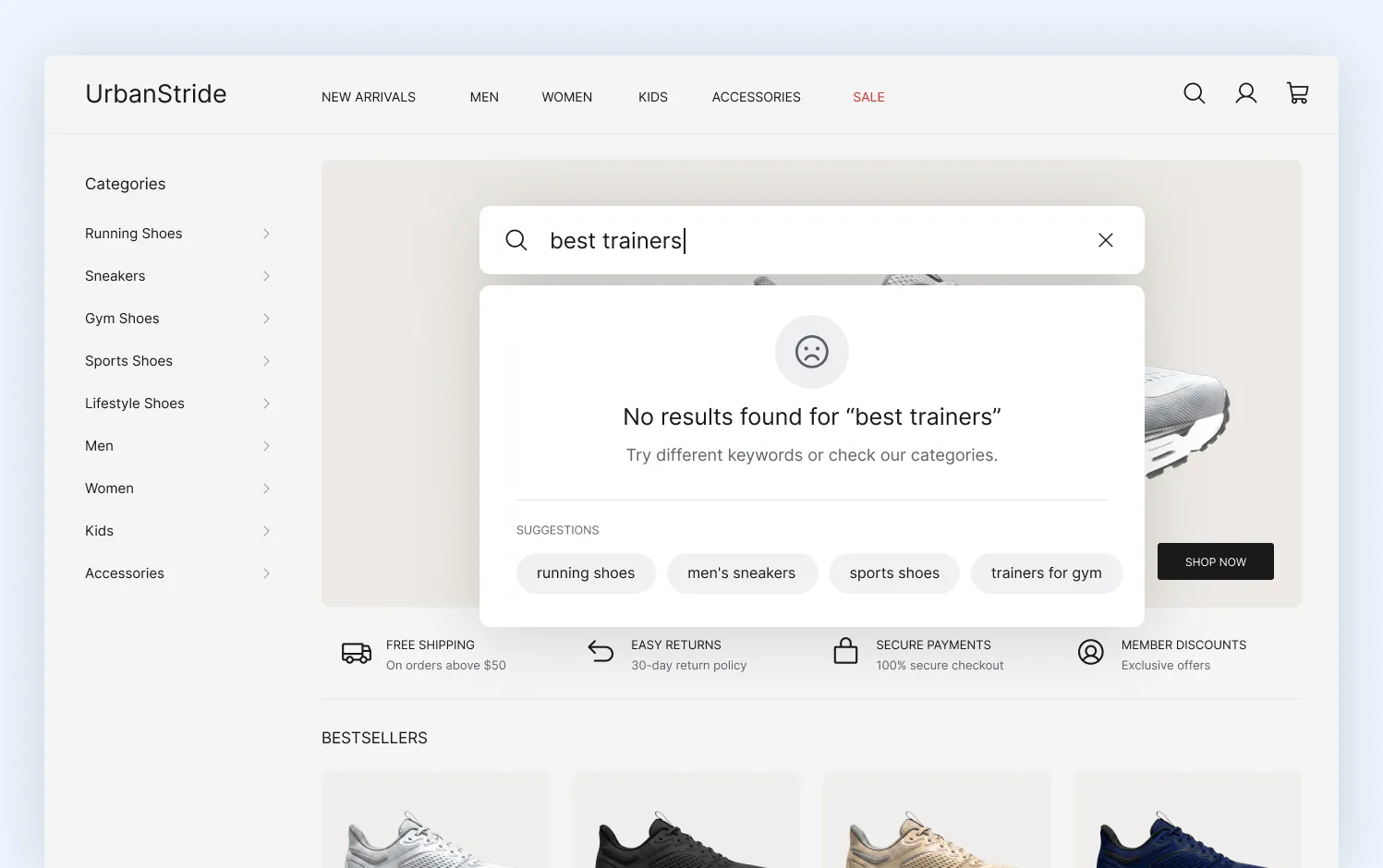
E-commerce site search showing no results for “best trainers” with product suggestions
That’s expensive. Visitors who use site search convert 1.8x to 3x more often than people who browse through navigation, yet 10-15% of e-commerce searches still return zero results.
That’s exactly the problem both LupaSearch and Algolia are trying to solve.
Both platforms promise faster search, AI-powered relevance, personalized product discovery, and merchandising tools that help customers find the right products faster. But they take very different approaches to getting there.
LupaSearch is built for e-commerce teams that want powerful search and merchandising without a complex implementation. Algolia, on the other hand, gives businesses more flexibility to customize the search experience.
So which one is actually the better choice? It depends on your catalog, your team, your growth plans, and how much time you’re willing to invest in managing search after launch.

LupaSearch vs Algolia comparison for best e-commerce search platforms
LupaSearch vs Algolia: side-by-side comparison
| Decision factor | LupaSearch | Algolia |
|---|---|---|
| Company headquarters | Kaunas, Lithuania | San Francisco, California, USA |
| Ownership | Privately owned | Privately owned |
| Data processing/hosting | European infrastructure (AWS EU regions), with data processed within the selected hosting region | Multiple hosting regions, including the US, Europe, and Asia-Pacific. Customers choose their data region during setup. |
| Typical implementation | Weeks rather than months for most e-commerce implementations | Varies. Basic native app installs take days, but building custom or headless experiences (the main reason to choose Algolia) takes months. |
| Pricing model | Starts at €680/month, with Pro+ at €1,870/month and custom Enterprise pricing for larger implementations | Usage-based pricing. The Grow plan includes 10,000 search requests/month, then charges $0.50 per additional 1,000 search requests (Grow) or $1.75 per 1,000 on Grow Plus, plus $0.40 per 1,000 records beyond the included limit. Enterprise plans use custom pricing. |
| Cost predictability | Subscription-based pricing with predictable monthly tiers | Usage-based pricing that scales with traffic, records, and feature usage |
| Headless & composable | Supports modern commerce platforms but is primarily designed for e-commerce | One of the strongest options for headless and composable architectures |
| Beyond e-commerce | Focused on product discovery for online stores | Can power search across websites, apps, documentation, marketplaces, and internal tools |
| Migration effort | Moderate. Migration involves rebuilding search rules, merchandising logic, and search configurations. | Moderate to high, depending on the level of customization and integrations in the existing implementation |
| AI direction | AI embedded across search, merchandising, and product discovery | AI capabilities exposed through APIs and developer tooling |
Who this comparison is for
Both platforms are designed for merchants who have outgrown native search. The sweet spot is stores with 10,000–200,000+ SKUs, typically generating $5M+ in annual revenue, where search relevance and merchandising have a direct impact on revenue.
But also keep in mind that modern search platforms do much more than return results. They help with catalog merchandising by promoting the products you want to sell, recommending relevant products, and helping customers discover products even when they aren’t searching for them.
That’s why they’re valuable not only for large catalogs but also for smaller stores with high traffic, multiple regions, or frequent merchandising campaigns.
LupaSearch: built for merchants who want good search without building it themselves
LupaSearch is purpose-built for e-commerce, combining AI-powered search with merchandising, product recommendations, personalization, search analytics, visual search, and a GenAI shopping assistant in a single platform.
It also gives merchants control over search rules, product boosting, and recommendations through an admin dashboard, reducing the need for developer support for day-to-day search optimization.
What LupaSearch does well
LupaSearch’s biggest strength is that it gives merchandising teams far more control over search. They can boost products, create campaign rules, manage synonyms, pin search results, and monitor search performance without asking developers to make every change.
That makes a real difference because search isn’t something you optimize once. It changes constantly as products, promotions, and customer behaviour change.
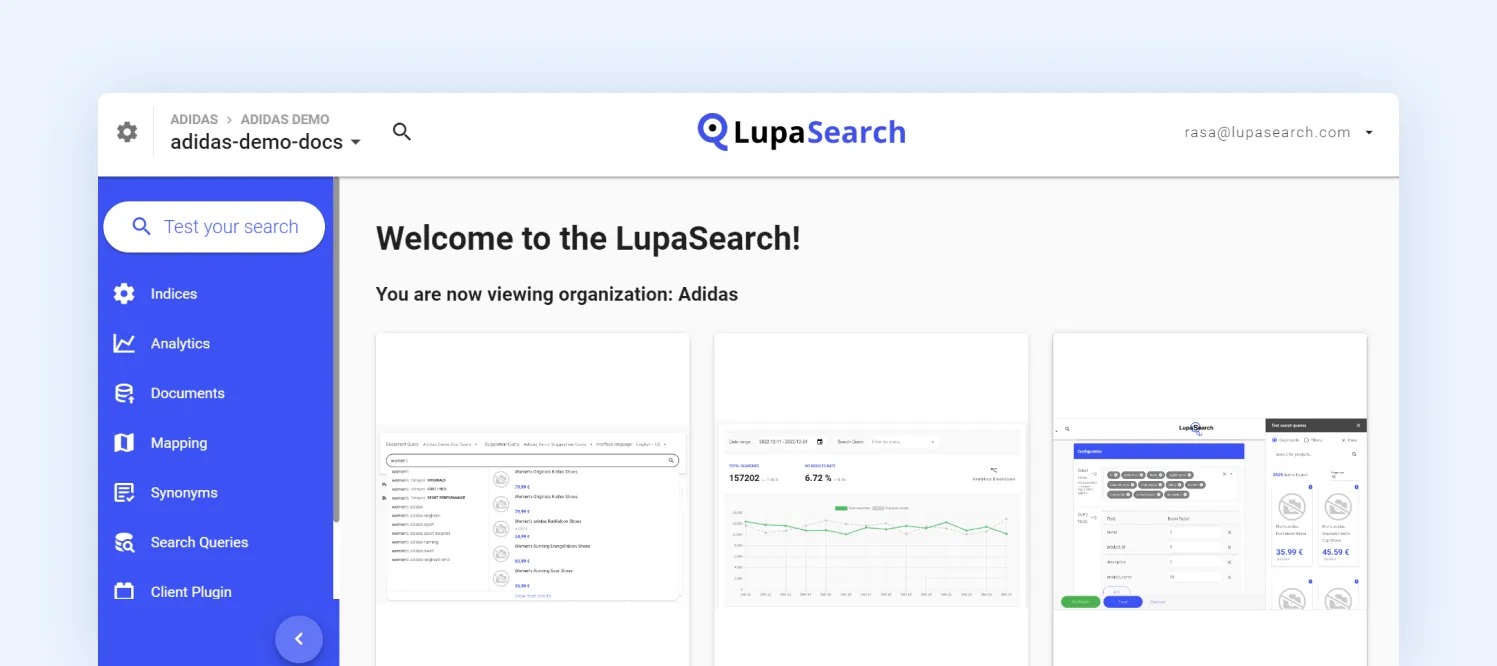
LupaSearch console interface for managing e-commerce search, analytics, synonyms, mappings, and indexed products
In our experience, LupaSearch delivers strong search relevance out of the box while still giving merchandising teams meaningful control over search behavior.
The AI handles most of the day-to-day relevance, while the merchandising tools give teams enough control to influence what customers see when it actually matters.
Another advantage is that merchandising, recommendations, personalization, and analytics all live in the same platform. Teams don’t have to manage separate products or keep multiple tools in sync, which reduces operational overhead over time.
For merchants looking for a single solution rather than managing several point products, that’s strong.
Where LupaSearch can improve
LupaSearch’s opinionated approach makes it straightforward to implement and manage, but it also means there are fewer customization options than a highly configurable platform like Algolia.
If your business requires extensive control over ranking logic, APIs, or the front-end search experience, it’s worth evaluating whether the available customization options meet your long-term requirements.
LupaSearch’s ecosystem is also more e-commerce-focused, while Algolia benefits from a larger developer community, a broader range of third-party integrations, and a wider network of implementation partners.
For many merchants, that won’t be a deciding factor, but it may be worth considering for larger or more complex organizations.
The first mistake we see
Merchants treat search as a standalone feature instead of part of their merchandising strategy. Search results should support promotions, seasonal campaigns, and business goals just as much as category and landing pages do.
Algolia: built for enterprise brands that value greater flexibility
Algolia is one of the most established platforms in the search and discovery market, combining flexible APIs with AI-powered search and discovery capabilities for businesses with complex requirements.
What Algolia does well
Flexibility is Algolia’s biggest selling point. Nearly every part of the search experience, from ranking algorithms and relevance rules to autocomplete, filtering, and the front-end interface, can be customized.
That’s why it’s a popular choice for headless commerce, composable architectures, and businesses with unique search requirements.
Performance is another strength. Algolia is known for low-latency search, typically returning results in under 100 milliseconds. For large catalogs or high-traffic storefronts, that speed can noticeably improve the shopping experience.

Algolia Visual Editor dashboard for managing search ranking, pinned products, and merchandising rules in an e-commerce store
The platform also extends well beyond e-commerce. If your business wants one search engine powering your storefront, documentation, knowledge base, mobile app, and internal tools, Algolia is better suited than e-commerce-specific alternatives.
Where Algolia can improve
With Algolia, the flexibility is a huge plus, but it also means there’s more to manage. You won’t get the most out of it by setting it up once and leaving it alone. Search relevance needs regular tuning as your catalog, campaigns, and customer behavior change.
Pricing works the same way. The more traffic, records, and AI features you use, the more you’ll pay. That doesn’t make Algolia expensive, but it’s something to factor into your long-term budget.
Finally, don’t assume every AI feature comes with every plan. Some of the more advanced capabilities are only available on higher tiers, so it’s worth checking what’s included before you commit.
The first mistake we see
Ignoring search analytics is something we notice most merchants doing. Search data tells you what customers can’t find, which queries convert, and where people drop off.
Merchants who review that data regularly usually see better search performance than those who rely on assumptions.
Beyond features: the total cost of ownership
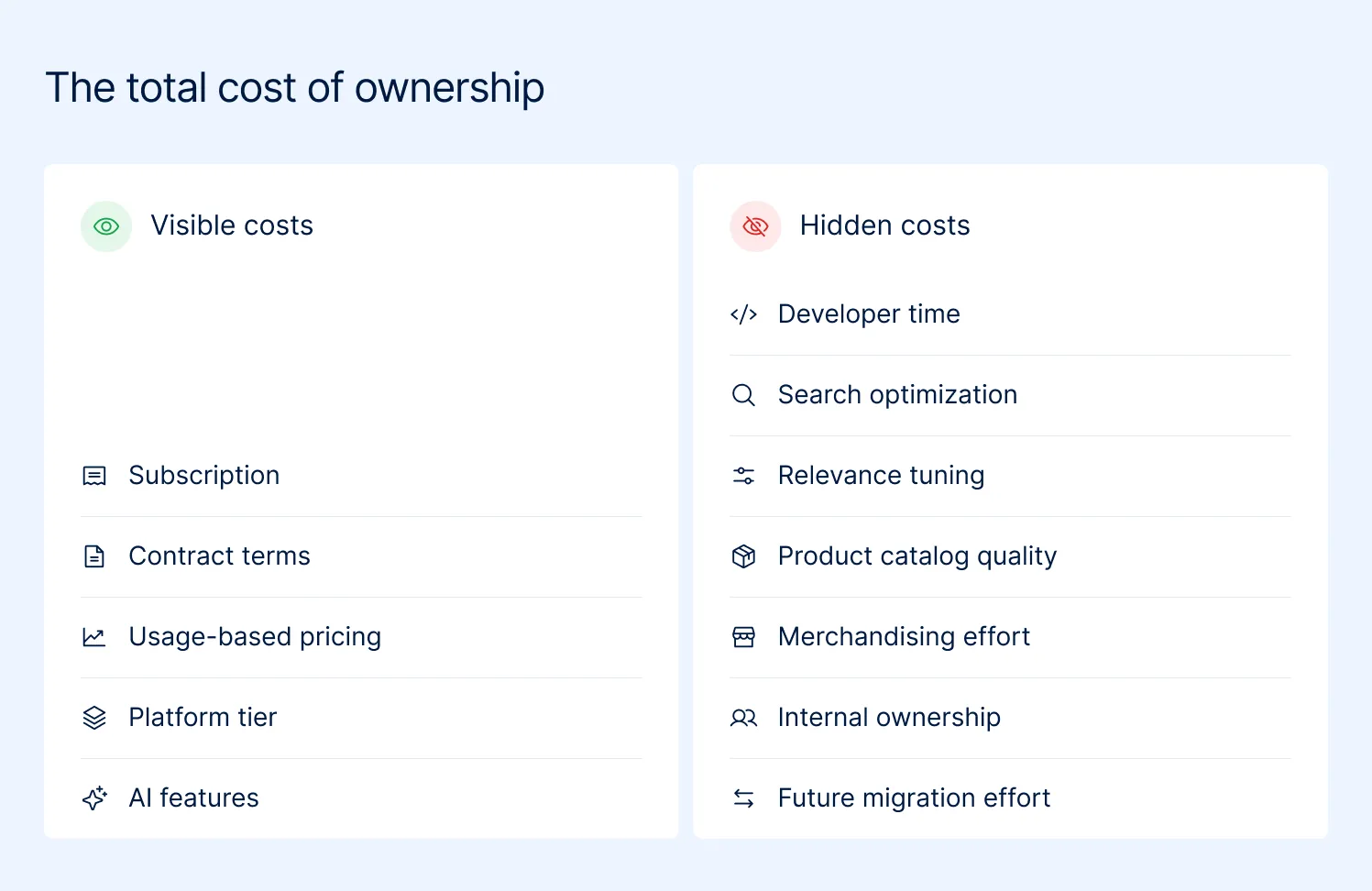
E-commerce search platform total cost of ownership showing visible and hidden costs
The subscription fee is the easiest number to compare. It’s also the least interesting one. The bigger question is what the platform will cost your business after it’s live.
When comparing LupaSearch and Algolia, ask yourself:
- Who will own search six months from now? Consider whether day-to-day search updates will be handled by your merchandising team, your developers, or a combination of both.
- How much engineering time are you willing to invest? Search isn’t a one-time project. Whether it’s integrating the platform, refining relevance, or rolling out new features, consider how much technical ownership your team is prepared to take after launch.
- How does the pricing model fit your business? LupaSearch uses predictable subscription tiers, while Algolia follows a usage-based pricing model. Neither approach is inherently better. The right choice depends on whether your business values fixed monthly costs or pricing that scales with usage.
- Are you paying for flexibility you’ll never use? If your business doesn’t need a highly customized search experience, an API-first platform can introduce unnecessary complexity. On the other hand, if search is central to your digital strategy, that extra flexibility may be worth the investment.
None of those questions appear on a pricing page, but they usually have a much bigger impact on total cost of ownership than the subscription itself.
The Magebit angle: what we check before recommending either
We work with Magento and Adobe Commerce merchants at every stage of growth, from stores with a few thousand SKUs to enterprise catalogs with millions. Choosing a search platform comes up in almost every replatform, platform migration, or digital transformation project.
These are the five things we look at before recommending LupaSearch or Algolia. They’re also the questions most comparison articles never talk about.
1. How your catalog is structured
A search engine is only as good as the data behind it. Before recommending any platform, we review product attributes, category structure, filters, facets, and synonym coverage.
We’ve seen merchants blame search for poor results when the real issue was inconsistent product data or missing attributes.
2. Who will own search after launch
One of the first things we assess is who will own search after launch. Some businesses prefer merchandising teams to handle day-to-day search management, while others want developers to have deeper control over the search experience.
Understanding how your team works usually makes the right choice much clearer.
3. Your functional requirements
The third thing we look at is functionality. Before comparing platforms, we map out what the business actually needs, both today and over the next few years. It’s rarely just about search. We look at questions like:
- Do you only need on-site search, or do you also need catalog merchandising?
- Will you need product recommendations and personalization?
- Are AI-powered shopping assistants or conversational shopping part of your roadmap?
- How important are analytics, business rules, and merchandising controls for your team?
4. How difficult will it be to change later
Switching search platforms sounds easier than it is. Migrating product data is usually the easy part. Rebuilding search rules, synonyms, merchandising logic, facets, redirects, analytics, and years of optimization is where the real effort begins.
That’s why we encourage merchants to think about long-term fit before focusing on feature lists.
5. How your data is handled
Search platforms don’t just index product catalogs. They also process search queries, click behaviour, customer interactions, and other behavioural data that can influence merchandising and personalization.
As an ISO 27001:2022-certified agency, we help clients understand what data leaves their environment, where it’s processed, and whether the platform’s security and compliance standards align with their internal requirements before implementation begins.
Final thought
The e-commerce search market is changing fast. Every platform is adding AI, personalization, and new discovery features, making it harder than ever to compare products based on feature lists alone.
In our experience, the best implementations start with the business, not the platform. When the requirements are clear, the right choice usually becomes obvious.
If you’re evaluating LupaSearch and Algolia, we’re happy to help you cut through the marketing, assess the trade-offs, and choose the platform that fits your e-commerce strategy. Talk to a Magebit search expert.