Product customization has moved far beyond engraving a name on a mug. In 2026, configurators are becoming a core layer of modern ecommerce architecture. Customers expect to visualize products, build modular systems, and experiment with configurations before committing to a purchase.
At the same time, Shopify’s platform has evolved significantly. With the new product model and GraphQL APIs supporting up to 2,048 variants, the way merchants approach product configuration is changing.
For some stores, Shopify’s expanded variant limits are enough. For others, especially brands selling custom furniture, modular products, technical equipment, or personalized goods, configurator apps still offer capabilities that Shopify alone doesn’t.
This guide breaks down the most relevant Shopify product configurator apps in 2026 — what they’re best suited for, where they fall short, and how to approach them as part of a scalable Shopify implementation.
What is a Shopify product configurator?
A product configurator is a tool that allows customers to customize a product directly on the storefront before adding it to their cart. Instead of selecting options from a static dropdown menu, the customer interacts with a guided interface that dynamically updates the product as choices are made.
Depending on the implementation, configurators can allow customers to:
- personalize products with text or images
- choose materials, colors, or components
- build modular products step by step
- preview changes visually in real time
- generate dynamic pricing based on selected options
For simple products, this might look like a few additional customization fields. For more complex products, it can become a full interactive product builder.
How to choose the right Shopify product configurator
Before installing a configurator, you need to map how your product works and how your customers make decisions. Most issues don’t come from the tool itself; they come from trying to make the wrong tool fit your use case.
Some configurators are built for visual, interactive experiences, while others handle complex rules and dependencies. If you choose the wrong type, you’ll likely end up with slower pages and a confusing user journey. As your requirements grow, a custom-built configurator may become the more scalable option, and that’s where a partner like Magebit can help you get it right.
A few factors usually determine whether a configurator will actually help or create more friction:
- How customers make decisions on your product page
If customization is primarily visual (selecting colors, materials, or finishes), then a configurator with real-time previews can reduce hesitation. If your product involves dependencies or compatibility between components, you need structured logic that controls what combinations are valid.
- What happens after checkout
For many personalization businesses, the real bottleneck isn’t selling the product, it’s preparing it. If your team is manually creating designs or handling custom inputs, tools that generate production-ready outputs become more important than frontend experience. For example, in the configurator Magebit created for Selfnamed, the artwork is validated and prepared in real time, eliminating manual correction later.
- Performance impact
Configurators that rely on heavy scripts or 3D assets can slow down product pages, especially on mobile. In high-traffic stores, even small delays can offset any conversion gains from customization.
- How the product is structured (data architecture)
Finally, this is not just a UX decision; it’s a data architecture decision. With Shopify now supporting up to 2,048 variants, some products can be structured natively. Others require app-based logic or a hybrid approach. Choosing incorrectly leads to variant bloat, poor reporting, or systems that don’t scale.
At higher levels of complexity, the problem shifts entirely. For example, in a configurator Magebit built for MerchHouse, customization isn’t limited to a single product; it spans the entire catalog, which requires a fundamentally different architectural approach.
The apps below solve different versions of this problem. The goal is not to choose the most feature-rich tool, but the one that fits how your product is built, sold, and fulfilled.
The top Shopify product configurator apps in 2026
1. Kickflip
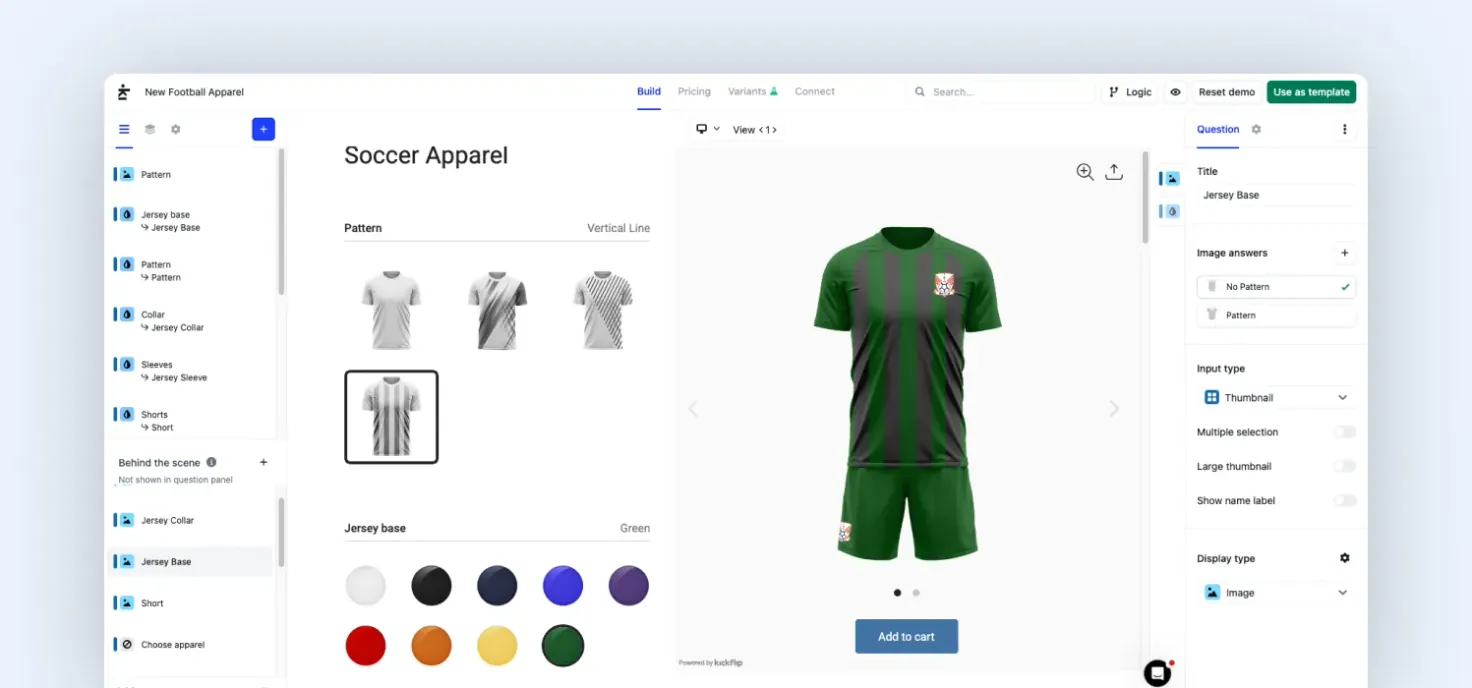
Kickflip product configurator with real-time customization
Kickflip is one of the few configurators on Shopify that genuinely improves how customers experience customization. Instead of forcing users through dropdowns and form fields, it turns customization into something interactive. Every selection updates the product visually in real time, which removes a lot of the hesitation that happens on configurable product pages.
That’s the real value here, not flexibility, but clarity. Where Kickflip performs best is in categories where customers are making aesthetic decisions. If the purchase depends on how something looks (colors, materials, finishes), this kind of visual feedback directly improves confidence.
But that frontend clarity comes with backend trade-offs. Because Kickflip relies on line-item properties rather than structured variants, it doesn’t naturally plug into systems that depend on SKU-level logic. Inventory tracking, reporting, and ERP integrations require extra work or external handling.
Strategic snapshot:
- Use this if: You need customers to clearly visualize what they’re building before checkout
- Avoid this if: Your product depends on compatibility rules or SKU-level inventory tracking
- Best for: Apparel brands, sports equipment, accessories, and other products where visual customization drives the purchase decision
- Potential limitations:
- Mapping configurations to backend systems can get messy
- Not ideal for products with strict compatibility logic
2. Live Product Options (LPO)
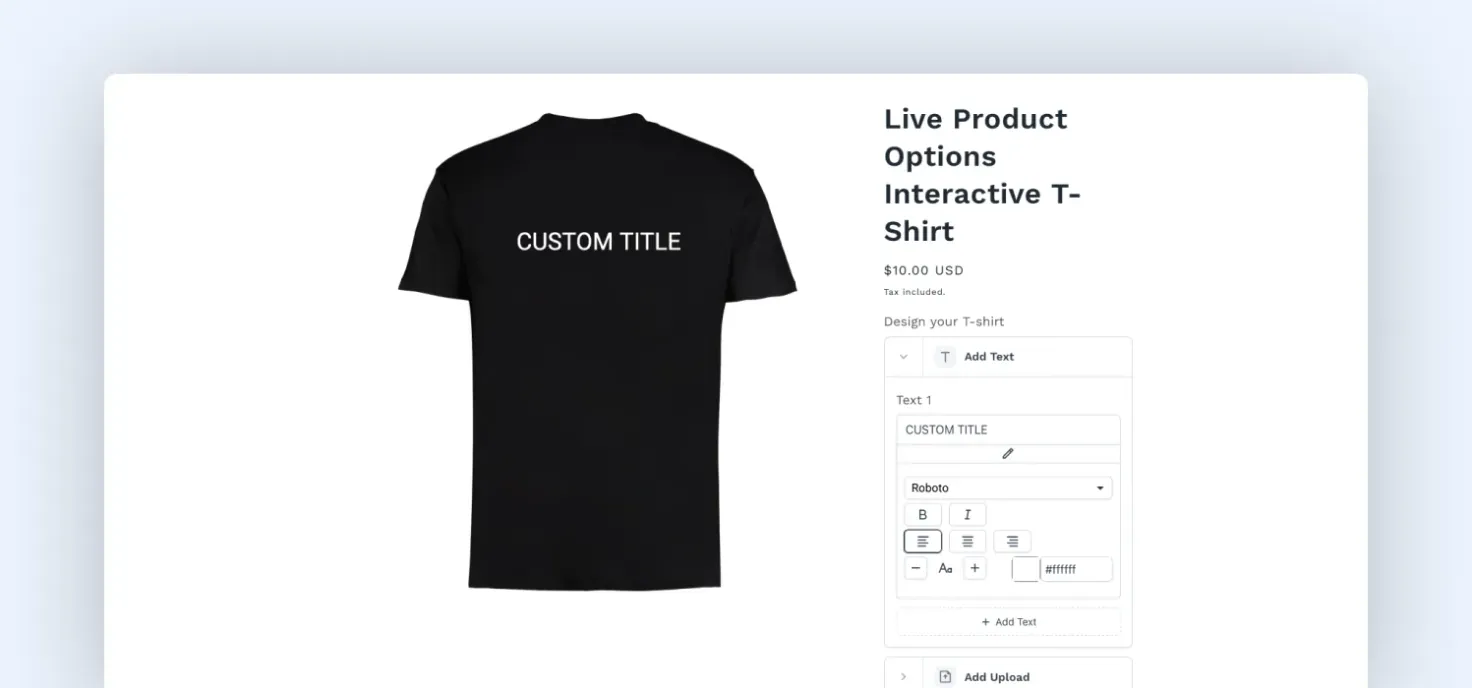
Shopify conditional product options with dynamic fields
Live Product Options (LPO) is one of the most flexible product option apps in the Shopify ecosystem. Instead of focusing primarily on visual previews, it specializes in complex option logic and conditional configuration flows.
Merchants can build advanced product configuration systems where certain options appear or disappear depending on previous selections. This makes the app particularly useful for products with structured customization rules.
Because of its flexibility, LPO is frequently used for made-to-order products or configurable product bundles.
Strategic snapshot:
- Use this if: Your product requires conditional logic or valid combinations between options
- Avoid this if: You need a highly visual, intuitive customization experience
- Best for: Stores selling configurable products with conditional logic, such as custom furniture, modular items, or made-to-order goods
- Potential limitations:
- Steeper learning curve for non-technical teams
- Limited visual experience compared to modern configurators
3. Customily
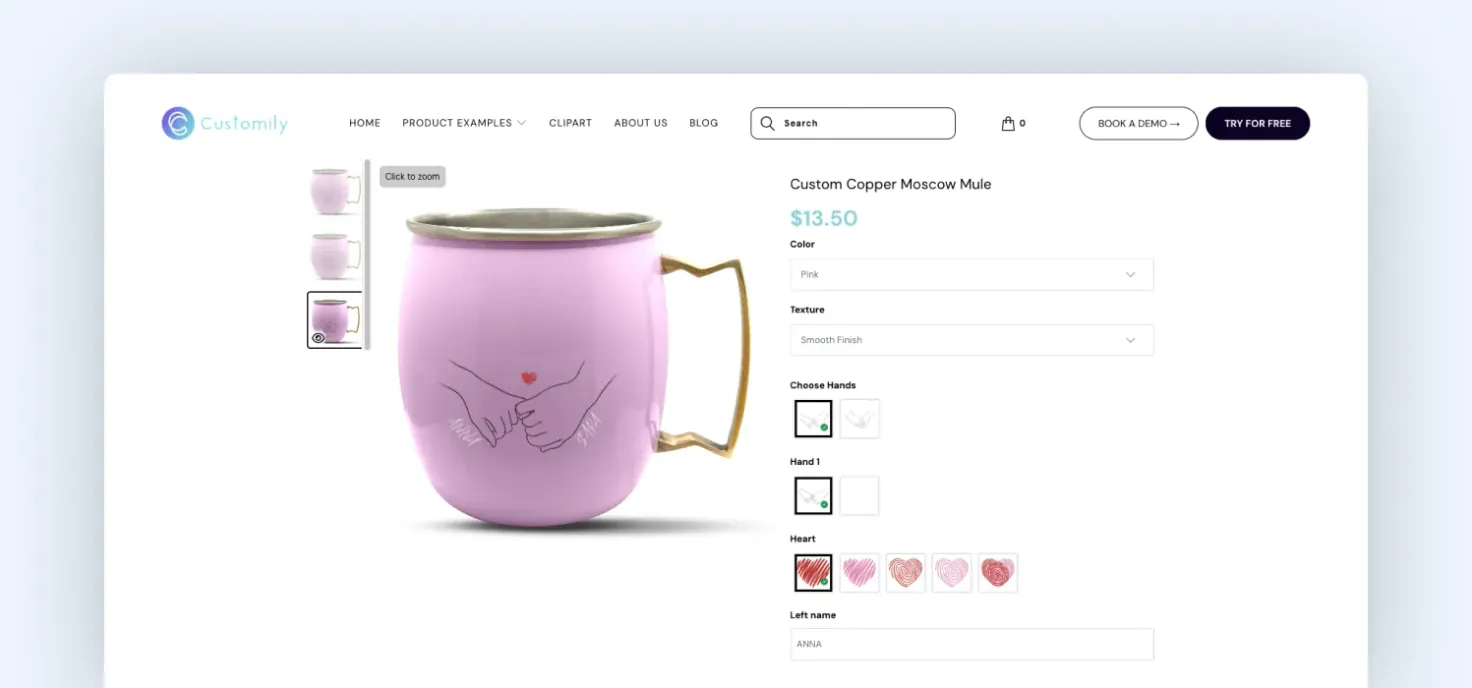
Customily product personalization with live preview
Customily is often positioned as a configurator, but in practice, it’s closer to a production automation system for personalized products.
On the surface, it allows customers to customize products with text, images, and design elements while previewing the result in real time. But the real advantage comes after checkout.
It automatically generates production-ready files, eliminating the need for manual design work. For businesses handling large volumes of personalized orders, this is a massive operational win. Thus, Customily is ideal for businesses where personalization is core and fulfillment efficiency matters.
Strategic snapshot:
- Use this if: You need to automate design file generation and scale personalized product fulfillment
- Avoid this if: You’re not dealing with operational bottlenecks or high-volume personalization
- Best for: Personalized gifts, print-on-demand brands, and stores selling custom artwork, engraving, or printed merchandise
- Potential limitations:
- Doesn’t handle complex product configuration beyond personalization
- Transaction-based pricing can add cost at scale
4. Infinite Options (ShopPad)
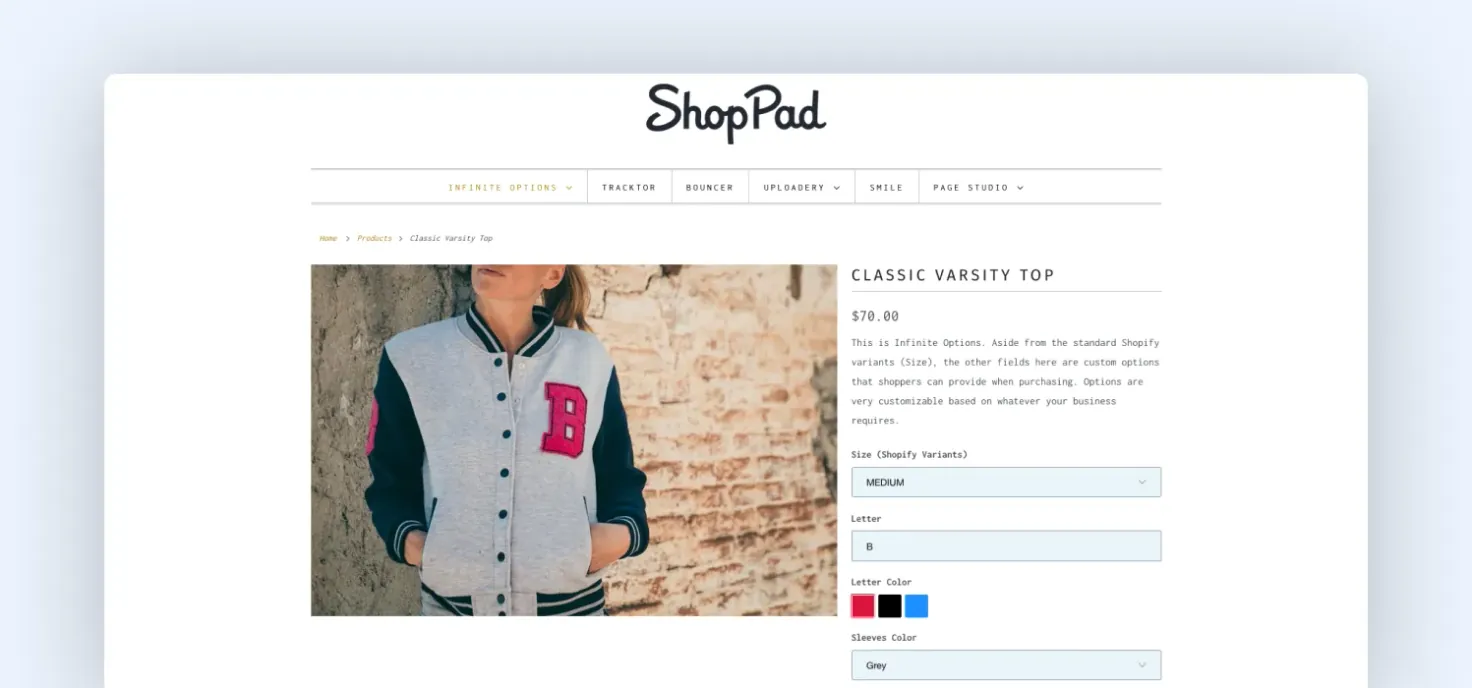
Demo Shopify page with custom input fields
Infinite Options extends Shopify’s native product options by allowing merchants to add unlimited custom fields such as text inputs, dropdowns, checkboxes, and file uploads. It doesn’t attempt to create a full configurator experience. Instead, it focuses on giving merchants more flexibility within a simple framework.
This makes it one of the most widely used apps for stores that need basic customization without changing how products are structured.
Strategic snapshot:
- Use this if: You only need additional product fields without changing your product structure
- Avoid this if: You need visual previews or guided configuration flows
- Best for: Merchants who need simple product personalization fields rather than full product builders
- Potential limitations:
- Limited visual customization features
- No advanced 3D or AR product configuration
5. Zakeke
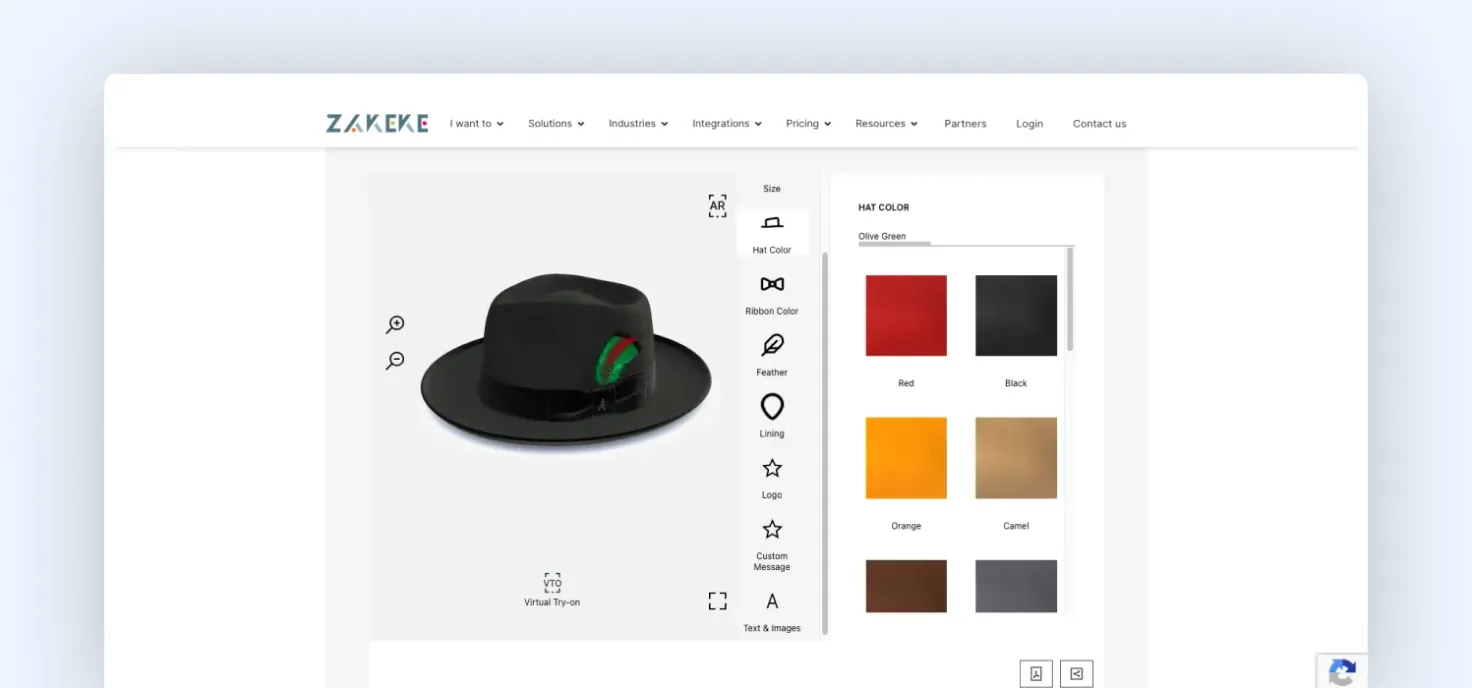
Zakeke product configurator showing the virtual try on feature
Zakeke sits in a different category entirely because it tackles a different problem: product understanding, not just customization.
With 3D visualization and AR capabilities, it allows customers to interact with products in a way that static images simply can’t match. This is especially relevant for products where size, texture, or physical context influences the buying decision.
For categories like furniture or home decor, this can significantly reduce uncertainty, which often translates into fewer returns.
However, Zakeke is not a lightweight solution. Implementing it properly requires high-quality 3D assets, performance optimization, and ongoing asset management. This is where many merchants underestimate the effort involved.
Strategic snapshot:
- Use this if: Your customers need to understand the product in 3D or in a real-world context before buying
- Avoid this if: You don’t have the resources to manage 3D assets or optimize performance
- Best for: Furniture brands, eyewear companies, decor products, and merchants looking to create immersive product configuration experiences
- Potential limitations:
- Requires a dedicated 3D asset pipeline, which many teams underestimate
- Can impact page speed if assets are not optimized properly
6. Inkybay
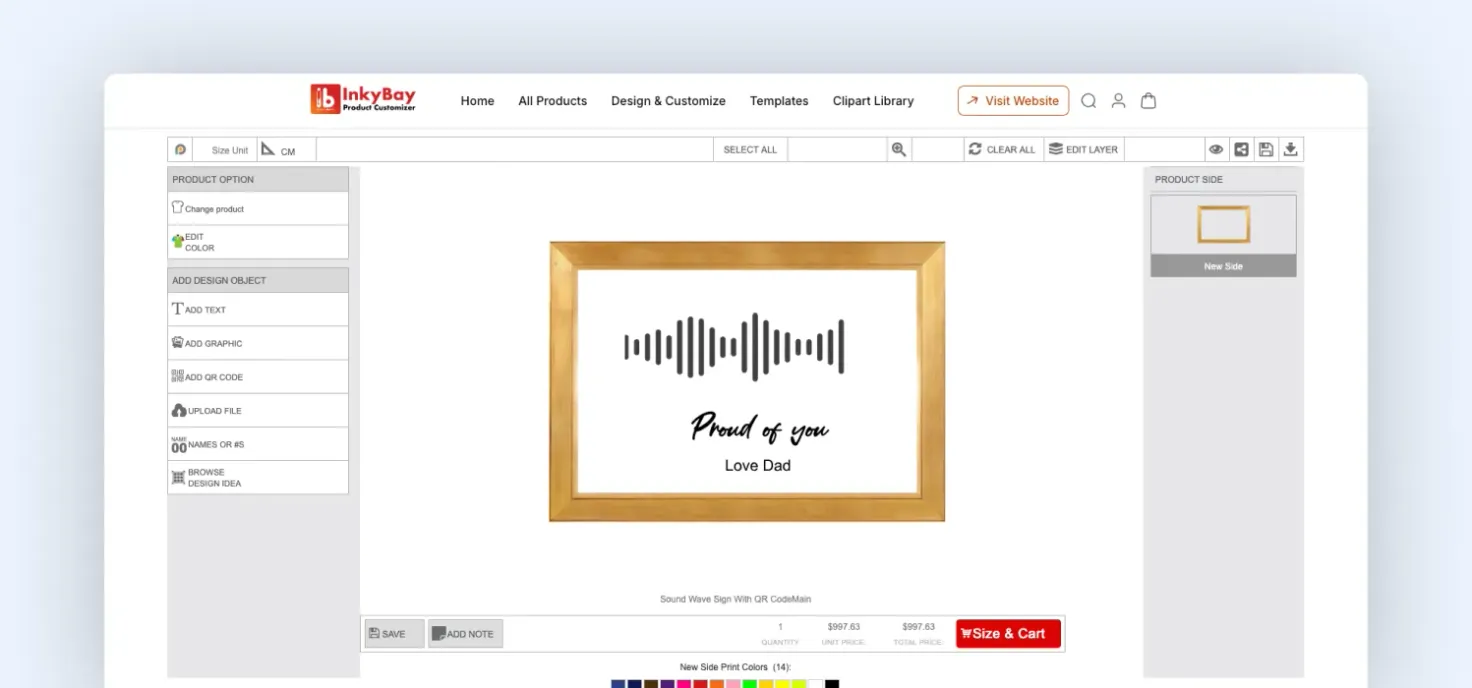
Inkybay product designer
Inkybay shifts customization into something closer to user-driven design. Instead of selecting predefined options, customers can upload images, adjust layouts, and build products from scratch. This makes it particularly effective for categories like custom apparel or promotional merchandise.
It also supports dynamic pricing based on design complexity, which is critical for businesses where production costs vary. But this level of flexibility changes the nature of the experience. You’re no longer guiding the customer; you’re giving them creative control.
Strategic snapshot:
- Use this if: Your customers are expected to design products, not just customize them
- Avoid this if: Your users need guidance rather than full creative control
- Best for: Custom apparel brands, promotional merchandise companies, and print-on-demand ecommerce stores
- Potential limitations:
- Too much flexibility can slow down decision-making
- The interface can feel heavy on mobile, which impacts usability and conversion for mobile-first traffic
7. Teeinblue Product Personalizer
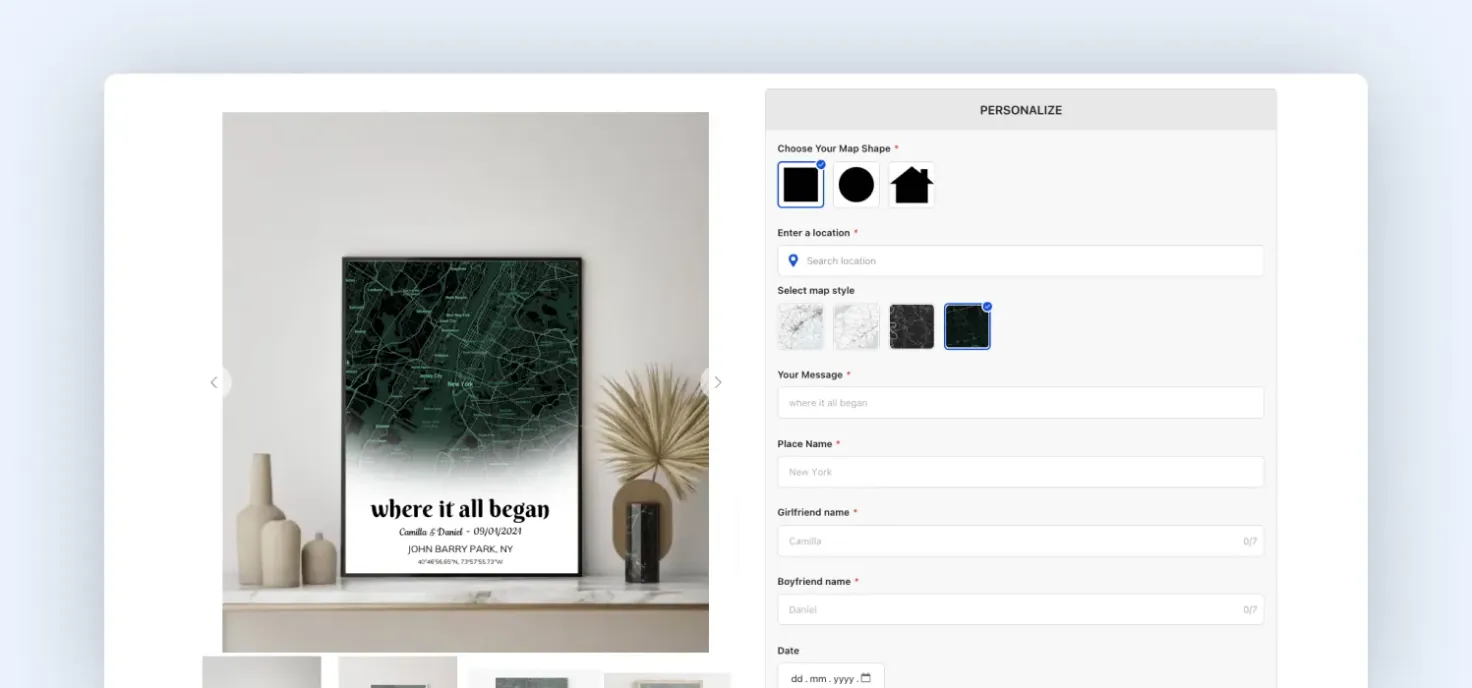
Teeinblue product personalization interface
Teeinblue exists for one specific use case: scaling personalized products fast without operational drag.
It’s not trying to be the most powerful configurator. It’s trying to be the fastest way to launch and manage high-volume personalization SKUs, especially in the print-on-demand space.
Where it stands out is in its template-driven approach. Instead of configuring each product individually, you build reusable personalization logic and apply it across large catalogs. That’s a significant advantage if you’re running campaign-driven ecommerce: seasonal drops, viral products, or ad-led SKU expansion.
This is why Teeinblue is disproportionately popular among stores doing volume through Meta ads or marketplaces. Speed matters more than flexibility in those environments.
Strategic snapshot:
- Use this if: You are scaling large volumes of personalized products quickly
- Avoid this if: Your product requires structured configuration logic or dependencies
- Best for: Merchants selling personalized gifts, seasonal merchandise, and viral POD products
- Potential limitation:
- Limited support for complex product logic or dependencies
- Reporting and analytics on configurations are restricted due to metadata-based storage
8. Zepto Product Personalizer
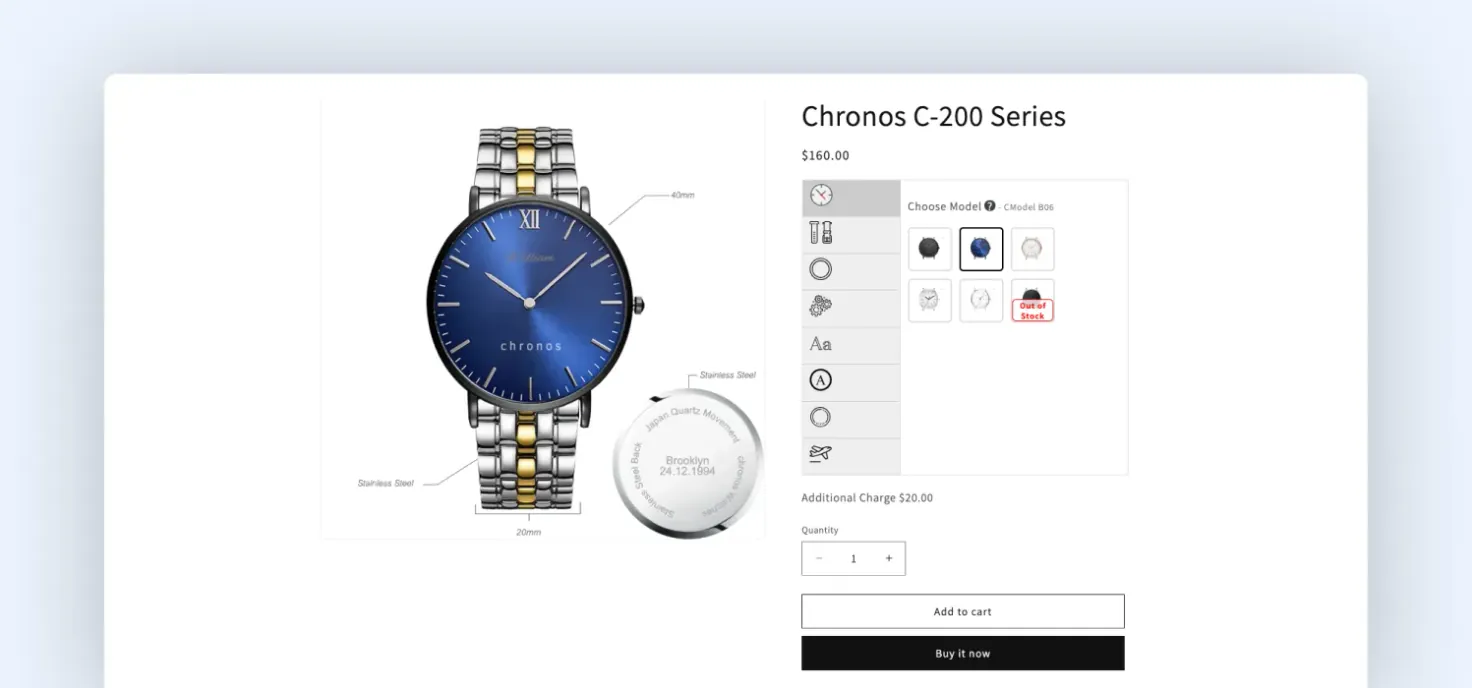
Zepto product customizer with live preview
Zepto Product Personalizer is one of the most established customization apps on the Shopify App Store. Its high number of reviews reflects its long-term adoption by merchants selling customized products.
The app allows merchants to create unlimited product options with live previews. Customers can personalize products with text, images, and design elements while seeing the result before checkout.
Because it balances flexibility with simplicity, Zepto is often used by stores that want reliable personalization features without the complexity of full 3D configurators.
Strategic snapshot:
- Use this if: You want a stable, low-maintenance personalization setup
- Avoid this if: You are trying to differentiate through advanced customization or UX
- Best for: Gift stores, engraving businesses, and merchants selling customizable consumer products
- Potential limitations:
- Limited visual customization compared to newer tools
- No support for complex conditional logic or product structures
9. Angle 3D Configurator
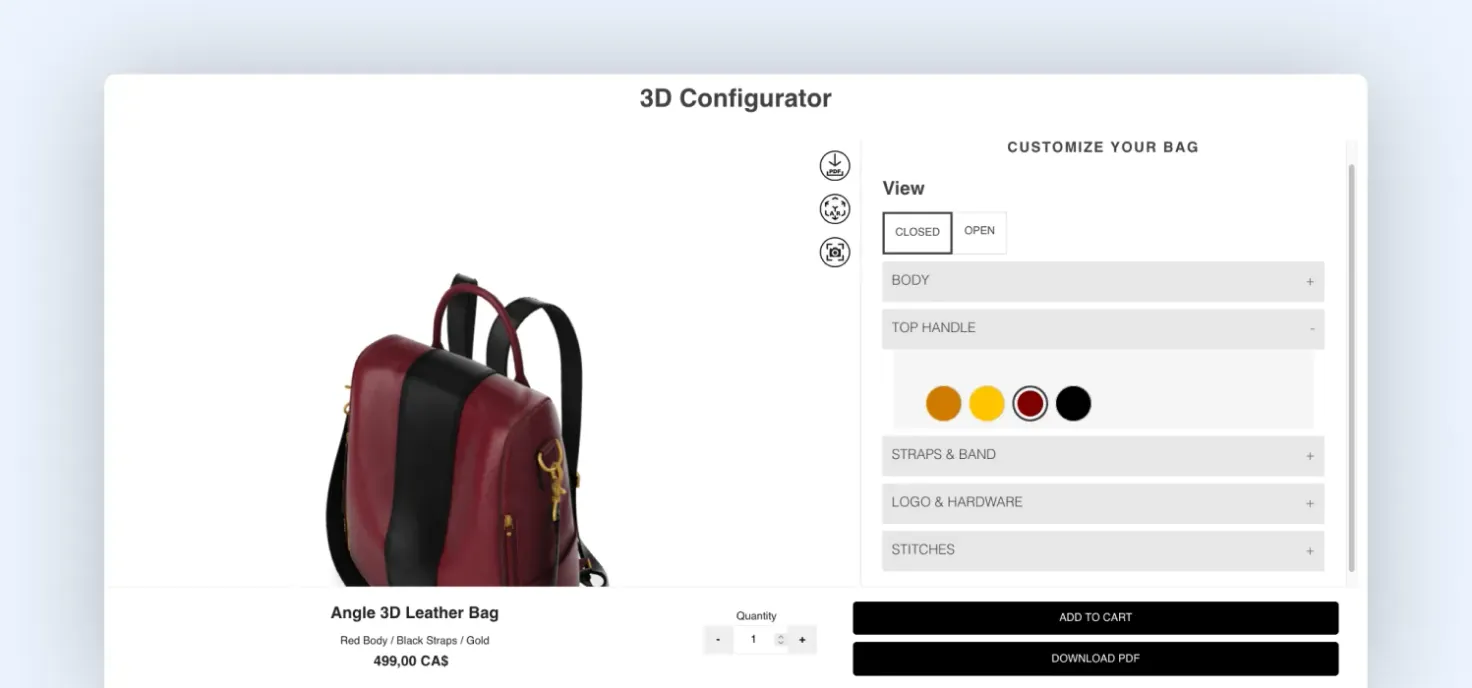
Angle 3D product configurator view
Angle 3D Configurator is a specialized app built for 3D and AR product configuration within Shopify storefronts.
Unlike traditional option apps, it focuses on visualizing products through interactive 3D models. Customers can rotate products, apply materials or textures, and explore different configurations directly on the product page.
The platform also supports conditional configuration logic and text engraving features, allowing merchants to combine visual customization with functional product options.
Strategic snapshot:
- Use this if: Your product requires depth, texture, or spatial understanding
- Avoid this if: You don’t have a strong 3D asset pipeline in place
- Best for: Furniture brands, industrial products, and companies needing interactive 3D product visualization
- Potential limitations:
- Requires investment in high-quality 3D assets
- Can impact page performance if not optimized properly
10. ACO – Product Options & Addons
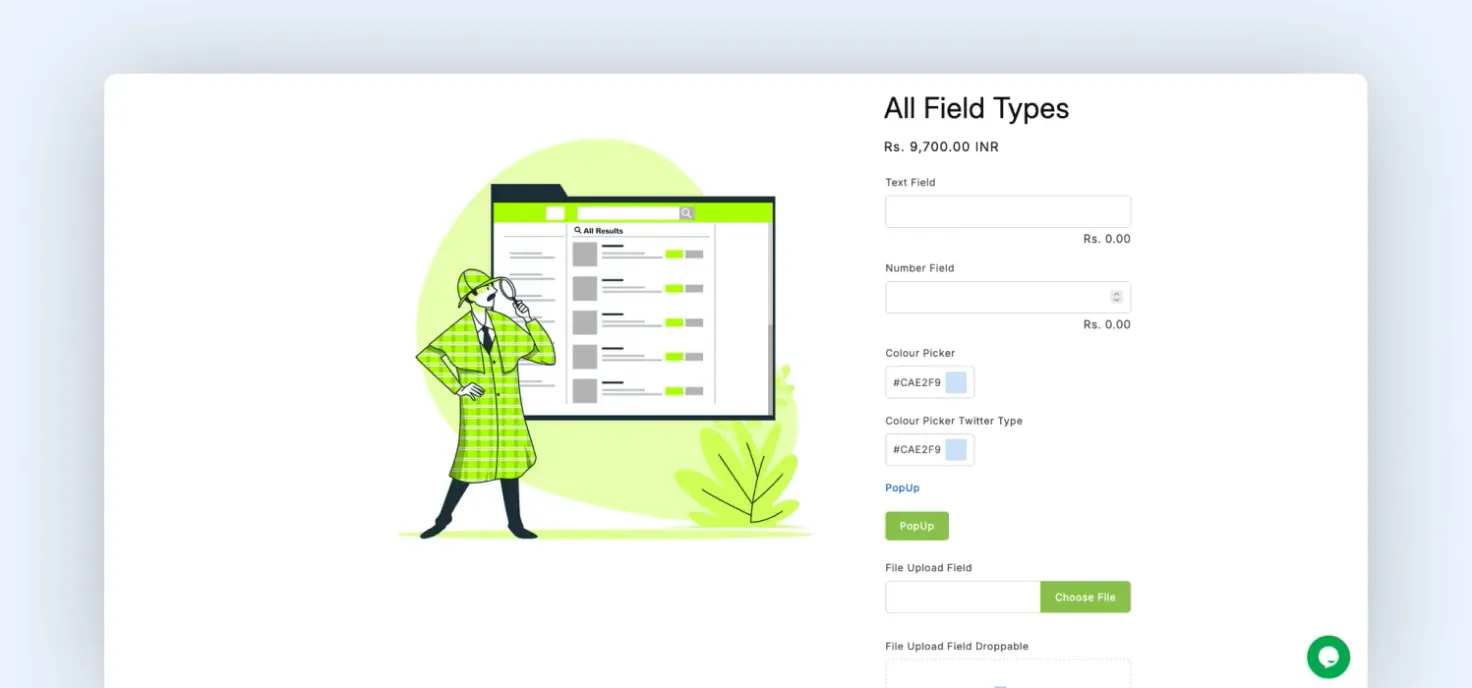
Virtual preview of ACO Product Options & Addons
ACO Product Options & Addons is a newer but rapidly growing product configuration tool designed to extend Shopify’s native product options.
The app enables merchants to create additional product options such as dropdowns, checkboxes, file uploads, and dynamic add-ons. It also supports price adjustments based on selected options.
Because it is lightweight and built around Shopify’s modern theme architecture, it’s often chosen by merchants who want more flexibility than native variants without implementing a heavy configurator system.
Strategic snapshot:
- Use this if: You need more flexibility than native Shopify options without heavy setup
- Avoid this if: You are planning for complex configurations at scale
- Best for: Merchants who want advanced product options without implementing full product configuration engines
- Potential limitations:
- Limited scalability for complex use cases
- Smaller ecosystem and less proven at the enterprise scale
Which Shopify configurator is right for you in 2026?
| App | Rating | Starting Price (2026) | Best For |
|---|---|---|---|
| Kickflip | ★ 4.3 | $59/mo + % fee | Immersive visual customization |
| Customily | ★ 4.7 | $49/mo + per-item fee | High-volume POD automation |
| Inkybay | ★ 4.8 | $19.99/mo | Complex print-on-demand & design |
| Zakeke | ★ 4.4 | $79.90/mo + % fee | Premium 3D & AR configuration |
| Zepto | ★ 4.9 | $9.99/mo | Reliable, high-volume personalization |
| Teeinblue | ★ 4.9 | $49/mo (100 free) | Fast-scaling viral gift products |
| Angle 3D | ★ 5.0 | $39/mo | Lightweight 3D product previews |
| ACO Options | ★ 5.0 | Free / $4.99/mo | Modern, theme-friendly extensions |
| Infinite Options | ★ 4.8 | $12.99/mo | Simple fields (Text, Swatches, Files) |
| LPO (Live Options) | ★ 4.7 | $9/mo | Complex conditional logic & rules |
When to not use a Shopify product configurator?
Not every store needs a configurator, even in 2026. In many cases, adding one introduces more complexity than value. Avoid configurator apps if:
- Your products can be structured within Shopify’s 2,048 variant limit
- Customization is minimal (e.g., simple text fields)
- Your team relies heavily on SKU-level inventory tracking
- You don’t have the resources to manage configuration logic or assets
In these cases, simpler solutions like native variants or lightweight option apps are often more effective. Most implementation issues we see don’t come from the tool itself; they come from using a configurator where it isn’t needed.
Final thoughts
In 2026, the real challenge isn’t adding a configurator; it’s structuring your product data correctly. With 2,048 variants now possible, many merchants create too many combinations and end up slowing down their store or complicating operations. On the flip side, relying only on app-based options limits visibility and control.
The right setup is usually a mix of both. At Magebit, we’ve implemented everything from app-based configurators to fully custom-built solutions for complex product setups. If you’re unsure what that looks like for your store, get in touch with Magebit.